How to publish a book: step by step, costs, ISBN and self-publishing options
A step-by-step guide on how to publish a book: publishing paths, ISBN and copyright in the U.S., costs, print on demand and how to sell it.

What will we see in this post

To publish a book, you finish and edit the manuscript, take care of the interior layout and cover, choose the format, get an ISBN, decide how to print it and where to sell it. You don’t need a publisher: you can self-publish, including with print on demand, without buying inventory before your first sale.
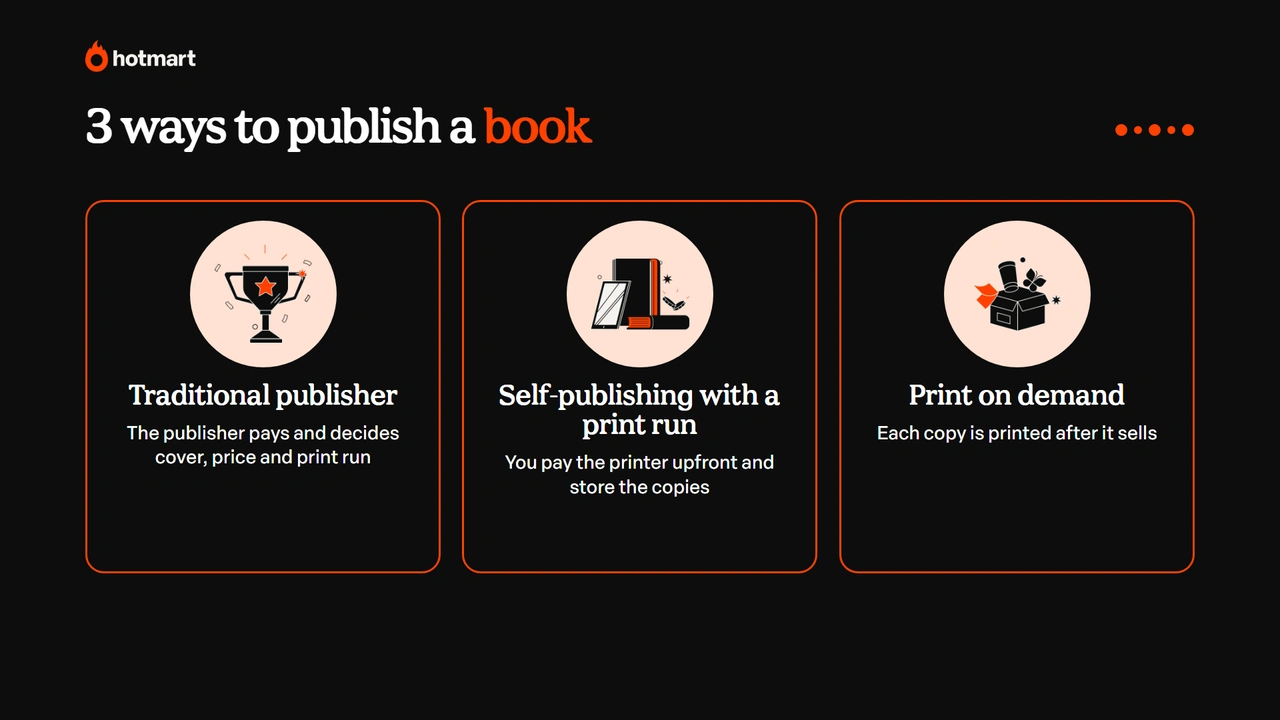
Today there are three main paths: a traditional publisher, self-publishing with your own print run and self-publishing with print on demand. They change who pays for production, how long it takes and how much control you keep over the book.
There’s an audience, but you have to go after it. In 2022, 48.5% of U.S. adults read at least one book in the previous 12 months, according to the National Endowment for the Arts. For first-time authors, that means the book needs a clearly defined reader and a promotion plan from day one.
Below, we walk you through the 9 steps to publish a book, what each stage costs, which registrations matter in the U.S. and how to turn an e-book or course into a print book.
What are the ways to publish a book?
You can publish a book through a traditional publisher, by self-publishing with your own print run or by self-publishing with print on demand. The difference lies in who pays for production, the timeline and how much control the author keeps.
| Path | Who pays for production | Timeline | Author control | Inventory |
|---|---|---|---|---|
| Traditional publisher | The publisher | Often a year or more after the deal is signed | Lower: the publisher decides cover, price and distribution | The publisher’s |
| Self-publishing with your own print run | The author, before selling | Up to the author and the printer | Full | The author’s |
| Self-publishing with print on demand | Printing costs come out of each sale | Up to the author; printing after each order | Full | None |
1. Traditional publishing
In the U.S., most authors first need a literary agent, who pitches the manuscript to publishers. If a publisher accepts it, they handle editing, proofreading, cover, printing and distribution. The advantage is not paying for production and relying on the publisher’s distribution network.
The trade-off: the process is competitive, responses can take months, the author gives up part of the control (cover, price and print run become the publisher’s decisions), and the author’s pay is an advance plus a royalty on each sale, set in the contract.
2. Self-publishing with your own print run
The author handles the whole process: hires editing, cover design and interior layout, gets the ISBN, prints with a printing company and takes care of distribution. Control is total, but many printers require a minimum number of copies, and the printing bill comes before any sale.
This path makes sense for authors who already have an audience and can estimate how many copies they’ll sell.
3. Self-publishing with print on demand
The book is only printed when someone buys it. The author still prepares the book (editing, cover, layout), but doesn’t need to pay for a print run or store copies. This model is covered further down, in the section on how to publish a book without inventory.
How to publish a book in 9 steps
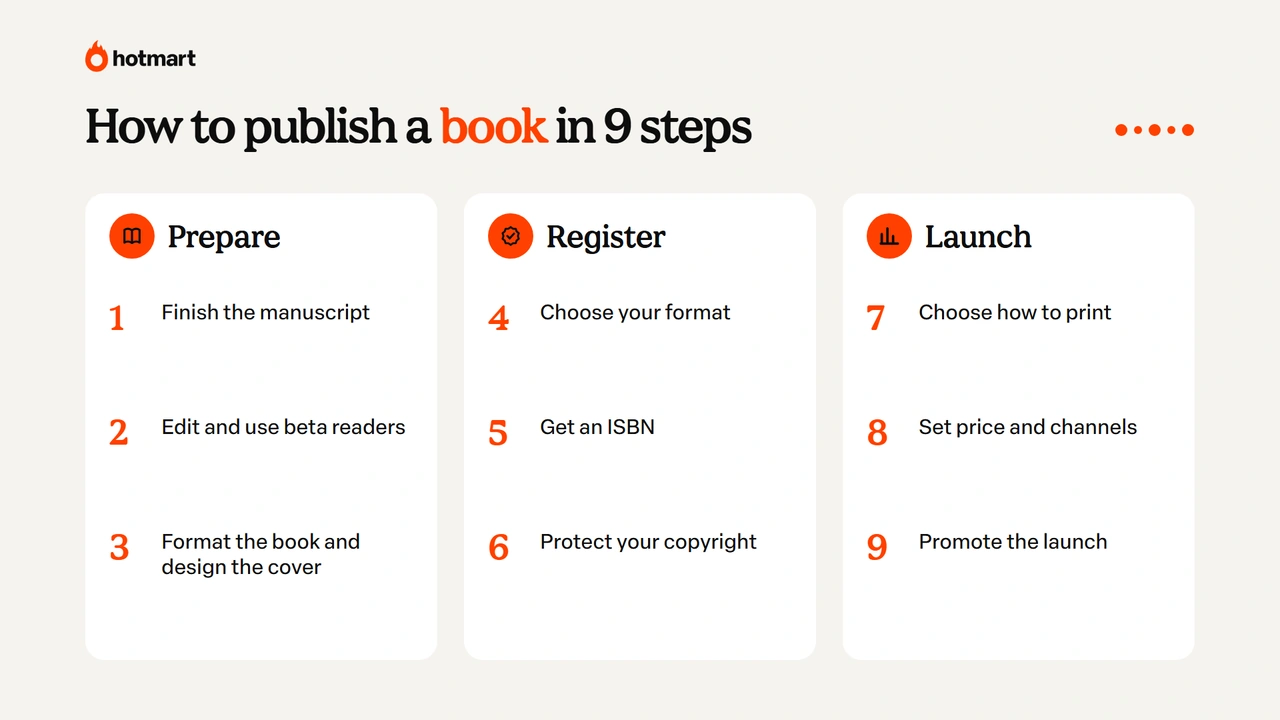
The 9 steps to publish a book are: finish the manuscript, edit it, design the interior and cover, choose the format, get an ISBN, protect your copyright, choose how to print, set the price and sales channels and promote the launch. They apply to self-publishing. With a traditional publisher, many of them are the publisher’s job.
1. Finish the manuscript and define the book’s purpose
Before thinking about printing, answer a simple question: why does this book exist? To build authority, complement a course, go deeper into a method or be a premium product. The answer sets the depth, length and tone of the text. If you’re still writing, this guide on how to write a book helps you plan and finish the manuscript.
If the book comes from material you already have, such as an e-book, a workbook or a transcribed course, the section on how to turn an e-book into a print book shows what to adapt.
2. Edit and get feedback from beta readers
An error you can fix in two minutes in a digital file ends up printed in every copy. That’s why editing comes in layers: first the structure and logic of the chapters, then the text itself and, finally, proofreading.
Before the final version, ask beta readers, people from your target audience, to read the book and point out passages that are confusing, repetitive or missing. Defining a buyer persona helps you choose readers who look like the people you want to reach.
3. Take care of the interior layout and cover
Interior layout, also called typesetting or formatting, organizes the text on the page: trim size, margins, fonts, spacing, headings and image placement. It’s what turns a text file into a book that’s comfortable to read. The cover, in turn, has to work at a small size, as a thumbnail in online stores, and also in print.
Both stages can be done by professionals or by you, with design tools. Also choose the paper type and finish, which change the cost of each copy.
4. Choose the format: print book, e-book or both
An e-book is faster to launch and to update. A print book conveys tangible value and authority. Many authors sell both, and the section on formats, further down, helps you decide.
If you publish in more than one format, keep in mind that each format needs its own ISBN.
5. Get an ISBN for your book
The ISBN is the number that identifies a book in the publishing market, and in the U.S. it’s issued by Bowker, the official ISBN agency. No federal law requires an ISBN, but most bookstores, distributors and libraries need one to list a print book. Whoever buys the ISBN is listed as the publisher of record. Prices and free options are in the section on registrations.
6. Protect your copyright
Your work is protected by copyright as soon as it’s written down, with no registration required. Registering with the U.S. Copyright Office is optional, but it creates a public record of authorship and is required before you can sue for infringement of a U.S. work. The details are in the section on ISBN, copyright and deposit, further down.
7. Choose how to print: print run or print on demand
With a print run, you print a set number of copies at once, pay upfront and store the inventory. With print on demand, each copy is produced after the sale.
A print run can make sense if you already have presales or a launch event. Print on demand lowers the risk for authors who don’t know yet how many books they’ll sell.
8. Set the price and sales channels
The price needs to cover the printing cost of each copy, the sales channel’s fees and shipping (if you don’t pass it on), and still leave a margin for the author. Compare with books on the same topic and of similar length before deciding.
The most common channels are direct sales (through your website, a sales page or social media), bookstores, online retailers and e-book stores. The section on where to sell covers each one.
9. Promote the launch
A published book isn’t a sold book. Start talking about it before the launch, with behind-the-scenes posts, excerpts and presales, and plan promotion for the weeks that follow. The section on promotion, further down, lists the most common channels.
ISBN, copyright and legal deposit: what’s required to publish a book in the U.S.
To publish a book in the U.S., copyright protection is automatic, an ISBN is not required by law but is needed by most retailers, and the publisher must send two copies of the print book to the Library of Congress within three months of publication. Each one plays a different role.
ISBN: what it is and how much it costs
The ISBN (International Standard Book Number) is a 13-digit number that identifies the title, author, publisher and edition of a book. Retailers, distributors and libraries use it to catalog the book and track sales.
Different formats, like the paperback, the hardcover and the e-book, need different ISBNs. In the U.S., ISBNs are sold by Bowker through its MyIdentifiers store, where one ISBN costs $125 and a block of ten costs $295 (prices in November 2026). Since every format needs its own number, the block of ten usually works out cheaper.
There’s also a free option. Amazon KDP offers a free ISBN for paperbacks and hardcovers, but that number can only be used on KDP, and the book is listed as “Independently published” instead of under your own imprint. On KDP, an ISBN is optional for e-books.
Library cataloging data
In Brazil and some other countries, a catalog record printed on the copyright page is required by law. In the U.S., it isn’t. The Library of Congress runs a Cataloging in Publication (CIP) program for established publishers, and some self-published authors pay a cataloging service for a Publisher’s Cataloging-in-Publication (P-CIP) block, which can help if you want to sell to libraries. It’s optional.
Copyright
Under U.S. law, copyright protection starts as soon as the work is created and fixed in a tangible form, and registration is voluntary. For works created from 1978 onward, protection lasts for the author’s life plus 70 years, according to the U.S. Copyright Office.
Registration is still worth considering. It creates a public record, is required before you can file an infringement lawsuit over a U.S. work and, if done on time, makes statutory damages and attorney’s fees available. According to the Copyright Office fee schedule, online registration currently costs $45 with the Single Application (one author, one work) and $65 with the Standard Application. A new fee schedule takes effect on January 5, 2027, so check the current amount before filing.
Mandatory deposit at the Library of Congress
Mandatory deposit requires the copyright owner or the person with the right to publish a work in the U.S. to send two copies of the best edition to the Library of Congress within three months of publication, under Section 407 of the Copyright Act. For works published only online, such as an e-book with no print edition, the deposit is generally required only if the Copyright Office sends a demand.
If you register the book with the Copyright Office and send copies of the best edition, that deposit generally counts as well. Self-published authors should check with their print partner, since some don’t handle this step for you.
How much does it cost to publish a book?
The cost of publishing a book depends on the path: with a traditional publisher, the publisher pays for production; when you self-publish, you pay for preparation (editing, layout, cover), ISBNs and printing, which can be paid upfront (print run) or come out of each sale (print on demand). These are the items that make up the cost:
| Item | Reference cost | Notes |
|---|---|---|
| Editing and proofreading | Varies by professional and page count | May include more than one round |
| Interior layout | Varies by professional and complexity | Books with many images cost more |
| Cover design | Varies by professional | Can be made with design tools |
| ISBN | $125 for one or $295 for ten (Bowker, November 2026) | One per format; KDP offers a free ISBN that only works on KDP |
| Barcode | Often generated for free by print on demand platforms | Needed for retail sales of print books |
| Copyright registration | $45 to $65 online (U.S. Copyright Office, until January 5, 2027) | Optional |
| Printing | Varies by page count, paper, color and binding | Upfront with a print run; per order with print on demand |
| Promotion | Variable | From organic content to paid ads |
What this means for first-time authors: official registrations cost little compared with printing. What weighs most on your budget is paying for a print run before you know how many books will sell, and that’s the cost print on demand removes.
Can you publish a book for free?
You can publish a book at a very low cost, but rarely at zero cost. Platforms such as Amazon KDP don’t charge to list a book, and the printing cost is deducted from each copy sold.
Even so, quality depends on editing, layout and cover, and those stages become costs if you don’t do them yourself. If you want your own ISBN, so you can sell the same edition on several platforms, that’s another item to include in the budget.
Print book, e-book or both: which format to choose
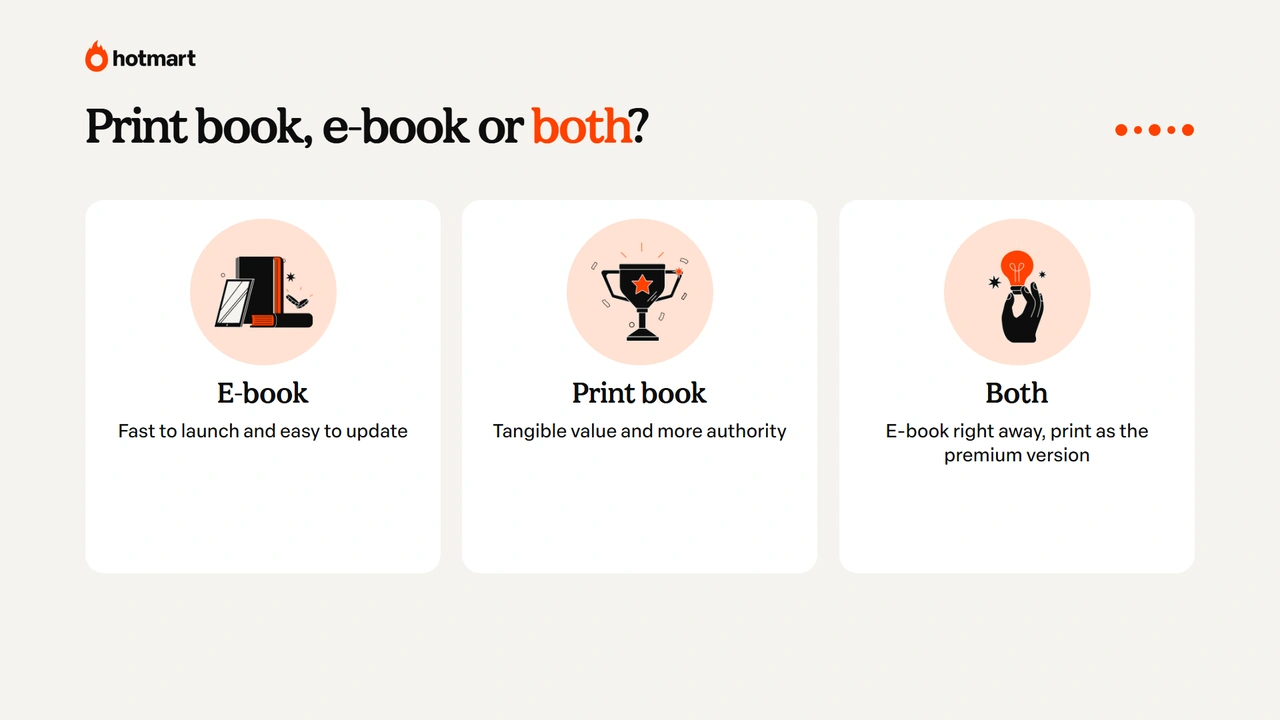
There’s no right format for every book: the e-book is best for speed and updates, the print book for perceived value and authority, and many authors sell both. The choice depends on your audience, the type of content and the book’s role in your business.
To compare, look at what each format offers:
- E-book: fast launch, digital distribution and easy updates, with no printing costs.
- Print book: tangible value, brand presence and a sense of depth, which strengthen your professional positioning. In niches such as education, personal development, business, health, creativity and professional methods, print still carries weight.
- Both: the e-book as an instant product, the print book as the premium version and bundles that combine them.
In practice, you often don’t even have to choose. The book can be sold alongside the e-book, be included in a course, coaching program or community and work as an extension of your brand’s authority. If you’re still creating the digital material, this guide on how to create an e-book helps you structure it from the start.
How to turn an e-book into a print book
To turn an e-book into a print book, you adjust the structure, pacing, links and positioning of the content for reading on paper, without rewriting everything.
Many e-books already have chapters, a method, exercises and case studies, which work in print with some adjustments.
Define the book’s role in your business
A print book can support launches, bring your audience closer, raise your average order value, be part of product bundles or complement high-value offers, such as online courses and coaching. Deciding that role first makes it easier to choose what to adapt, expand, reorganize or keep from the original material.
Adapt the content for reading on paper
Reading on a screen is more fragmented; reading a book is linear and focused. That’s why exporting the e-book PDF isn’t enough. Before sending it to print, review five points:
- Structure: check that the chapters follow a clear progression, that the content supports longer reading, that examples and explanations are fully developed and that there aren’t repetitions typical of marketing or course material, which feel redundant in a book.
- Pacing and chapter length: combine very short paragraphs and make sure ideas connect. Also review color images, which make printing more expensive and can become black-and-white charts.
- Links and calls to action: “click here” doesn’t work on paper. Instead of removing calls to action, adapt them, for example by turning links into QR codes.
- Positioning: a book meant to strengthen your personal brand gains power from your own voice, case studies, behind-the-scenes stories and lessons learned, not as a collection of quick tips.
- Proofreading: the most common mistake is sending the e-book PDF straight to the printer. Do a full proofread and, if possible, a beta read of the final version.
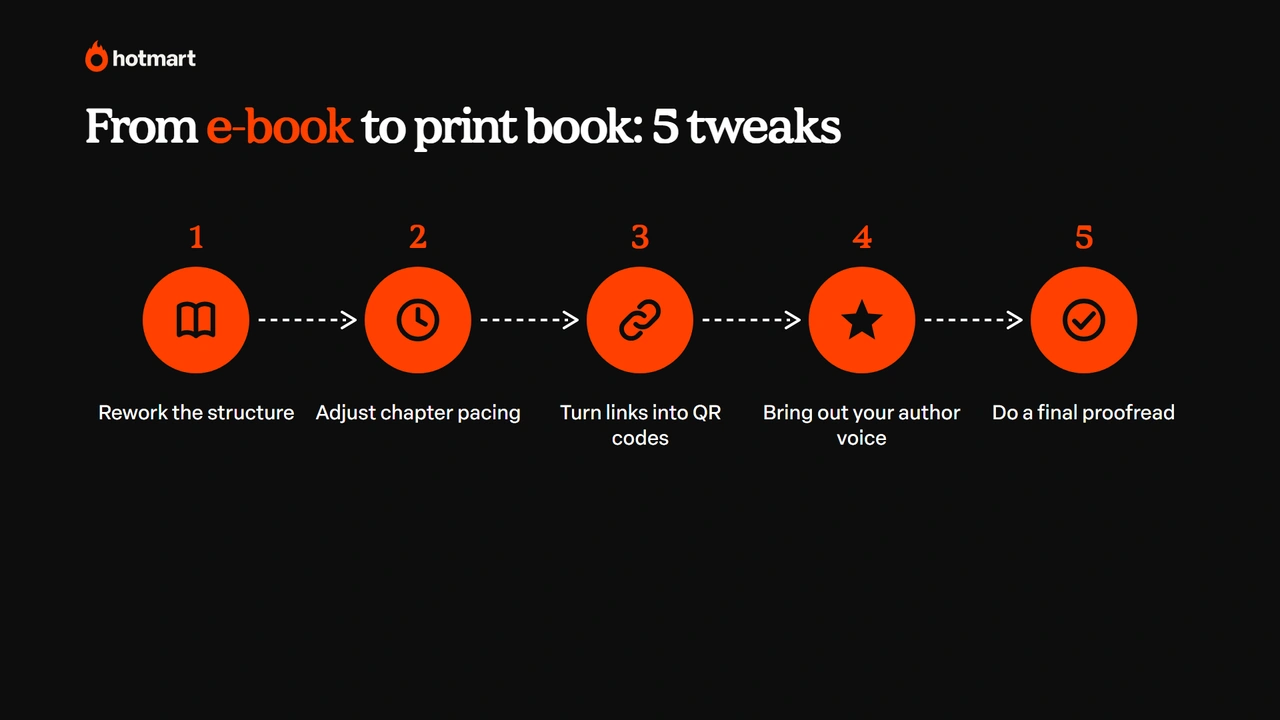
With these adjustments, readers feel they’re holding a book designed for paper, not a printed PDF. That’s what makes someone finish reading it and recommend it to someone else.
How to publish a book without inventory
The most direct way to publish a book without inventory is print on demand: each copy is printed and shipped after the purchase, with no upfront print run. This lowers the initial cost, removes inventory management and simplifies the operation.
In the U.S., the best-known print on demand options for self-published authors are Amazon KDP Print, IngramSpark and Lulu. KDP sells on Amazon; IngramSpark distributes to bookstores, libraries and other online retailers through the Ingram network; and Lulu also lets you sell from its own store and connect to your website. Each one has its own rules for printing costs, royalties and ISBNs, so compare them before choosing.
Selling the print book and the e-book together
A common strategy is to keep the print book on a print on demand platform and sell the digital products that go with it, like the e-book, a course or a coaching program, through a platform built for digital products. Hotmart, the all-in-one platform to create, sell and deliver digital products, works on that digital side.
The flow, in general terms, follows four stages:
- You set up the print edition on a print on demand platform: upload the interior PDF and cover, choose trim size, paper and binding and order a proof copy to check the result before selling.
- You create the digital product on Hotmart, such as the e-book version or a course based on the book, and sell it with a sales page and the Hotmart checkout. Order bumps help you offer complementary products at the moment of purchase.
- You connect the two offers: the sales page links to the print edition, and the book points readers to the course or community through QR codes and calls to action.
- You track sales on each platform and use the data to decide which offer to promote.
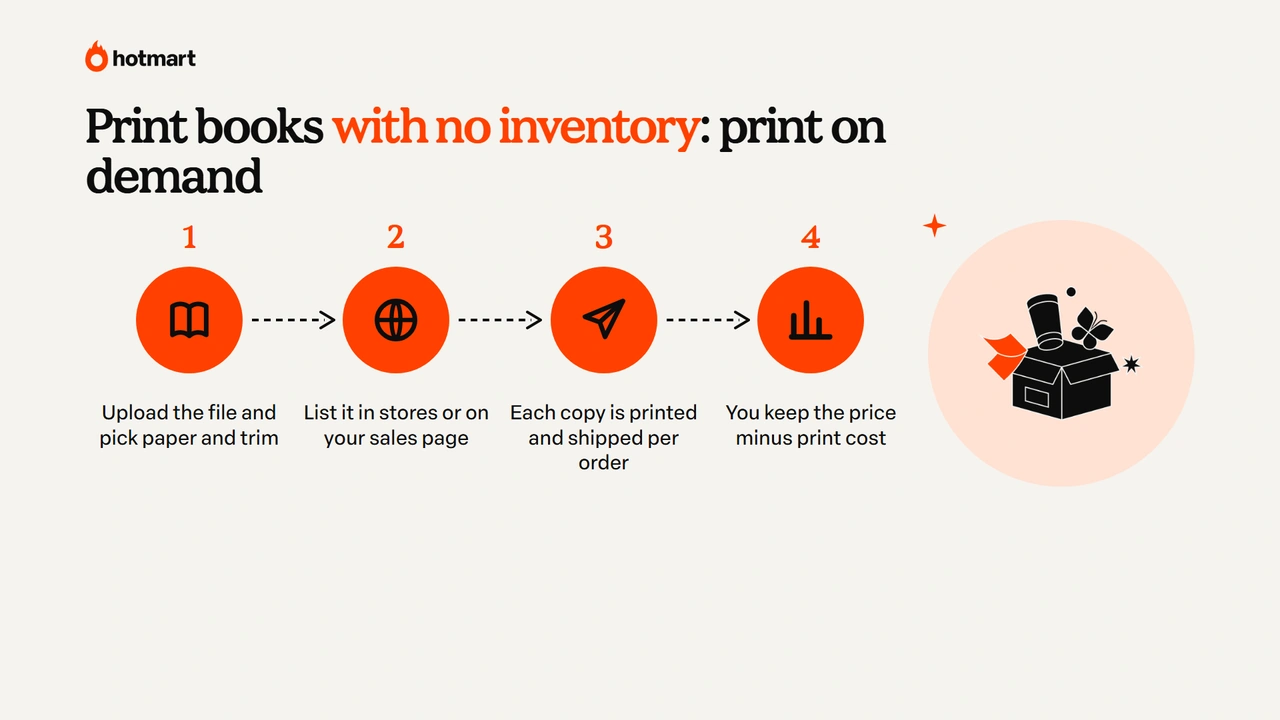
That way, the print book and the digital products reach the same audience without you having to keep a single copy in stock.
Where to sell and how to promote your book
The main sales channels for a book are direct sales, bookstores, online retailers and e-book stores, and promotion usually combines social media, an email list and events. Each channel has its own rules and fees.
Sales channels
Before choosing, it helps to know what each channel requires:
- Direct sales: through your website, sales page, social media or a digital product platform. You control the price and the relationship with readers.
- Bookstores: give the book physical visibility and keep a share of the cover price, usually through a distributor’s wholesale discount.
- Online retailers: reach people who are already shopping online, in exchange for a share of each sale.
- E-book stores: distribute the digital version, with royalty and exclusivity rules that vary from store to store.
Many authors start with direct sales, which offer a better margin, and add other channels as the book finds its audience.
Promotion
For the first few months, the most common approaches are:
- sharing behind-the-scenes content, excerpts and the cover on social media before the launch;
- opening a presale to measure interest;
- building an email marketing list with people who showed interest;
- holding in-person or online launches and attending book fairs and literary events;
- using the book as a gateway to courses and coaching, and vice versa.
For authors who already have an audience, a book tends to sell more when it’s part of a bigger strategy, such as learning to sell digital products online alongside it.
Common mistakes when publishing your first book
Some costly mistakes when publishing a first book are skipping editing, sending the e-book PDF straight to the printer and paying for a large print run without knowing how many copies will sell. Use the list below to review your plan:
- Skipping professional editing or beta readers.
- Sending the e-book PDF to the printer without adapting the content.
- Using color images without calculating the impact on printing costs.
- Paying for a large print run before testing demand.
- Setting the price without including printing, fees and shipping.
- Using a platform’s free ISBN without knowing it only works on that platform.
- Expecting the book to sell without promotion.
Notice that almost all of them happen before printing. Time spent on preparation costs less than fixing a book that’s already printed.
Your knowledge can become a book
Today you can publish a book without a publisher and without inventory. What hasn’t changed is the groundwork: a well-edited text, the right registrations and a plan to reach the people who will read it.
If you already have an e-book, a workbook or a course, that material can become a print book and be sold alongside the digital version. On Hotmart, you sell the e-book, course or coaching program that goes with the book with no monthly fee, and the platform only charges per approved sale (9.9% + US$1.00, November 2026), according to Hotmart’s pricing page.
Create your free Hotmart account and sell the digital products that go with your book
References
- NATIONAL ENDOWMENT FOR THE ARTS. Arts Participation Patterns in 2022: Highlights from the Survey of Public Participation in the Arts. https://www.arts.gov/impact/research/publications/arts-participation-patterns-2022-highlights-survey-public-participation-arts
- AMAZON KDP. ISBNs (Help Center). https://kdp.amazon.com/en_US/help/topic/G201834170
- BOWKER. MyIdentifiers: buy ISBNs. https://www.myidentifiers.com/
- U.S. COPYRIGHT OFFICE. How long does copyright protection last? https://www.copyright.gov/help/faq/faq-duration.html
- U.S. COPYRIGHT OFFICE. Fees. https://www.copyright.gov/about/fees.html
- U.S. COPYRIGHT OFFICE. Mandatory Deposit. https://www.copyright.gov/mandatory/
- HOTMART. Pricing. https://hotmart.com/en/pricing
Frequently asked questions about how to publish a book
Still have questions about how to publish a book? Here are quick answers to the most common ones.
Do I need a publisher to publish a book?
No. You can self-publish a book by hiring editing, layout and cover design, getting an ISBN and printing through your own print run or print on demand. A traditional publisher is just one of the paths.
Is an ISBN required to publish a book in the U.S.?
No U.S. law requires an ISBN, but most bookstores, distributors and libraries need one to list a print book. ISBNs are sold by Bowker, and Amazon KDP offers a free ISBN that can only be used on KDP.
Who can buy an ISBN for a book?
In the U.S., any author or publisher can buy ISBNs from Bowker, the official ISBN agency. Whoever buys the ISBN is listed as the publisher of record, which is why many self-published authors buy their own.
How do you publish a book without paying for a print run?
The answer is print on demand: each copy is only printed and shipped after someone buys it. Platforms such as Amazon KDP Print, IngramSpark and Lulu work this way, so you don't pay for a print run or store books.