What Is Checkout? Types, Key Elements and How to Sell More
Learn what checkout is, the main types, the elements that reduce cart abandonment, how to measure results and how Hotmart's checkout works.

What will we see in this post

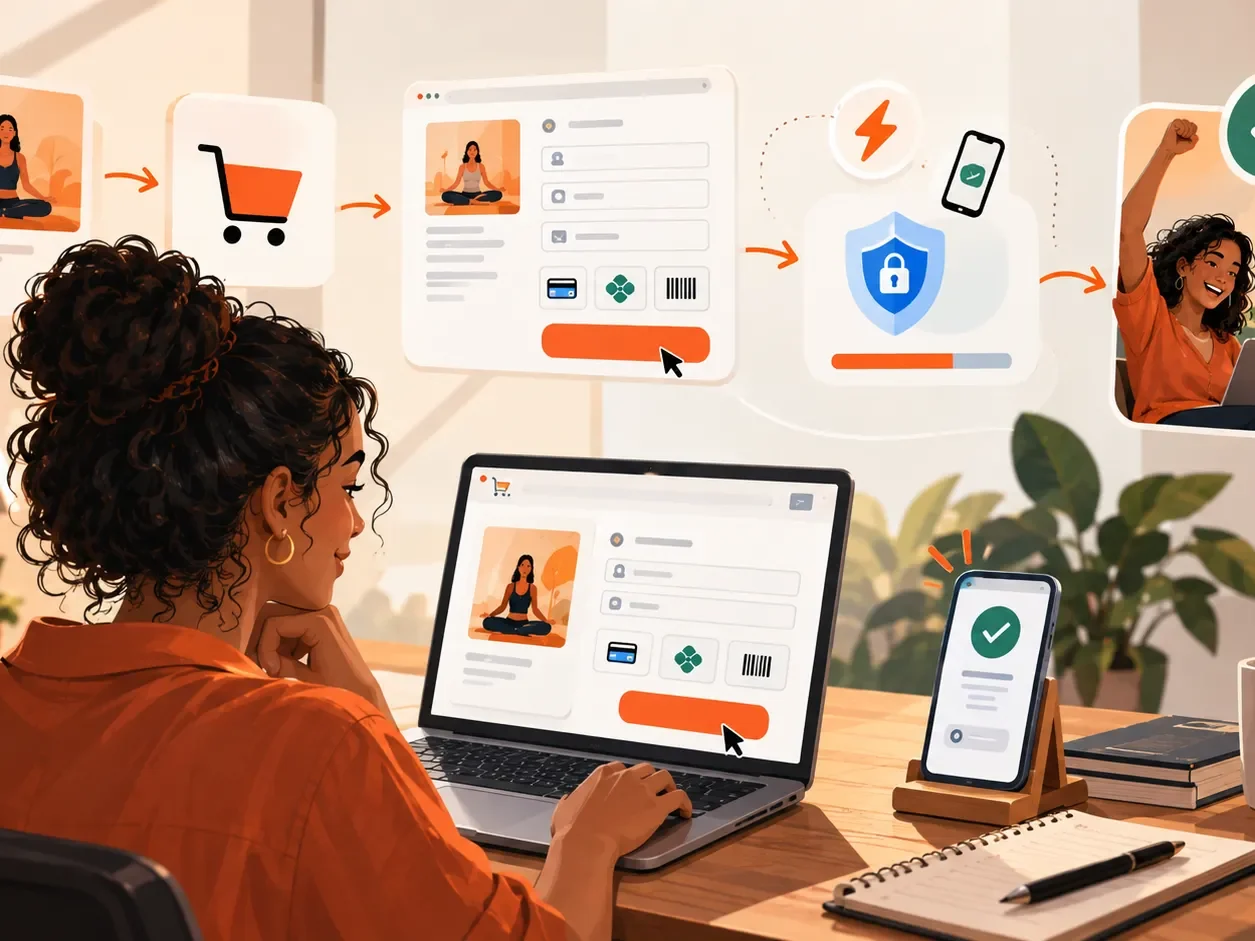
Checkout is the final step of a purchase, where the customer confirms their details, chooses a payment method and places the order. In online sales, this page is decisive: after attracting an audience, presenting your offer and sparking interest, you still need to give buyers a simple, secure payment experience.
A checkout with unnecessary steps, few payment options, slow loading or unclear information can create roadblocks right at the moment of purchase. On the other hand, removing that friction makes it easier for people to follow through on a decision they have already made.
That is why optimizing your checkout is about more than making the page look good. You need to think about security, usability, payment methods, the mobile experience, transparency and even tools to recover sales that were not completed.
What is checkout?
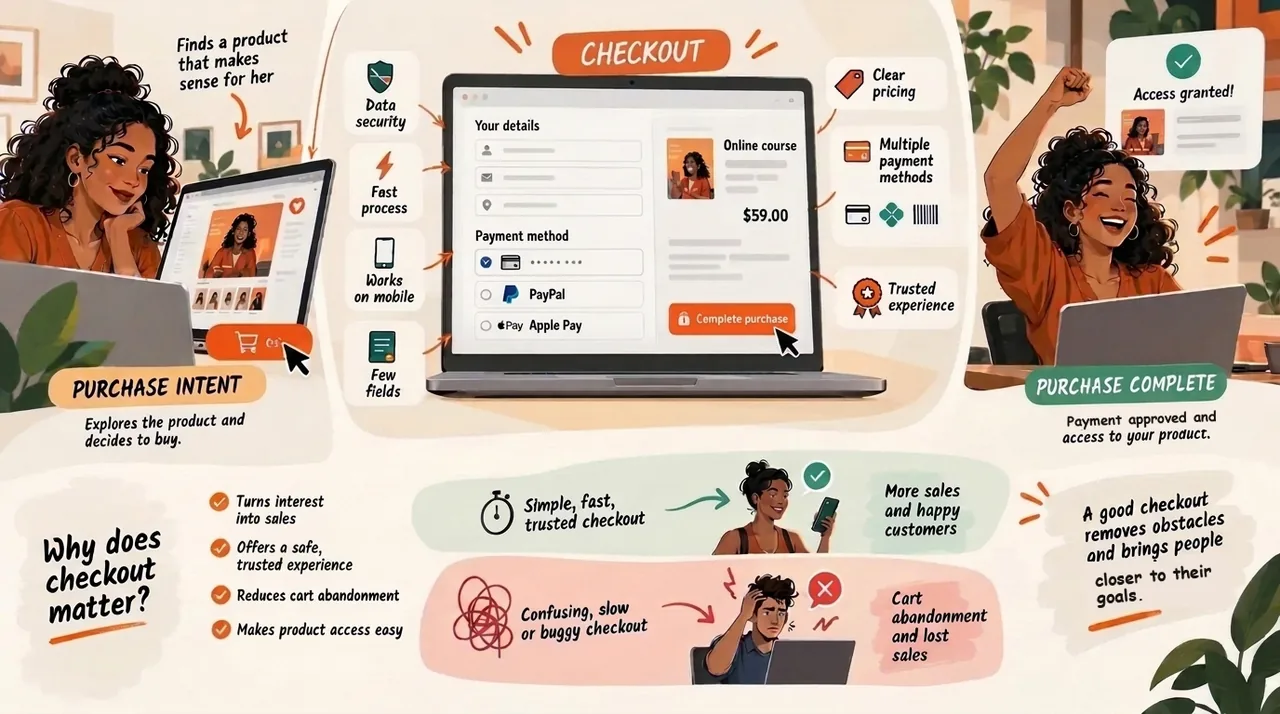
Checkout is the stage where a purchase is completed: the customer reviews the order, enters the required details, chooses how to pay and confirms the transaction. In online sales, it usually happens after the shopper picks a product and decides to move on to payment.
In a digital purchase, the checkout page can:
- Collect the information needed for the purchase
- Show the price, terms and payment options
- Process or pass along the payment information
- Confirm that the transaction went through
- Connect the purchase to the next steps of the customer journey
When you sell digital products, payment confirmation can also be tied to product delivery. Depending on the platform, the buyer automatically gets access to a course, ebook or community once the payment is approved.
What does checkout mean?
In everyday English, checkout is where you pay for your items in a store. In ecommerce, the term refers to the process between the decision to buy and the order confirmation. So when people talk about a checkout page, they mean the page where the shopper enters their details and pays.
What are the types of checkout?
The main types of checkout are embedded (on-site) checkout, redirect checkout, one-page checkout and multi-step checkout. Each format organizes the payment experience differently, and there is no single best option for every business: the right choice depends on how complex the purchase is, your tech setup and your customers.
| Checkout type | How it works | Advantage | Watch out for |
|---|---|---|---|
| Embedded (on-site) | Payment happens inside the store or platform experience | Keeps the purchase flow seamless | May require a more complex technical setup |
| Redirect | The buyer is sent to another environment to pay | Can be simpler to implement | The handoff must be clear to avoid distrust |
| One-page | Puts the details and payment on a single page | Makes the journey more direct | Can get crowded if it asks for too much |
| Multi-step | Splits the process into consecutive steps | Helps organize complex purchases | Too many steps add friction |
More important than the format’s name is looking at the whole experience from the buyer’s side. A one-page checkout is not simple if it has dozens of fields, and a multi-step checkout can work very well when each step is short and shows how much is left.
Why is checkout such an important step in the funnel?
Checkout matters because it is the moment when purchase intent has to become a completed transaction. According to the Baymard Institute, which tracks dozens of studies on the topic, about 70% of online shopping carts are abandoned before the order is placed. Common reasons include:
- Unexpected costs
- Too few payment options
- Problems processing the payment
- Lack of trust in the page
- Asking for too much information
- A long or confusing process
- A poor mobile experience
A great payment page cannot fix a weak offer or a sales page that does not explain the product. But once the customer has decided to buy, checkout should avoid unnecessary obstacles without compromising security or clarity.
8 elements of an effective checkout
An effective checkout reduces friction without sacrificing security or clarity. These are the elements that most affect your results:
- Page speed
- Multiple payment methods
- Security and trust
- Only the fields you need
- A great mobile experience
- Relevant add-on offers
- Sales recovery
- Local currency, language and payment methods
Here is a closer look at each one.
1. Page speed
Your checkout needs to load fast and respond smoothly to every action. Any delay adds friction to a step that should be simple. Test the page on different devices and connections: something that loads quickly on a laptop with fast Wi-Fi may feel slow on a phone using mobile data.
2. Multiple payment methods
Offering the payment methods your audience actually uses removes a major barrier to completing the purchase. Credit and debit cards, digital wallets such as PayPal and Apple Pay, and local options all serve different habits, which vary a lot from country to country.
Hotmart’s checkout offers more than 40 payment methods, including local options in each market, and lets buyers pay in installments by card where that option is available.
3. Security and trust
Payment involves personal and financial data, so security and trust are essential. A secure connection, clear payment information, a recognizable business name and fraud prevention all make the experience more trustworthy.
Hotmart’s checkout has this protection built in: Risk Radar uses artificial intelligence to analyze purchase behavior in real time and block fraudulent transactions, protecting creators from chargebacks without the need for a separate fraud prevention tool.
4. Only the fields you need
Every extra field adds more effort to finishing the purchase. Ask only for what you truly need for payment, delivery or invoicing. The goal is not to remove important information, but to avoid fields with no clear purpose at that point in the journey.
5. A great mobile experience
Your checkout has to work well on mobile, with easy-to-fill fields, visible buttons and readable text. Before launching an offer, make a test purchase on your phone and check how the price, the payment selection and the loading time look on a small screen.
6. Order bumps and add-on offers
Add-on offers can raise your average order value, as long as they relate to the main purchase and do not clutter the checkout. Imagine someone buying a baking course: during checkout, they can be offered an ebook with extra recipes.
On Hotmart, the Order Bump is a free feature that shows an additional product inside the checkout, so buyers can add it to their order in one click. The key is relevance: the offer should add value to the main purchase.
7. Sales recovery
Not every checkout that starts ends in a sale, but many can be recovered. Someone may leave because their card was declined, because they hit a payment issue or simply because they had to step away.
For these cases, Hotmart offers sales recovery tools. The Automatic Sales Recovery feature steps in when a payment is declined for insufficient card limit, the reason behind 43% of declined purchases on the platform in one year, and offers other payment options in less than 1 second, at no extra cost. For people who abandon their cart, a well-timed email marketing sequence also helps restart the conversation.
8. Local currency, language and payment methods
If you sell internationally, you need to account for differences between markets: currency, language, payment methods and buying habits vary a lot. The more familiar the experience, the less effort it takes for the buyer to complete the purchase.
Hotmart’s checkout automatically converts prices into 22 currencies, appears in 9 languages and offers the payment methods people use in each country. According to Hotmart, showing local prices, language and payment options increases the chance of purchase by up to 70%, and creators can sell to 188 countries.
5 checkout mistakes that hurt your sales
Some checkout mistakes add friction, reduce trust or make payment harder. Even when the customer is interested, a bad experience can stop the purchase. The most common ones are:
- Hiding fees or extra costs: buyers need to see the final price before they pay.
- Forcing account creation: every extra step makes it harder to finish the purchase.
- Making the process too long: too many screens, fields or choices wear people out.
- Ignoring security and fraud prevention: besides hurting trust, it leads to financial problems.
- Not optimizing for mobile: hard-to-fill forms or tiny text get in the way of buying.
A simple way to spot these issues is to go through your checkout as if you were a customer, on desktop and on mobile, and check whether the price, product and payment options are clear.
How to measure checkout performance
To measure checkout performance, track how many people who reach the payment page actually complete the purchase and where the rest drop off. These metrics help you understand what is working:
- Checkout conversion rate: the percentage of payment page visitors who complete the purchase.
- Abandonment rate: the percentage of people who start checkout and leave without paying.
- Approval rate: the percentage of approved payments out of all attempts. Declines for insufficient limit or fraud checks show up here.
- Average order value: how much each order is worth on average, which goes up when offers like the Order Bump work.
- Recovered sales: how much revenue came back through automatic recovery, email or customer support.
Comparing these metrics before and after each change shows what actually improved your conversion rate. On Hotmart, dashboards and reports show sales, abandonment and recoveries in real time, and integrations send those events to your CRM or email tool so you can build personalized recovery flows.
How does Hotmart’s checkout work?
Hotmart’s checkout is a payment page built into the platform, designed to make buying easy and to give creators a ready-made structure to process and manage sales. Buyers complete the transaction in a few steps, and the confirmation is recorded right on the platform. Its main features are:
- More than 40 payment methods
- 22 local currencies and 9 languages
- Risk Radar for fraud prevention
- Automatic Sales Recovery
- Order Bump
- Hotmart Recommends
- Subscriptions and recurring billing
- A configurable checkout for each product
Here is how each feature works.
More than 40 payment methods and 22 local currencies
Hotmart’s checkout offers more than 40 payment methods and 22 local currencies, which helps creators who sell to audiences in different countries. Selling internationally is not just about converting prices: buyers also need to see payment methods they recognize and already use.
Risk Radar and fraud prevention
Hotmart’s checkout has built-in fraud prevention. Risk Radar uses artificial intelligence to evaluate purchase behavior and block fraudulent transactions, so risk analysis is part of the payment structure itself.
Automatic Sales Recovery
Automatic Sales Recovery mainly helps when a buyer does not have enough card limit. It reprocesses the payment by adjusting the installments and, if needed, offers another card or payment method, all in less than 1 second and at no extra cost. For subscriptions, it makes up to 5 attempts within 30 days.
Order Bump
The Order Bump is an add-on offer inside the checkout. The creator chooses which product to offer, and the buyer adds it to the order without leaving the payment page. It works well for pairing, for example, a course with a companion ebook or a main product with support material, and it helps increase average order value.
Hotmart Recommends
Hotmart Recommends uses the platform’s recommendation engine to suggest another product from the same creator after the purchase. Unlike the Order Bump, which appears during checkout, this recommendation creates a new sales opportunity without adding another decision to the payment step.
Subscriptions and recurring payments
Hotmart’s checkout also works for subscription products. The creator sets up a recurring plan, and the platform manages billing and renewals. That makes it possible to run membership sites, paid communities and coaching programs with checkout connected to every future charge.
A configurable checkout for each product
On Hotmart, each product can have its own checkout, with appearance, payment methods and Order Bump set up for that specific offer. You can also learn how to customize your checkout to match your brand. An entry-level course, for example, may call for different payment terms than a premium coaching program.
Is Hotmart’s checkout free?
There is no monthly fee to use Hotmart and its checkout. The platform charges a fee on each sale, based on the terms of the transaction, so creators do not need to pay separately for a checkout page to start selling. Check the current fees on Hotmart’s pricing page for your country.
How to set up your checkout on Hotmart
To set up your checkout on Hotmart, you first register and configure your product, then define the sales terms and the payment methods available. Before promoting your offer, review:
- The offer name and details
- Price and currency
- Payment methods and installments, where available
- Order Bump, if it fits your strategy
- The mobile purchase experience
- The information buyers see
Since payment processing and fraud prevention are part of the platform, you do not need to build checkout infrastructure from scratch. Make a test purchase before sending traffic, and remember that checkout is the end of a journey that starts on your landing page or sales page.
A good checkout makes buying easier
Understanding what checkout is shows that a sale does not end when the customer shows interest. The payment experience also has to be clear, secure, simple and right for the buyer. If you are starting to sell digital products online, this step deserves as much attention as the offer itself.
In this guide, we covered what checkout is, its main types, the elements that matter most, the mistakes that add friction and how to measure results. Hotmart’s checkout brings together more than 40 payment methods, 22 currencies, Risk Radar, Automatic Sales Recovery, Order Bump and Hotmart Recommends in one place, so you can treat checkout as part of your sales strategy.
Frequently asked questions about what checkout is
Still have questions about what checkout is and how it works on Hotmart? Below, we answer the most common ones.
What is checkout?
Checkout is the stage where a purchase is completed: the customer enters or confirms their details, chooses a payment method and places the order. In online shopping, it happens after the buyer picks a product and decides to pay.
What is the difference between checkout and a payment gateway?
Checkout is the page where the customer reviews and completes the purchase. A payment gateway is the service that processes the financial transaction, for example, by authorizing the card. In other words, the checkout uses the payment gateway.
What is a checkout page?
A checkout page is where the buyer enters the information needed to complete a purchase. Depending on the business, it shows personal details, payment methods, price, installments, add-on offers and an order summary.
How can I improve my checkout?
To improve your checkout, reduce friction and focus on clarity, security, speed and easy payment. Test the experience on mobile, ask only for the details you need, offer the payment methods your audience uses and track your checkout conversion rate.
Does Hotmart's checkout work for international sales?
Yes. Hotmart's checkout adapts the currency, language and payment methods to the buyer's country, with 22 currencies, 9 languages and more than 40 payment methods. According to Hotmart, this local experience increases the chance of purchase by up to 70%.
Does Hotmart's checkout include sales recovery?
Yes. Automatic Sales Recovery reprocesses payments declined for insufficient limit and offers other payment options in less than 1 second, at no extra cost. You can also connect Hotmart to your email tool to recover abandoned carts.