Sound design: what it is, how it works and how to use sound to make your videos better
Learn what sound design is, what a sound designer does, how it differs from a soundtrack and sound effects, and how to apply it to your videos, lessons and podcasts in 7 steps.

What will we see in this post

Have you ever noticed how much a video changes when the right sound comes in? 🎧 A “whoosh” on a transition, a click when text pops up, music that builds at just the right moment. All of that is sound design, and it makes a difference even in videos shot on your phone.
In this guide, you’ll learn what sound design is, what a sound designer does, how it differs from a soundtrack and sound effects and, above all, how to apply sound design to your videos, lessons and podcasts, with free tools and an eye on copyright.
| Question | Quick answer |
|---|---|
| What is sound design? | Creating and organizing every sound in a production: effects, ambience, music and silence |
| Who does it? | The sound designer, an audio professional in film, theater, radio, TV and online content |
| Is it the same as a soundtrack? | No: the soundtrack is just the music; sound design covers all the audio |
| Can you do it at home? | Yes, with free editors and sound libraries that come with a usage license |
| Where is it used? | Movies, TV shows, radio, theater, podcasts, games, Reels and video lessons |
What is sound design?
Sound design is the art of creating, choosing and organizing the sounds in a production so they tell the story together with the image. It includes sound effects, background noise, music and even silence, always synced with what’s happening on screen or on stage.
Sound design has its roots in radio and theater, when sounds were made live with everyday objects: coconut shells to imitate horses, cellophane for fire, a metal sheet for thunder. Today, most of the work is digital, but the idea is the same: use sound to add realism, rhythm and emotion to your content.
What sound design is for
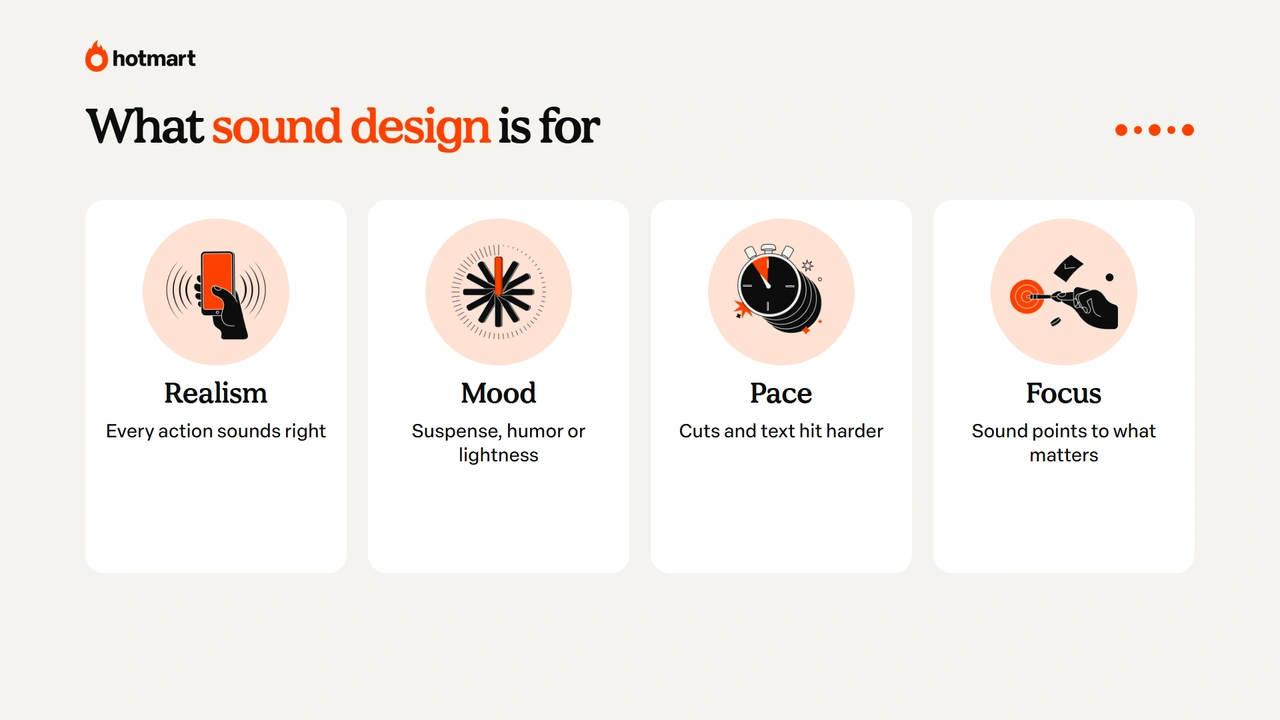
Sound design is there to make your audience feel what they’re watching and pay closer attention. In practice, it:
- makes the scene real: footsteps, doors, keyboards, rain, everything the camera shows sounds the way it should;
- sets the mood: suspense, humor, tension or lightness all shift with sound;
- sets the pace: transitions, cuts and on-screen text hit harder with a short effect;
- guides attention: a sound highlights what matters and helps people remember it;
- keeps people watching: videos with well-crafted audio are less tiring and hold attention longer.
That’s why sound design isn’t just for the movies. It makes a difference in short videos like Reels, ads, podcasts and online lessons.
Sound design vs. soundtrack vs. sound effects: what’s the difference?
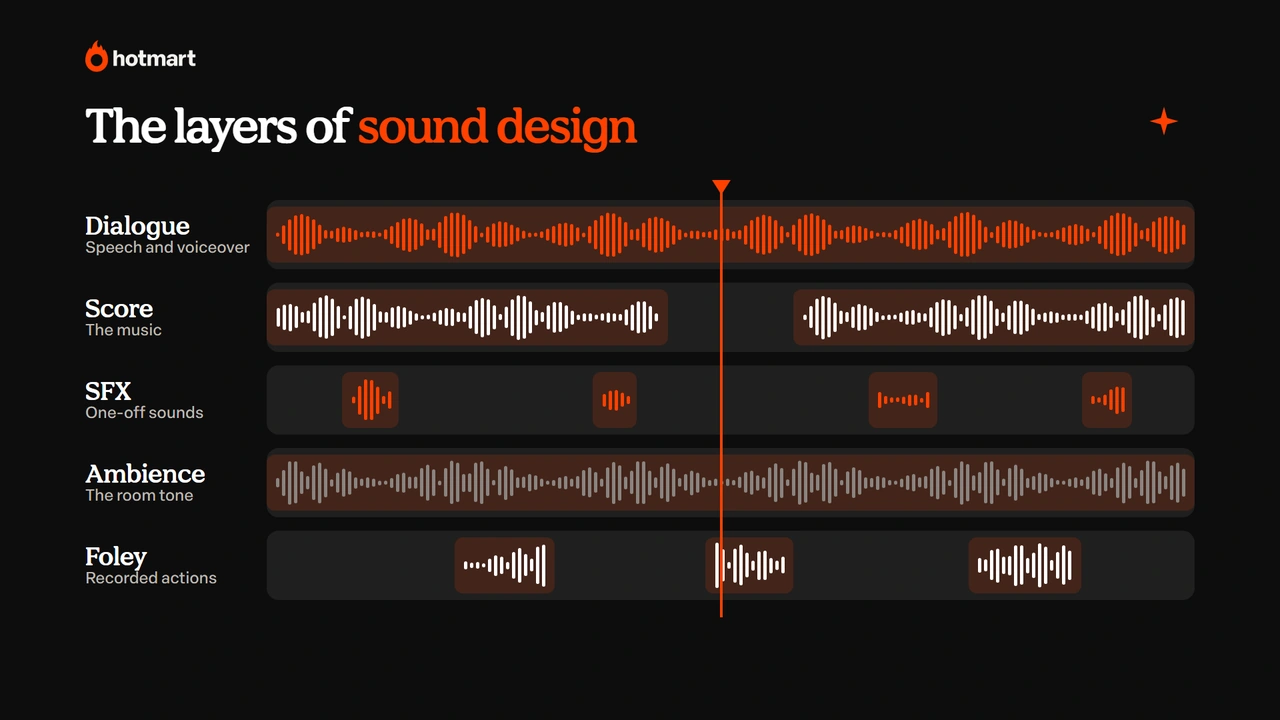
The difference between sound design, a soundtrack and sound effects is one of scope: sound design is the complete work with audio, and the soundtrack and effects are parts of it.
| Term | What it is | Example |
|---|---|---|
| Sound design | The full audio design of a production | The complete sound of a movie scene |
| Soundtrack | The music that accompanies the production | The theme song that plays in the opening |
| Sound effects | Short sounds that reinforce actions | A “whoosh” on a transition |
| Foley | Sounds recorded in a studio to mimic actions | Footsteps recorded by tapping shoes on the floor |
| Ambience | The background sound of a place | Street noise, nature or an office |
If you want to go deeper into short sounds, this guide to sound effects covers the main types and where to find them.
What does a sound designer do?
A sound designer is the professional responsible for planning and executing the audio of a production. Their work includes:
- reading the script and marking where sounds, music and silences go;
- choosing or recording effects, ambience and foley;
- syncing every sound with the image;
- balancing levels between voice, music and effects (mixing);
- running live sound in theater, radio, TV and churches.
Sound designers work in film, television, radio, theater, games, agencies and content production companies. On smaller projects, the person creating the video often takes on this role too, and that’s where the tips below come in.
How to use sound design in your videos
Using sound design in your videos is simpler than it looks: you can start with a free editor and a few well-chosen sounds. Follow these steps:
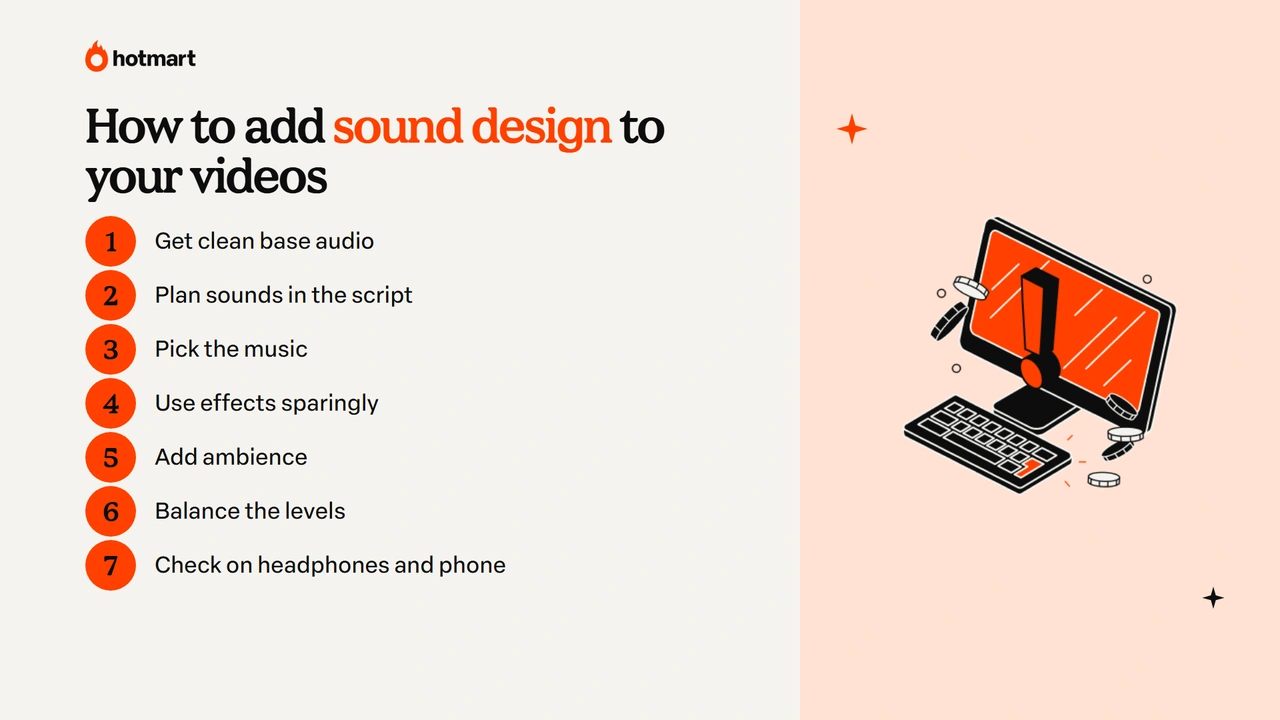
- start sound design with clean base audio;
- plan the sound design in your script;
- choose the music for your sound design;
- use sound effects in your sound design sparingly;
- add ambience to your sound design;
- balance your sound design levels;
- check your sound design on headphones and phone speakers.
Below, we explain each sound design step.
1. Start sound design with clean base audio
Before any effect, your voice needs to be clean. Record in a quiet place, with the microphone close to your mouth, and remove noise when editing. These tips to improve audio quality show you how to clean up a recording.
2. Plan the sound design in your script
Mark in your video script where music, effects and pauses go. Thinking about sound from the start prevents overdoing it and makes editing faster.
3. Choose the music for your sound design
The music sets the mood: upbeat for quick tips, calm for lessons, tense for stories. Always use licensed tracks, like those from royalty-free music libraries.
4. Use sound effects in your sound design sparingly
Short effects on transitions, text and highlights add rhythm. But be careful: too much sound gets tiring. A good rule of thumb is to use an effect only when it helps people understand or feel something.
5. Add ambience to your sound design
A subtle background sound (a coffee shop, nature, an office) adds realism to scenes recorded in places that are too quiet and helps hide cuts in the edit.
6. Balance your sound design levels
Your voice always comes first. Keep the music well below the speech and only bring it up in moments without narration. Effects should be noticeable, but never startling.
7. Check your sound design on headphones and phone speakers
Listen to the result on headphones and also on your phone’s speaker, where most people will watch. If something disappears or distorts, fix it before you publish.
Sound design tools
Sound design tools range from free editors to professional software. To get started, these options work well:
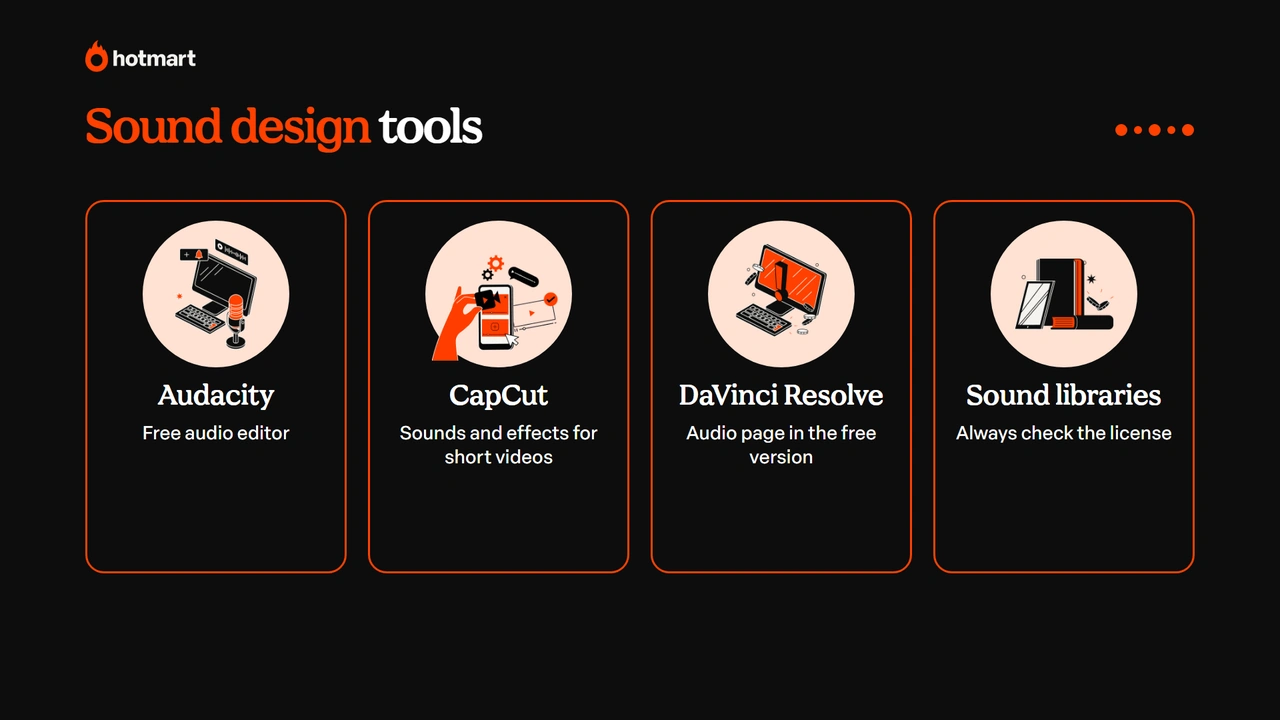
- Audacity: a free audio editor to clean up voice, trim and apply effects;
- CapCut: a video editor with a library of sounds and effects, great for short videos;
- DaVinci Resolve: has a complete audio page (Fairlight) in the free version;
- sound libraries: like the YouTube Audio Library and Freesound, always checking the license for each file.
If you edit on a Mac or iPhone, this guide on how to edit video on iMovie shows how to add music and effects to your timeline, and this list of voice recorder apps helps you capture clean narration.
Sound design and copyright: what to watch out for
Using sounds and music without permission can get your video taken down or block monetization. That’s why you should always check the license for every file:
- choose free sound libraries with a clear usage license;
- see whether the license requires crediting the creator and add it to the description;
- on paid platforms, confirm that your subscription covers commercial use;
- avoid using famous songs without a license, even for just a few seconds.
With this care, sound design adds value to your content without the headaches.
Sound design for video lessons and podcasts
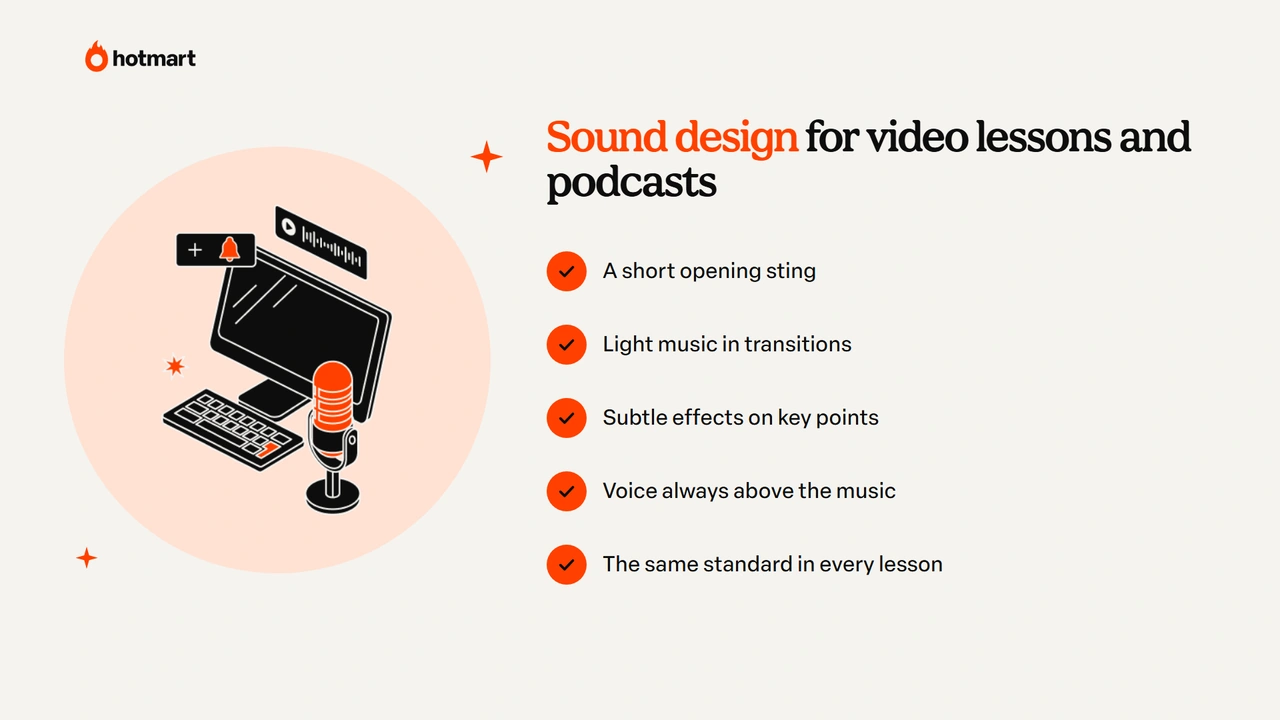
In video lessons and podcasts, sound design is subtle, but it makes a big difference to the learning experience. An intro sting, light music on transitions between modules and subtle effects on key points make content feel more professional and less tiring.
For anyone selling knowledge, this care shows up in perceived value. A lesson with clean, well-balanced audio holds attention longer, and students make it to the end of the module. If you’re producing a course, this guide to creating online video courses helps with the technical side, and the Hotmart members area hosts your lessons with the audio exactly as you edited it. If you prefer audio only, the next step is to start a podcast.
Ready to put sound design to work in your videos?
Sound design is what turns images into an experience: it adds realism, rhythm and emotion to your content. And you don’t need a studio to apply it: clean voice, well-chosen music and a few effects at the right moment already change the result.
Start with your next video: plan the sounds in your script, use licensed libraries and check everything on headphones and on your phone. Your viewers may not notice what changed, but they’ll feel it. 🔊
Frequently asked questions about sound design
Still have questions? Below, we answer some of the most common questions about sound design.
What does sound design mean?
Sound design means creating and organizing the sounds in a production, such as effects, ambience, music and silence, so they match the image and support the story. The practice has its roots in radio and theater.
What's the difference between sound design and a soundtrack?
A soundtrack is the music that accompanies a production. Sound design is broader: it covers all the audio, including effects, ambience, foley and the balance between voice, music and silence.
What does a sound designer do?
A sound designer plans, creates, chooses and syncs the sounds in a production, balances the levels and, in theater, radio and live events, runs the sound in real time.
How can I do sound design at home?
Start with a clean voice recording, use a free editor like Audacity or CapCut, pick music and effects from licensed libraries and balance the levels, always keeping your voice front and center.
Where is sound design used?
Sound design is used in film, TV, radio, theater, games, churches and live events and, more and more, in social media videos, podcasts and video lessons.