How to start an online store from scratch: steps, costs and no-inventory options
Learn how to start an online store in 10 steps: niche, products, licenses, pricing, platform, payments and shipping, plus how to sell without inventory.

What will we see in this post

To start an online store, you choose a niche, decide what to sell, line up suppliers and set up the business legally, calculate costs and prices, pick a platform and configure payments, shipping and promotion. You can start without inventory, with digital products, print on demand or dropshipping.
Starting an online store is, above all, starting a business. The website is only one piece. Behind it are the decisions about what to sell, who to buy from, how much to charge and how to deliver.
The market is there. In the third quarter of 2026, U.S. retail e-commerce sales reached an estimated $347.3 billion, or 17.9% of all retail sales, according to the U.S. Census Bureau.
In this guide, we walk through the 10 steps to get your store off the ground, show what it costs to start and explain how to start an online store without inventory.
Online store, marketplace or social media: where will your store live?
Before the step by step, decide where your store will live, because that changes your costs, rules and the work of attracting customers.
An online store is your brand’s own website, with a catalog, cart and checkout. It’s one of the forms of e-commerce, alongside marketplaces and social media sales.
| Where to sell | How it works | Strength | Watch out for |
|---|---|---|---|
| Your own online store | Brand website, with rules and design set by you | Control over the brand and customer data | You have to attract every visit |
| Marketplace | Storefront with many sellers that charges a commission per sale | Customers who are already shopping | Competitors side by side and platform rules |
| Social media and messaging apps | Storefront on your profile, with sales closed in a chat or by link | Quick start, close to your audience | More manual work for each order |
You can combine all three: a marketplace for volume, social media to talk with your audience and your own store to build a brand. The step by step below focuses on your own store, but most of it applies to any channel.
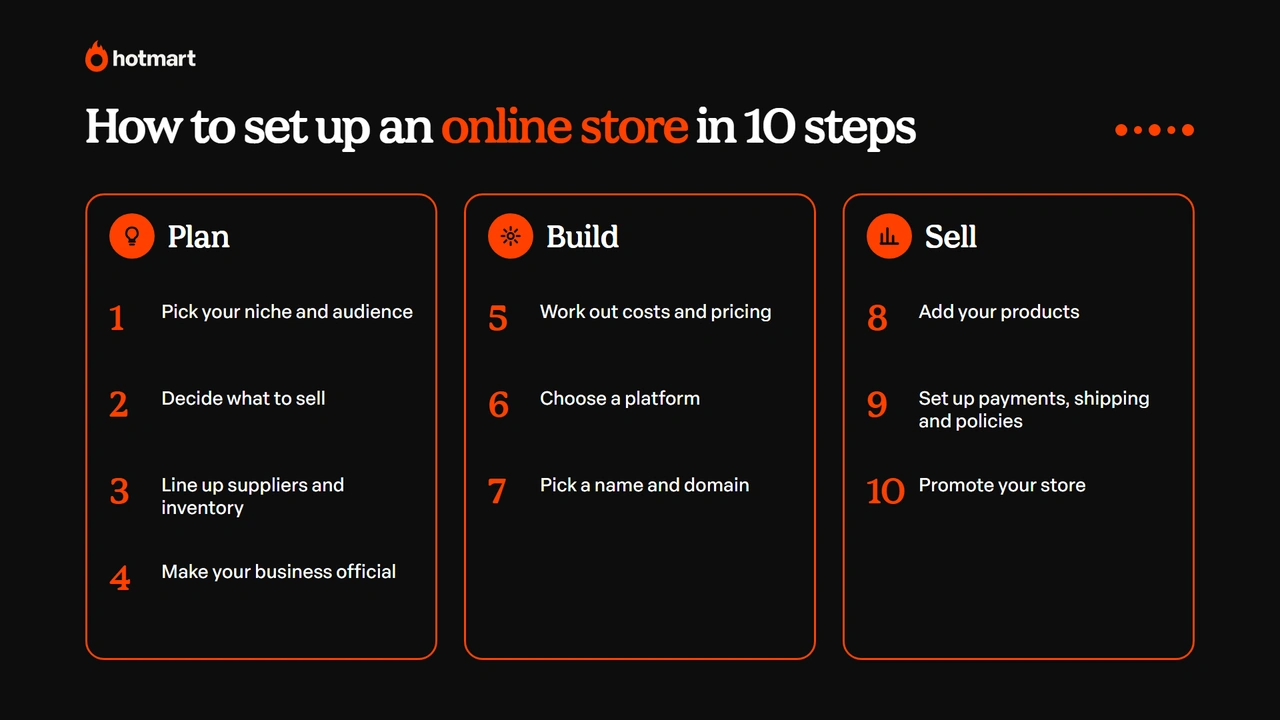
How to start an online store in 10 steps
The 10 steps to start an online store are: choose a niche, decide what to sell, line up suppliers and inventory, set up the business legally, calculate costs and prices, choose the platform, pick a name and domain, list your products, set up payments, shipping and store policies, and promote the store.
Some of them can happen in parallel, but following the order helps you avoid expensive decisions too early.
1. Choose your online store’s niche and audience
A niche is the segment your store will focus on, such as fitness apparel, pet products or study supplies for test takers. Small stores rarely beat big retailers on variety or price, so they do better with a specific focus, ideally one that’s underserved.
To choose, cross three points: what you know, what people are looking for and who already sells something similar. Market research, even a simple one, with conversations with potential customers and a look at the competition, keeps you from betting on a niche with no demand. A buyer persona helps turn that focus into a defined audience: who buys and what drives them to buy.
It’s also worth writing that decision down in a lean business plan, with the type of business, goals and audience. If you still need inspiration, this list of business ideas can help. Since the online market changes fast, review the plan often.
2. Decide what to sell and how your store will operate
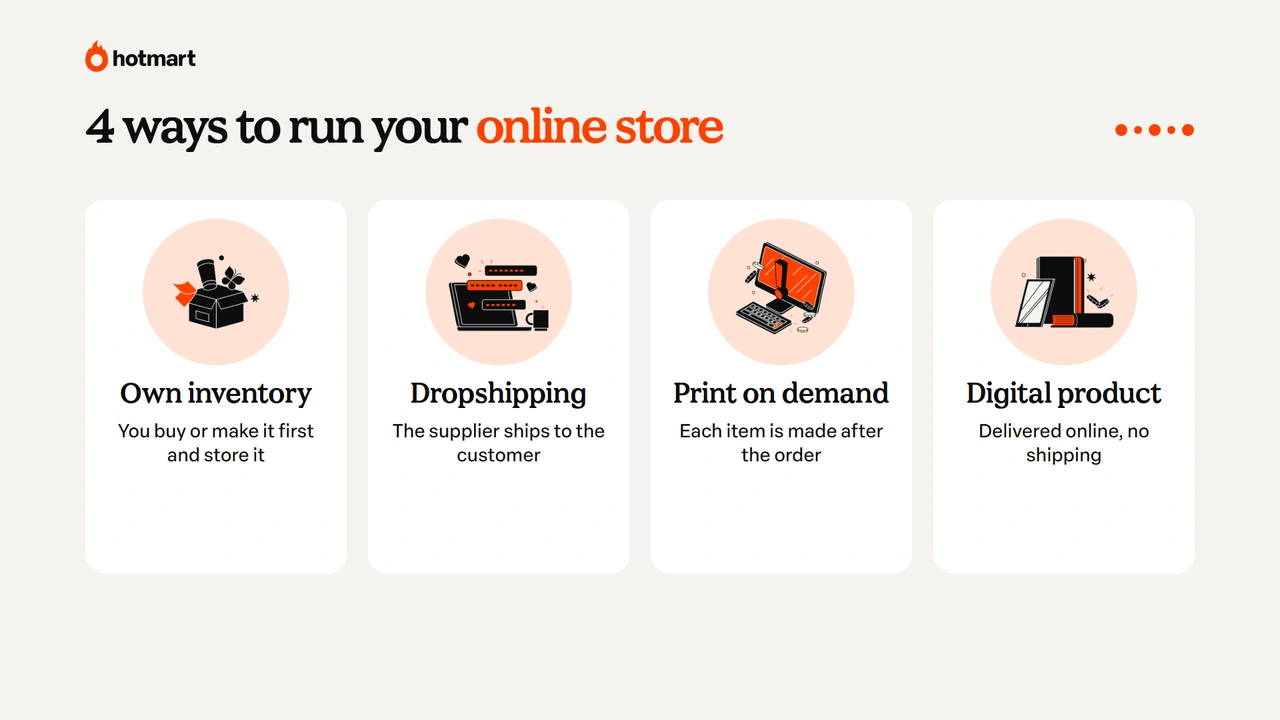
With your niche in hand, choose your products and operating model. There are four main paths, and each one changes the startup investment:
| Model | How it works | Needs inventory? |
|---|---|---|
| Your own inventory | You buy or make products in advance and store them | Yes |
| Dropshipping | The supplier ships directly to the customer after the sale | No |
| Print on demand | The item is only produced after the purchase | No |
| Digital product | Course, e-book or coaching delivered online after payment | No |
To choose your products, look at the margin left after costs, fees and shipping, how easy they are to restock and how much space they take up. Lightweight products with a good margin and a reliable supplier are usually the safest starting point. For ideas, see this list of what to sell to make money.
3. Find suppliers and organize your inventory
Good suppliers guarantee fast restocking and consistent quality, and that matters once orders start to grow. Before closing a deal, compare price, delivery time, minimum order and payment terms, and ask for samples to check quality.
If you’ll hold your own inventory, decide from the start how you’ll track what comes in, what goes out and when to restock. Running out of products drives customers away and hurts your store’s reputation. For perishable or sensitive items, tracking also needs to cover expiration dates and storage conditions.
4. Set up your business: do you need a business license to sell online?
In most of the U.S., you can start selling online as a sole proprietor, but you’ll usually need a local business license and, if you sell taxable goods, a sales tax permit. The exact rules depend on your state, county and city, so check them before your first sale.
Many owners form an LLC to separate personal and business liability, and the U.S. Small Business Administration explains the pros and cons of each structure. An Employer Identification Number (EIN) from the IRS is free and lets you open a business bank account. Since the Supreme Court’s 2018 South Dakota v. Wayfair decision, states can also require out-of-state sellers to collect sales tax once they pass certain sales thresholds, so an accountant can help you understand where you need to register.
5. Calculate costs and set your prices
Before investing, list what the store will cost to open and to run every month. Then build the price of each product by adding up:
- product cost (purchase, production or supplier);
- income taxes and other business taxes that come out of your margin;
- platform and payment processing fees;
- packaging and part of the shipping, if you offer discounted or free shipping;
- profit margin.
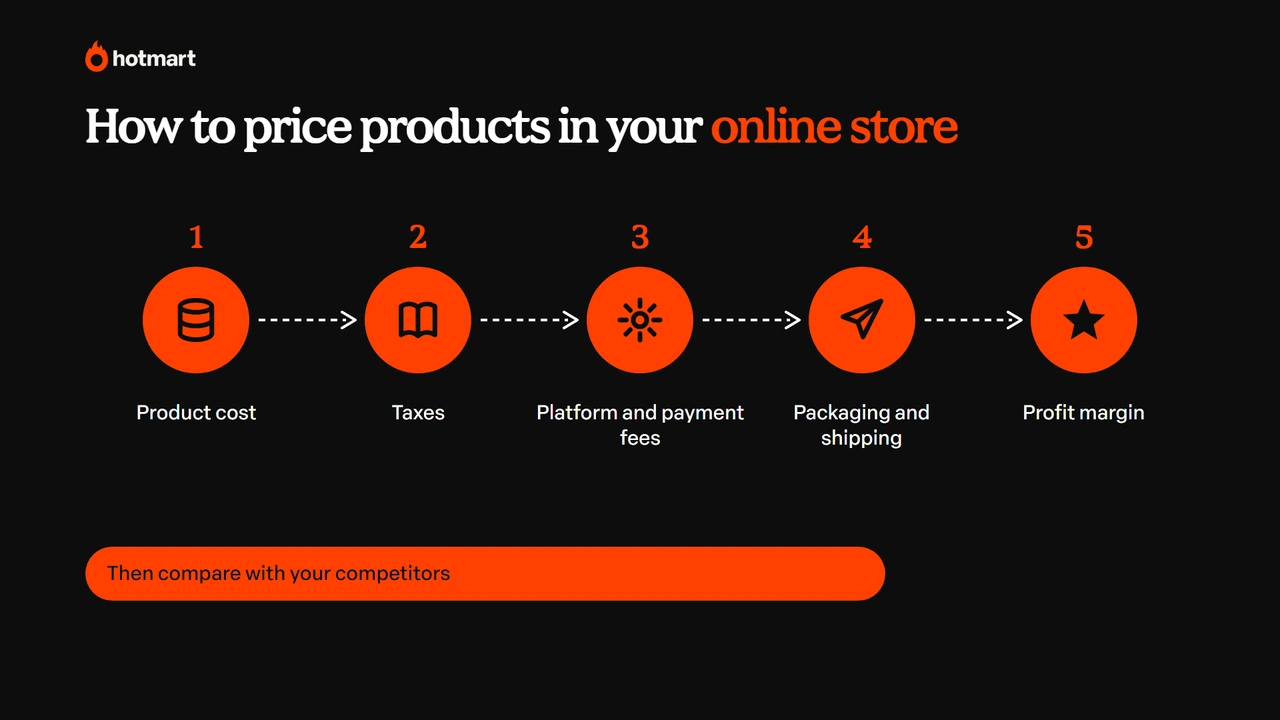
Then compare with your competitors’ prices. If yours is higher, the product needs to deliver something extra, like exclusivity, service or convenience. In the U.S., sales tax is usually added at checkout, so it isn’t part of the listed price.
Also keep your finances organized from the first sale: income, expenses and cash flow. Simple financial planning keeps business money from mixing with personal money.
6. Choose your online store platform
The platform is the structure that puts your store online: catalog, cart, checkout and integrations. For people who don’t code, hosted platforms (SaaS) are the best option, paid through a monthly subscription, a commission on sales or both.
When comparing, weigh what affects your business first:
- monthly fixed cost and transaction fees;
- built-in payment and shipping options;
- integration with marketplaces, accounting and inventory management;
- support in your language and time zone;
- ability to grow with your store.
If you’d rather build the site yourself, this guide on how to create a website covers the technical side: page structure, layout and the mobile version.
7. Pick a name and domain for your online store
Your store name should be easy to remember and to spell. If you have to spell it out every time you mention it, think again. Before deciding, check that it’s available as a domain and on social media, so you can keep the same name across all channels.
The domain is your website address. Domains like .com are registered through registrars accredited by ICANN, usually for an annual fee, and many store platforms let you buy one directly from your dashboard.
8. List your products
Since customers can’t touch the product, the page has to answer the questions they would ask in a physical store. A good listing has:
- a clear title, with the product name and the features people search for;
- high-resolution photos from several angles and, if possible, in use;
- a description with measurements, materials, how to use it and what comes in the box;
- up-to-date variations (size, color) and stock;
- correct weight and dimensions, which go into the shipping calculation.
Using the terms people search for in the title and description also helps your store show up on Google, which is the basis of SEO for e-commerce.
9. Set up payments, shipping and store policies
This is the step that turns a customer’s interest into a completed order. Before opening the store, have three fronts sorted out:
- Payment methods: offer the ones your audience uses most, such as credit and debit cards and digital wallets like PayPal, Apple Pay and Google Pay. A simple checkout with the right options lowers the chance of losing the sale at the last step, as long as the fees fit your price;
- Shipping: decide whether you’ll use USPS, private carriers like UPS and FedEx or local delivery, and how shipping will be calculated. Entering the correct weight and dimensions when listing products keeps you from charging less than the shipment really costs. If you have a physical location, local pickup is one more option for customers;
- Store policies: publish your return and refund policy, privacy policy and customer service channels where they’re easy to find. There’s no federal right to return online purchases in the U.S., so your policy sets the rules, but the FTC’s Mail, Internet, or Telephone Order Merchandise Rule requires you to ship within the time you promise, or within 30 days if you don’t state one, and to offer a refund if you can’t.
With those three fronts in place, plan your reverse logistics, which is the path a product takes back to the store for exchanges and returns. Planning this flow from the start saves you from improvising when the first return request arrives.
10. Promote your store and make the first sales
A new store doesn’t get visitors on its own. That’s why promotion starts with the launch, and your digital marketing strategy should start from the channels where your audience already spends time.
For the first sales, the most common paths are:
- selling to your network and asking buyers for reviews;
- posting on social media, showing the product in use, and learning to sell on Instagram;
- building a contact list for email marketing from day one;
- running paid ads on a small budget to test which products and messages work;
- using a marketplace as a complementary channel while your own store builds traffic.
Checklist: what your online store needs before going live
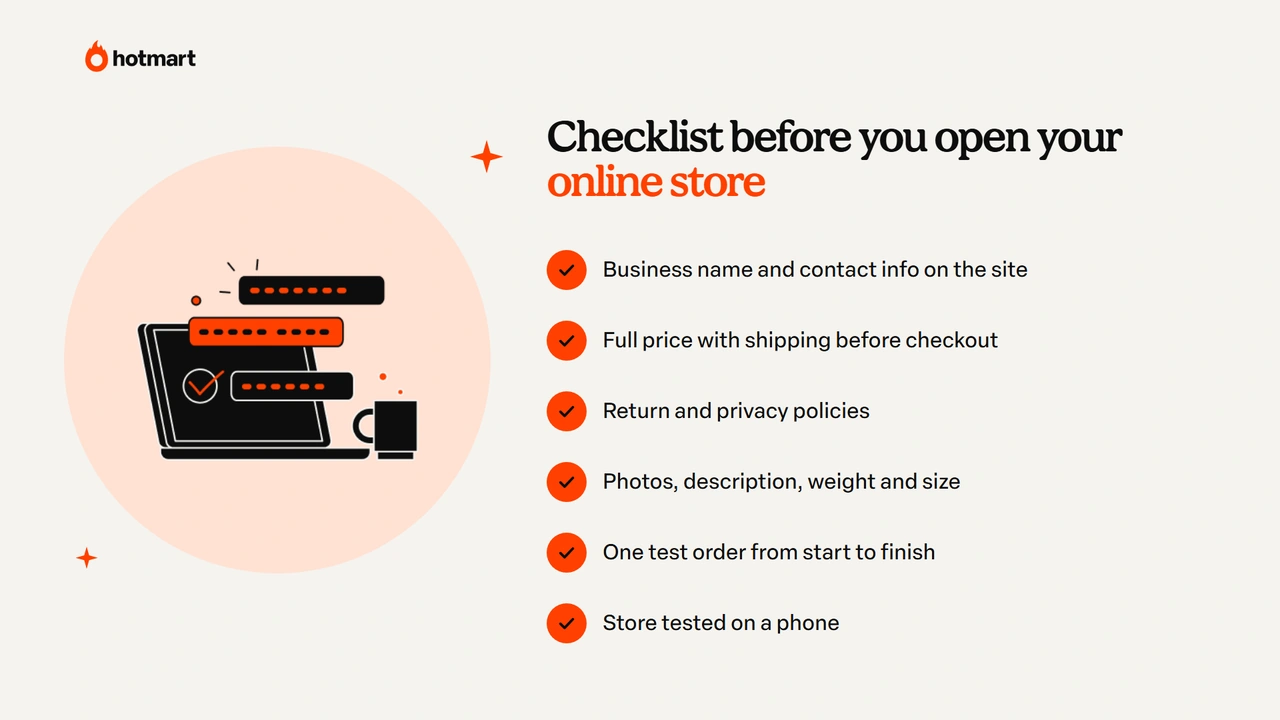
Before launching your store, check that it shows who you are, has well-listed products, tested payments and shipping, published policies and active customer service channels. Use the list below as a final review:
- Business name and contact information (email and, ideally, a physical address) visible on the site.
- Total price, including shipping and any other charges, shown before the customer completes the purchase.
- Return and refund policy, with clear time limits and conditions.
- Privacy policy explaining how customer data is used, in line with state laws such as California’s CCPA.
- Products with photos, a full description, weight and dimensions.
- At least one test purchase from start to finish, including payment and the confirmation email.
- Shipping costs tested for different regions.
- A working customer service channel (email, chat or phone), with a defined response time.
- The store tested on a phone, since 91% of U.S. adults own a smartphone, according to the Pew Research Center.
- A promotion plan for the first few weeks.
How much does it cost to start an online store?
The cost of starting an online store depends mainly on the operating model: with your own inventory, most of the investment goes to merchandise; without inventory, the startup cost comes down to structure, promotion and setting up the business. There’s no single figure, but the same cost items show up in almost every store.
| Item | What it is | How it’s usually charged |
|---|---|---|
| Domain | Website address | Annually, through an ICANN-accredited registrar |
| Platform | Store structure | Free plan, monthly subscription or commission per sale |
| Payment fees | Card and wallet processing | Percentage per sale |
| Inventory | Buying or producing products | Upfront (own inventory) or per order (print on demand, dropshipping) |
| Packaging and shipping | Delivery to the customer | Per order |
| Business setup | Licenses, registration and accountant, when needed | One-time and annual fees, depending on the state |
| Promotion | Ads, content, photos | Variable |
A practical way to estimate is to separate the startup investment (domain, first inventory, photos, business setup) from the monthly cost (platform, taxes, ads) and project how many sales per month you need to cover that monthly cost.
Can you start an online store with no money?
You can start with very little, but not with nothing. Even on platforms with a free plan and no inventory, there are transaction fees, promotion costs and, later, business setup.
What lowers the investment is your choice of model: digital products, print on demand and dropshipping remove the upfront purchase of merchandise, which is usually the biggest expense for beginners.
How to start an online store without inventory
To start an online store without inventory, choose a model in which the product is only produced, bought or released after payment: dropshipping, print on demand, digital products or selling on a marketplace that handles fulfillment. That way, there are no goods sitting on the shelf and no money tied up before your first sale.
Dropshipping
With dropshipping, your store lists and sells the product, and the supplier ships it directly to the customer. The advantage is not buying merchandise in advance. The downside is depending on the supplier for delivery times, quality and packaging: when there’s a complaint, it lands on your brand.
Print on demand
With print on demand, the item is only made after the purchase, usually by a partner that also handles shipping. It works well for personalized products, such as T-shirts, mugs and printed books.
Most store platforms integrate with print on demand services, so a new order is sent to the partner automatically. Before choosing one, order samples to check print quality and compare production times, since they add to the delivery time your customer sees.
Digital products
Online courses, e-books, coaching programs and communities are sold and delivered online, with no shipping and no inventory. Once created, a digital product can be sold many times without a production cost for each sale.
Hotmart, the all-in-one platform to create, sell and deliver digital products, has no monthly fee, according to Hotmart’s pricing page: it charges 9.9% + US$1.00 per approved sale (November 2026). The checkout accepts more than 40 payment methods and 22 currencies, which lets you sell to customers in other countries. If you have expertise in an area, one way to start is to turn it into online courses.
Marketplaces as a channel with no store of your own
Selling on a marketplace means you don’t have to build a store: customers are already there, and the platform charges a commission per sale. Some marketplaces also offer fulfillment services, storing and shipping your products for a fee. In exchange, you follow their rules, share the page with competitors and have less room to build your brand.
Advantages of having an online store
The main advantages of having an online store are lower structural costs, product variety, wider customer reach, sales outside business hours, easy access and flexibility in pricing and payments. Each one has a catch worth knowing before you decide whether an online store is worth it for you.
1. Lower costs
An online store skips the rent and build-out of a physical location. On the other hand, it has its own costs, such as the platform, domain, payment fees and, as it grows, people to handle technology, marketing and logistics.
2. Product variety
An online store can offer a larger catalog than a physical store’s space would allow, including items you don’t keep in stock, as long as your supply chain is reliable. Products that people usually want to try on, like clothing and shoes, also sell well online when the return policy is clear and the size information is complete.
3. Wider customer reach
An online store can sell to any part of the country and, in some cases, abroad. The limit is usually shipping: for cheap, heavy products, it can make long-distance sales unviable. To reach the right audience, your promotion needs to be targeted.
4. Open around the clock
Orders come in at any time, even in the middle of the night. The work behind them, like invoicing, picking and shipping, still depends on the hours of whoever runs the store, and your delivery times need to account for that.
5. Easy access
Being online is the norm in the U.S.: 97% of adults say they use the internet, according to Pew Research Center data from 2026. To take advantage of that, your store needs to be easy to use, with featured products, simple navigation and a good mobile experience.
6. Pricing and payment methods
Without the costs of a physical location, an online store has more room for competitive prices and can offer a variety of payment methods. Discounts and loyalty programs help bring customers back.
Common mistakes when starting an online store
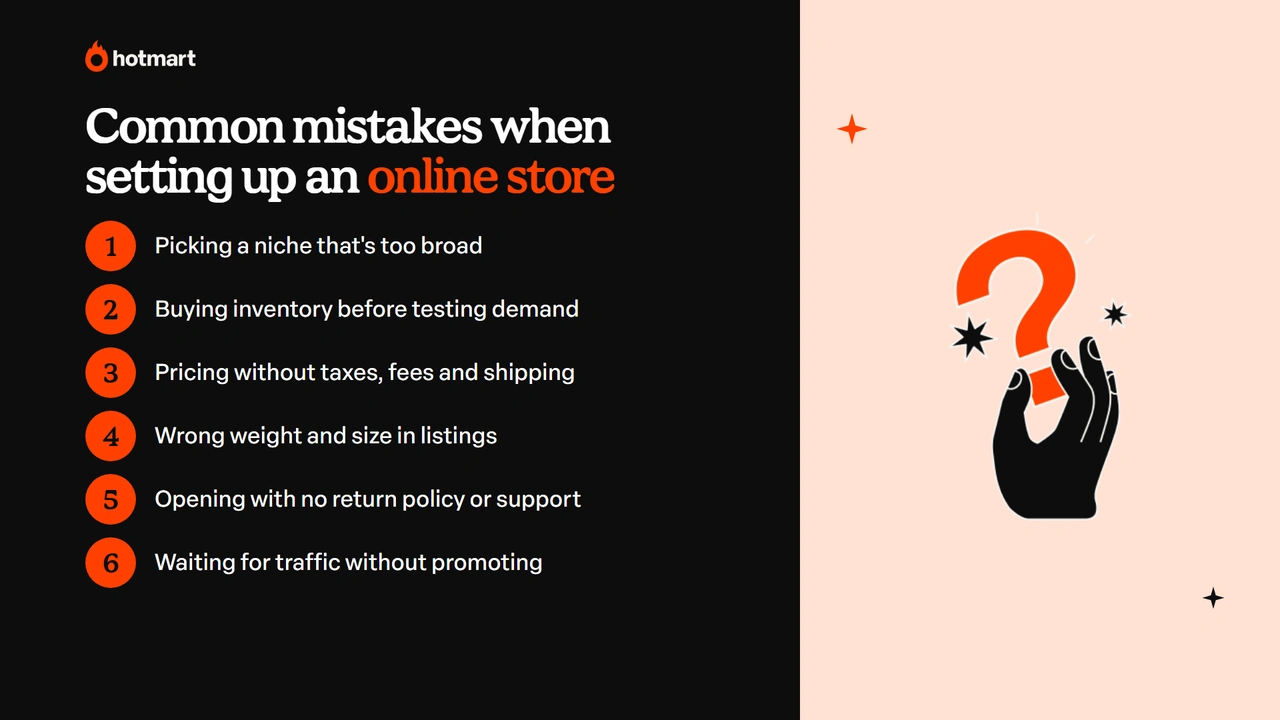
Some costly mistakes when starting an online store are buying inventory before testing demand, setting prices without accounting for fees and shipping and launching the store without a promotion plan. Here’s the list:
- Choosing a niche that’s too broad and competing on price with big retailers.
- Buying too much inventory before knowing what sells.
- Setting prices without including taxes, payment fees, packaging and shipping.
- Entering the wrong weight and dimensions and paying the shipping difference.
- Launching the store without a return policy, contact information or a customer service channel.
- Not making a test purchase before promoting the store.
- Waiting for visitors without a promotion plan.
- Mixing store finances with personal finances.
How to keep your online store running after launch
Once your store is live, the work shifts to tracking numbers, taking care of customers, managing inventory and adjusting your strategy. This is where day-to-day management comes in.
Track results and goals
Set specific goals, such as number of orders, revenue and conversion rate, and track them closely. Online, cycles are short, and data-driven decisions help you change course quickly. Average order value and cart abandonment also show where your store is losing sales.
Take care of customer relationships
Keep channels open, such as email, chat and phone, respond quickly and use complaints to improve. These tactics to recover abandoned carts help you reconnect with people who left without buying.
Keep suppliers and inventory up to date
Your relationship with suppliers determines how fast you can restock and how many orders you can handle. Review terms and delivery times often and track how fast each product sells so you don’t buy too much or too little.
Tools that help with your store’s routine
Some tools take repetitive tasks off your plate and organize your store’s data. Instead of specific brands, think about the categories your store needs:
- email marketing, for newsletters and segmented messages;
- chat support, integrated with your website and social media;
- landing page and pop-up builders for campaigns and promotions;
- keyword and product research, to understand what people search for;
- competitor analysis and Google rankings;
- inventory and order management, synced with your platform and marketplaces;
- spreadsheets and reports to track finances and goals.
Start with the store that fits where you are now!
Starting an online store is a sequence of decisions, and the ones that matter most come before the website: niche, operating model, costs and business setup. Once those are settled, choosing the platform and how to promote it becomes much simpler.
If what you want to sell is knowledge, you can start with no inventory and no monthly fee. With Hotmart, you create your account for free and only pay when you make a sale.
Create your free Hotmart account and start selling without inventory
References
- U.S. CENSUS BUREAU. Quarterly Retail E-Commerce Sales, 3rd Quarter 2026. Released on 11/19/2026. https://www.census.gov/retail/ecommerce.html
- PEW RESEARCH CENTER. Mobile Fact Sheet (survey conducted Jan. 30 to June 18, 2026). https://www.pewresearch.org/internet/fact-sheet/mobile/
- PEW RESEARCH CENTER. Internet, Broadband Fact Sheet. Published on 10/19/2026. https://www.pewresearch.org/internet/fact-sheet/internet-broadband/
- U.S. SMALL BUSINESS ADMINISTRATION. Choose a business structure. https://www.sba.gov/business-guide/launch-your-business/choose-business-structure
- INTERNAL REVENUE SERVICE. Get an employer identification number. https://www.irs.gov/businesses/small-businesses-self-employed/get-an-employer-identification-number
- FEDERAL TRADE COMMISSION. Business Guide to the FTC’s Mail, Internet, or Telephone Order Merchandise Rule. https://www.ftc.gov/business-guidance/resources/business-guide-ftcs-mail-internet-or-telephone-order-merchandise-rule
- ICANN. Registering domain names. https://www.icann.org/resources/pages/register-domain-name-2017-06-20-en
- HOTMART. Pricing. https://hotmart.com/en/pricing
Frequently asked questions about how to start an online store
Still have questions about how to start an online store? Here are quick answers to the most common ones.
Do I need a business license to start an online store?
It depends on your state and city. You can usually start as a sole proprietor, but most online stores need a local business license and, if they sell taxable goods, a sales tax permit. Forming an LLC is optional and helps separate personal and business liability.
How much does it cost to start an online store?
There's no single figure. The cost of starting an online store depends on the operating model: with your own inventory, the biggest expense is merchandise; without inventory, the startup investment goes mostly to the domain, platform, promotion and business setup.
What is the best platform to start an online store?
The best platform is the one that fits your product and budget. Compare the monthly cost, transaction fees, built-in payment and shipping options, support and the ability to grow with your store.
Can you start an online store without inventory?
Yes. Dropshipping, print on demand and digital products let you start an online store without inventory, because the product is only made, shipped or released after payment.