What is spam: meaning, types, how to protect yourself and how to keep your emails out of spam
Find out what spam is, where the word comes from, the most common types, what the CAN-SPAM Act says, how to protect yourself and report spam and how to keep your emails out of spam with SPF, DKIM, DMARC and best practices.

What will we see in this post

Promises of easy money, “you’ve won a prize!”, shortened links in text messages, comments from bot profiles on your posts… 📩 Everyone gets spam every day, and the problem goes far beyond annoyance: some of these messages are scams, and others push legitimate emails (maybe yours) into the wrong folder.
In this guide, you’ll learn what spam is, where the word comes from, what “spamming” means, the most common types, what US law says and how to protect yourself and report spam in Gmail, Outlook, WhatsApp and Instagram. And, if you sell online, the most important part: what changed in Gmail, Yahoo and Outlook rules and how to keep your emails out of spam in 2026. 🚀
| Question | Quick answer |
|---|---|
| What is spam? | An unsolicited message sent in bulk, usually with advertising or a scam |
| Where does the name come from? | From SPAM, Hormel’s canned meat, made famous by a 1970 Monty Python sketch |
| What is spamming? | Sending repeated or bulk messages to people who didn’t ask for them |
| How much of the world’s email is spam? | 44.99% in 2025, according to Kaspersky |
| How do I keep my emails out of spam? | Authenticate your domain (SPF, DKIM and DMARC), only email people who asked and offer one-click unsubscribe |
What is spam?
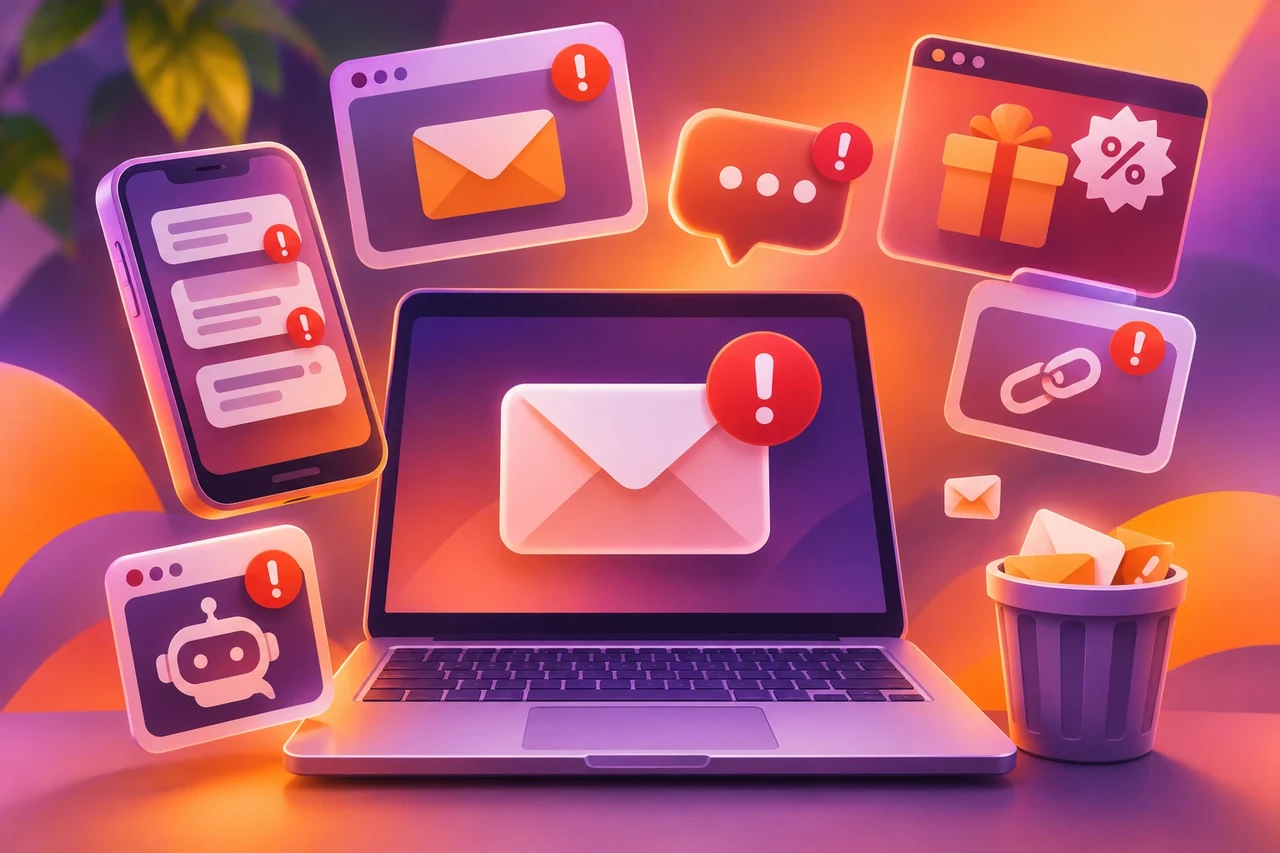
Spam is any electronic message sent in bulk to people who didn’t ask to receive it. The best-known format is the promotional email, but spam also arrives by text message, phone call, WhatsApp, Telegram, comments and direct messages on social media. What defines spam isn’t the channel, but two features together: it wasn’t requested and it was sent in large volume.
The content varies: product offers, chain messages, hoaxes, miracle cures or, in the most dangerous case, a scam with a fake link to steal passwords and bank details.
What spamming and spammer mean
Spamming is the act of sending repeated, excessive or bulk messages to people who didn’t ask for them. The person who does it is called a spammer. In everyday language, “spamming” also has a lighter meaning, like sending lots of messages in a row in a group chat or, in video games, pressing the same button over and over.
The spam folder (or “Junk Email”, in Outlook) is where your email filter sends messages it considers unwanted or suspicious. It’s the place to check when an email you’re expecting doesn’t arrive.
Spam meaning: where the word comes from
The meaning of spam as an unwanted message comes from a British joke about canned meat. SPAM is the canned meat brand made by Hormel Foods since 1937, and the name is often explained as a blend of “spiced ham.” The link to messages came from a sketch by the comedy group Monty Python, first aired on December 15, 1970, on *Monty Python’s Flying Circus*, according to Wikipedia).
In the scene, a couple tries to order food at a café where almost every dish comes with SPAM, while a group of Vikings sings “Spam, spam, spam” nonstop and drowns out every conversation. Years later, early internet users adopted the word for repetitive messages that cluttered forums and inboxes. Two episodes shaped this story:
- 1978, the first email spam: on May 3, Gary Thuerk, of Digital Equipment Corporation, sent an ad for computers to hundreds of ARPANET users (the network that gave rise to the internet), recognized by Guinness World Records as the oldest electronic spam;
- 1994, mass commercial spam: on April 12, lawyers Laurence Canter and Martha Siegel posted an ad for immigration services to thousands of Usenet groups, according to History of Information.
The backlash against these messages made the term popular. And one clarification: the idea that spam is an acronym for “Sending and Posting Advertisement in Mass” is an explanation made up later, with no historical basis.
Most common types of spam
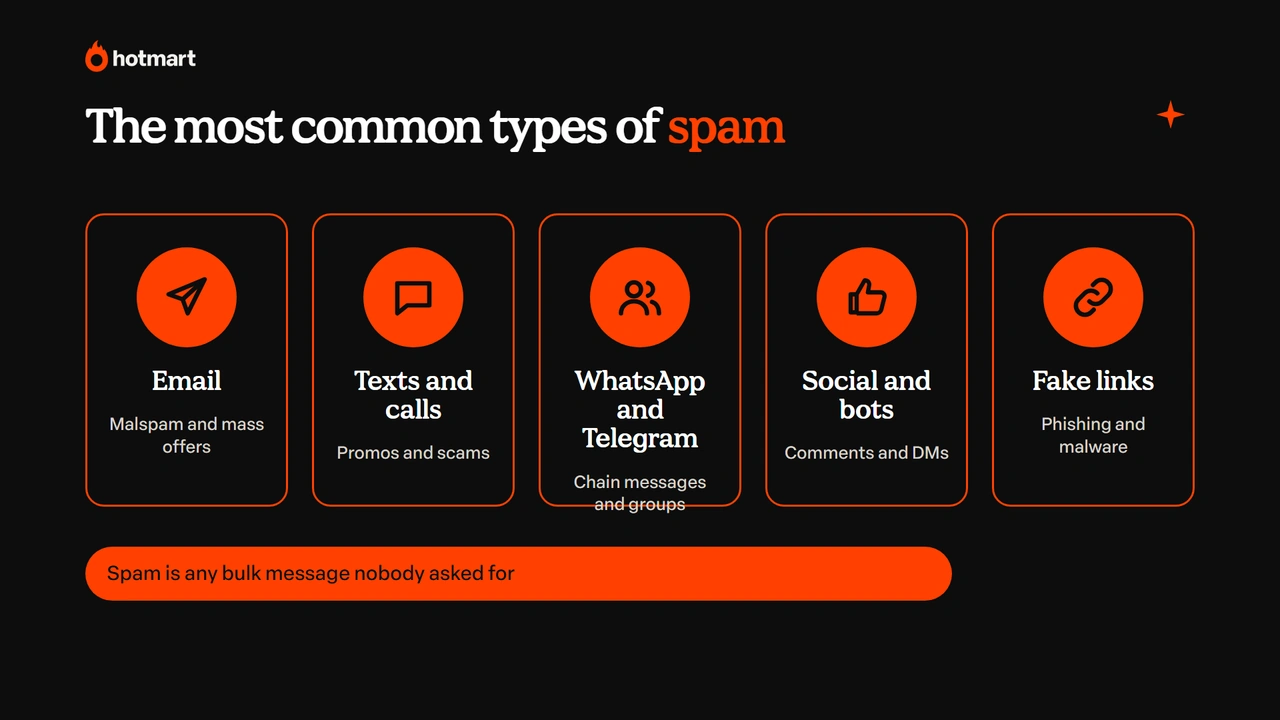
The types of spam change with the channel, but the logic is the same: a message you didn’t ask for, sent to lots of people at once. The most common ones today are:
- email spam;
- text message and call spam;
- WhatsApp and Telegram spam;
- social media spam and bots;
- spam in blog and website comments;
- malicious links and phishing.
Below, we explain each one with examples of how it shows up in everyday life.
Email spam
Email spam is the oldest and still the highest-volume type: offers you never asked for, “investment opportunities” and fake notices from banks, stores and government agencies. This is also where malspam shows up, which is spam with an attachment or link carrying malware.
Text message and call spam
Text message and call spam arrives as “can’t-miss deal” texts, fake package delivery or billing notices and robocalls. To cut down on telemarketing calls, you can add your number for free to the National Do Not Call Registry, run by the FTC. For spam texts, the FTC recommends forwarding the message to 7726 (SPAM), which helps your carrier block similar messages, and reporting it at ReportFraud.ftc.gov.
WhatsApp and Telegram spam
WhatsApp and Telegram spam appears as messages from unknown numbers, invitations to groups you didn’t ask to join and chain messages. For people who sell, this is the channel where the line between relationship and spam is thinnest: an offer sent to someone who never saved your number leads to reports and can get your account banned.
Social media spam and bots
Social media spam comes from fake profiles and bots (automated accounts) that comment “Make $500 a day from home, link in bio,” send direct messages with strange links or tag you in fake giveaways. Instagram, TikTok, Facebook, YouTube and X let you report the account or the comment as spam.
Spam in blog and website comments
Spam in blog and website comments is that generic comment (“Great article! Visit my website”) with a link, posted to try to gain traffic or backlinks. Today it pays off very little, because links in comments usually carry attributes that tell Google to ignore them, but it still clutters pages and forms.
Malicious link spam and phishing
Spam with malicious links is the most dangerous kind. Phishing is a scam in which the message pretends to come from a trusted company (bank, store, platform, delivery service) to lead you to a fake page and steal your password, card details or verification codes. To protect your business too, read our guide to protecting your business from cyber threats.
Why spam is a problem
Spam is a problem because it takes up almost half of the world’s email traffic and is the gateway to many scams. According to Kaspersky’s spam and phishing report (published in February 2026), 44.99% of all emails sent worldwide in 2025 were spam. The same report ranks the United States as the third-largest source of spam in the world, with 10.57% of the total, behind only Russia and China.
In practice, the main harms of spam are:
- scam risk: links and attachments that steal data, install malware or lead to fake payments;
- wasted time: deleting and checking messages takes minutes every day;
- missed important messages: an invoice, access to a course or a customer’s reply gets buried in the junk;
- damage to senders: brands that spam lose their reputation with people and with email providers, and their next emails go straight to the junk folder.
That last point matters most to anyone who sells online, which is why it gets a whole section further down.
How to spot a spam message
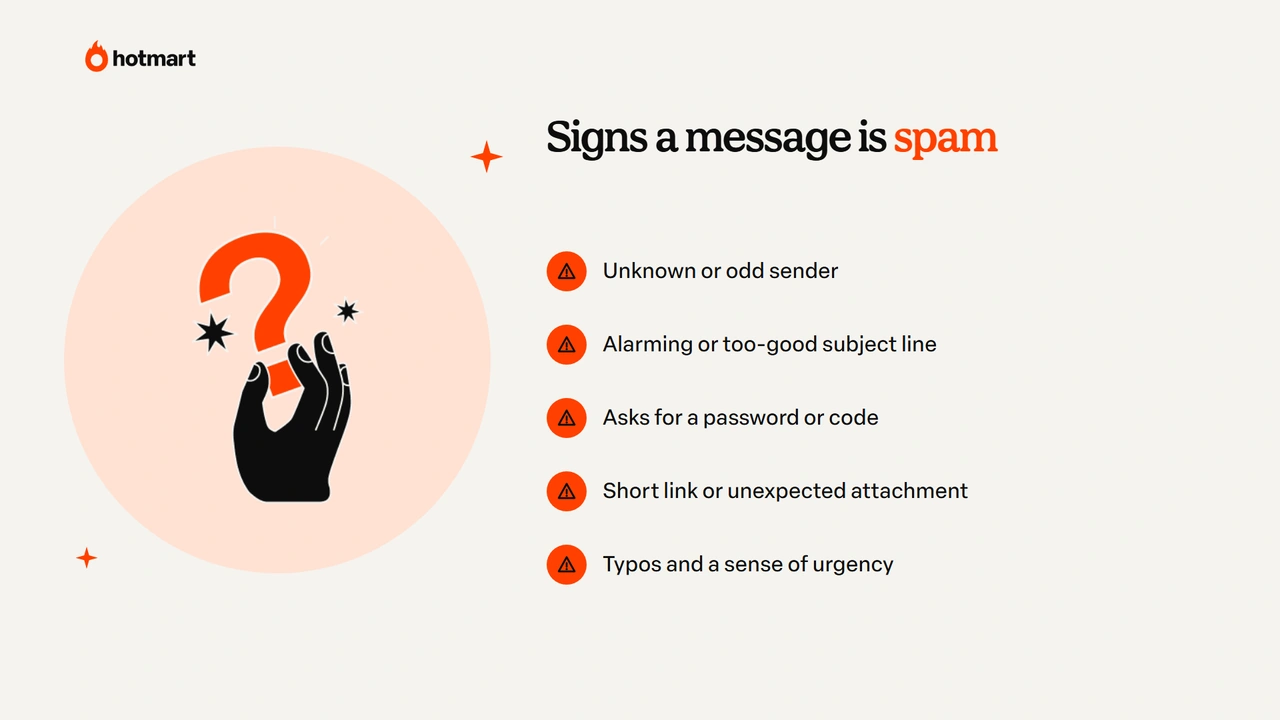
Spotting a spam message is easier when you look for a few classic signs. Be suspicious when the message has:
- a sender you don’t know or a strange address, with random letters and numbers or a misspelled company name;
- an alarming or too-good-to-be-true subject line, like “Your account will be locked today” or “You’ve won an iPhone”;
- a request for personal data, a password, a verification code or an urgent payment;
- a shortened link, or one that shows a different address from the official site when you hover over it;
- an unexpected attachment, especially .zip or .exe files or documents that ask you to “enable content”;
- spelling mistakes, a generic greeting (“Dear customer”) and time pressure;
- a line saying “this is not spam,” because a legitimate email doesn’t need to say that.
If the message shows two or more of these signs, don’t click anything. When in doubt, open the company’s official site or app by typing the address yourself and check there.
What the law says about spam in the US
The main US law on spam is the CAN-SPAM Act, which sets the rules for commercial email. Unlike laws in Europe, it doesn’t require prior consent, but it does require every marketing email to follow a set of rules, according to the FTC’s compliance guide:
- honest headers: the “From,” “To” and “Reply-To” fields must accurately identify who sent the message;
- honest subject lines: the subject can’t mislead people about what’s in the email;
- ad disclosure: the message must make clear that it’s an advertisement;
- physical address: every email must include a valid postal address for the sender;
- easy opt-out: you must offer a clear way to unsubscribe and honor requests within 10 business days.
Breaking these rules can cost up to $53,088 for each email in violation, according to the same FTC guide. For text messages, the Telephone Consumer Protection Act (TCPA) is stricter: the FCC requires the recipient’s consent before a business sends autodialed marketing texts, and people can revoke it at any time, for example by replying STOP.
In short: buying lists, emailing people who never heard of you or making it hard to unsubscribe can get you into legal trouble, besides ruining your sender reputation.
How to protect yourself from spam and report it
Protecting yourself from spam comes down to three habits: let the filter do its job, report what gets through and don’t feed spammers your data. Google says Gmail blocks more than 99.9% of spam, phishing and malware before it reaches your inbox, and every report helps the filter learn. Below is a step-by-step guide for the most popular channels.
How to report spam in Gmail and Outlook
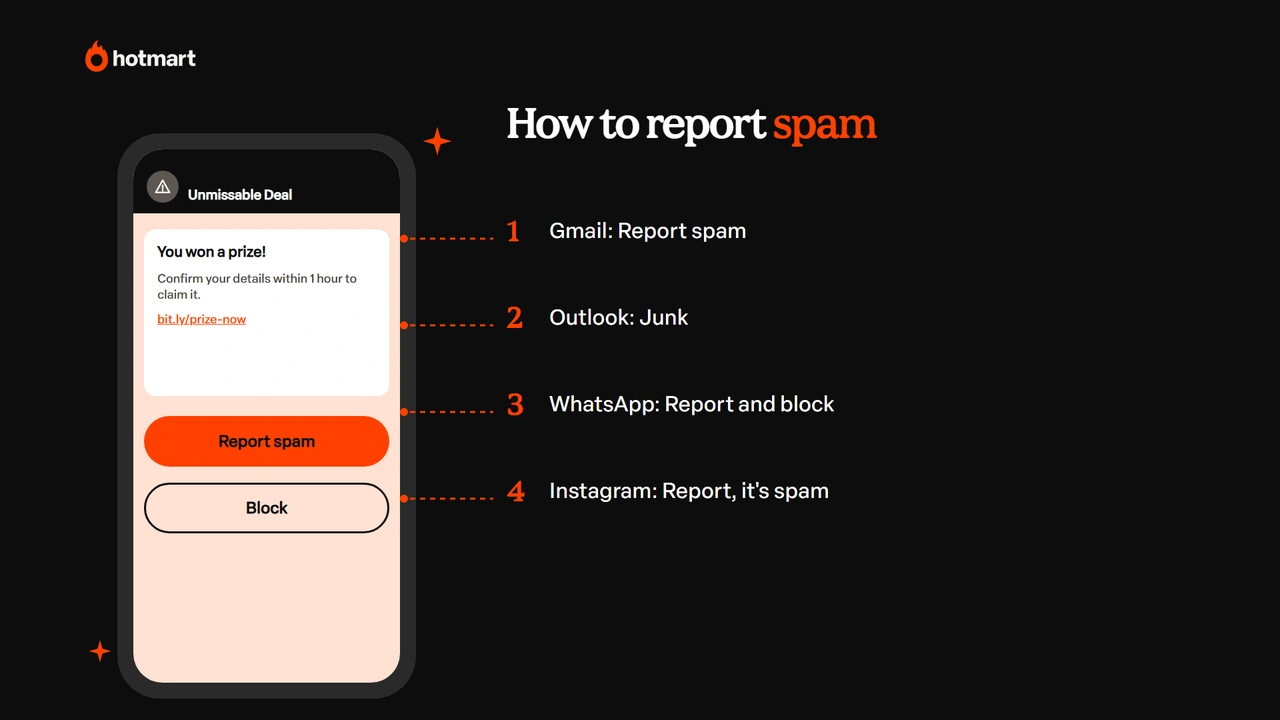
To report spam in Gmail, select the message and click Report spam; it moves to the Spam folder and the filter starts treating similar messages the same way, according to the Gmail Help Center. If a legitimate email ended up there, open the Spam folder (under “More,” in the left menu), select the message and click Not spam. Keep in mind that Gmail automatically deletes anything that stays in the Spam folder for more than 30 days.
In Outlook and Hotmail, the folder is called Junk Email. Select the message and use the Report option (or “Junk”) to mark it as junk or phishing; to recover a message, use Not junk. And when a newsletter comes from a company you know and you simply don’t want it anymore, use the Unsubscribe button instead: reporting something you signed up for as spam hurts the sender for no reason.
How to report spam on WhatsApp
To report spam on WhatsApp, open the chat, tap the contact’s name (or the three dots) and choose Report; then confirm and block. According to the WhatsApp Help Center, the platform receives the five most recent messages from the reported chat, and the person isn’t notified. Groups can’t be blocked, but they can be reported in Group info > Report group, an option that also removes you from the group.
How to report spam on Instagram and other social networks
To report spam on Instagram, tap the three dots on the post, comment, message or profile, choose Report and select the spam option. On comments on your own posts, you can also delete them and restrict the account. TikTok, Facebook, YouTube and X follow the same logic, with the report option under the three dots.
Habits that reduce the spam you get
A few simple habits greatly reduce the spam you get:
- use a separate email address for sign-ups and online shopping;
- don’t post your email address or phone number publicly on websites and social media;
- don’t reply to or click “unsubscribe” in obviously fake emails, because that confirms your address is active;
- don’t forward chain messages, which are often used to harvest contacts;
- turn on two-step verification and keep your phone and antivirus up to date.
With the filter on and these precautions in place, spam becomes a small nuisance, not an open door to scams.
How to keep your emails out of spam in 2026
Keeping your emails out of spam now depends much more on sender reputation and authentication than on banned words in the subject line. Between 2024 and 2025, Gmail, Yahoo and Outlook started requiring technical rules from anyone who sends email in volume, and senders who don’t comply see their messages go to spam or get rejected. For people who sell courses, ebooks and coaching, this affects the welcome email, the newsletter, the launch and even the notice about a new lesson.
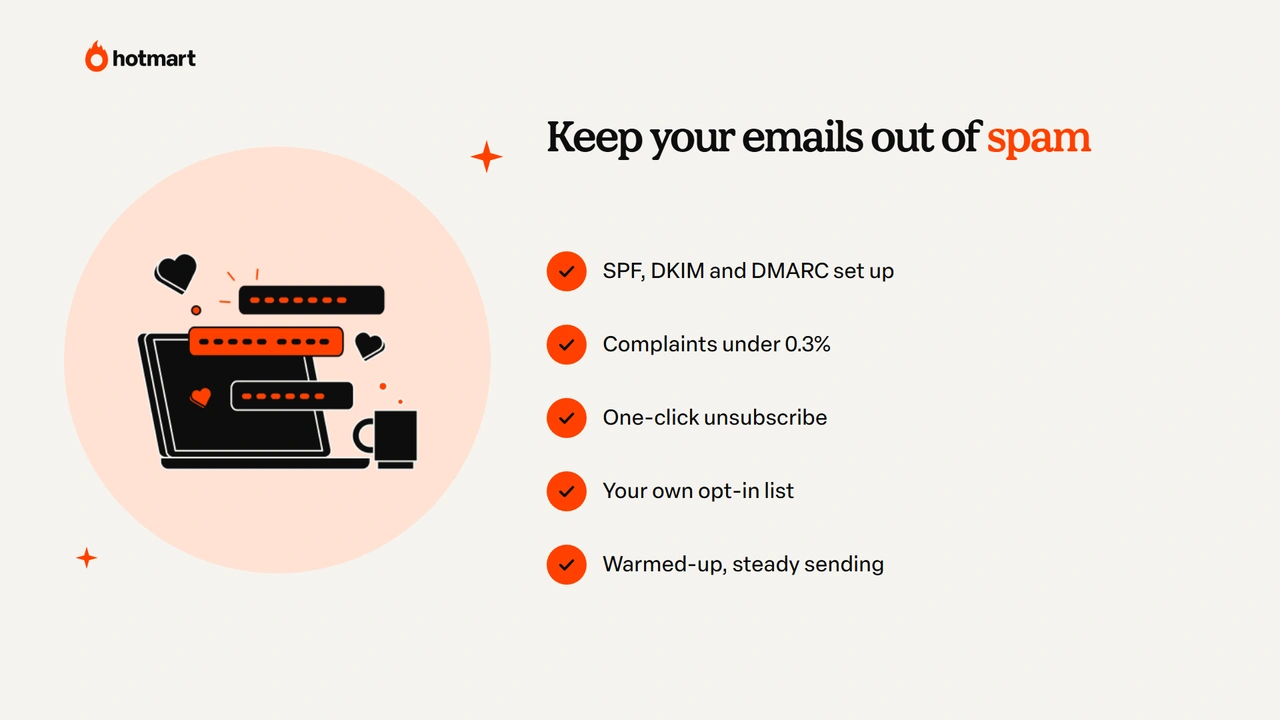
The points that matter most to keep your emails out of spam are:
- authenticate your domain with SPF, DKIM and DMARC;
- follow the bulk sender rules from Gmail, Yahoo and Outlook;
- keep your spam complaint rate below 0.3%;
- offer one-click unsubscribe;
- only send to your own opt-in list;
- warm up your domain and keep a steady sending frequency;
- take care of your subject line, sender name and content;
- clean your list and track your metrics.
Next, we explain each point and how to apply it to your business.
SPF, DKIM and DMARC: authenticate your domain to stay out of spam
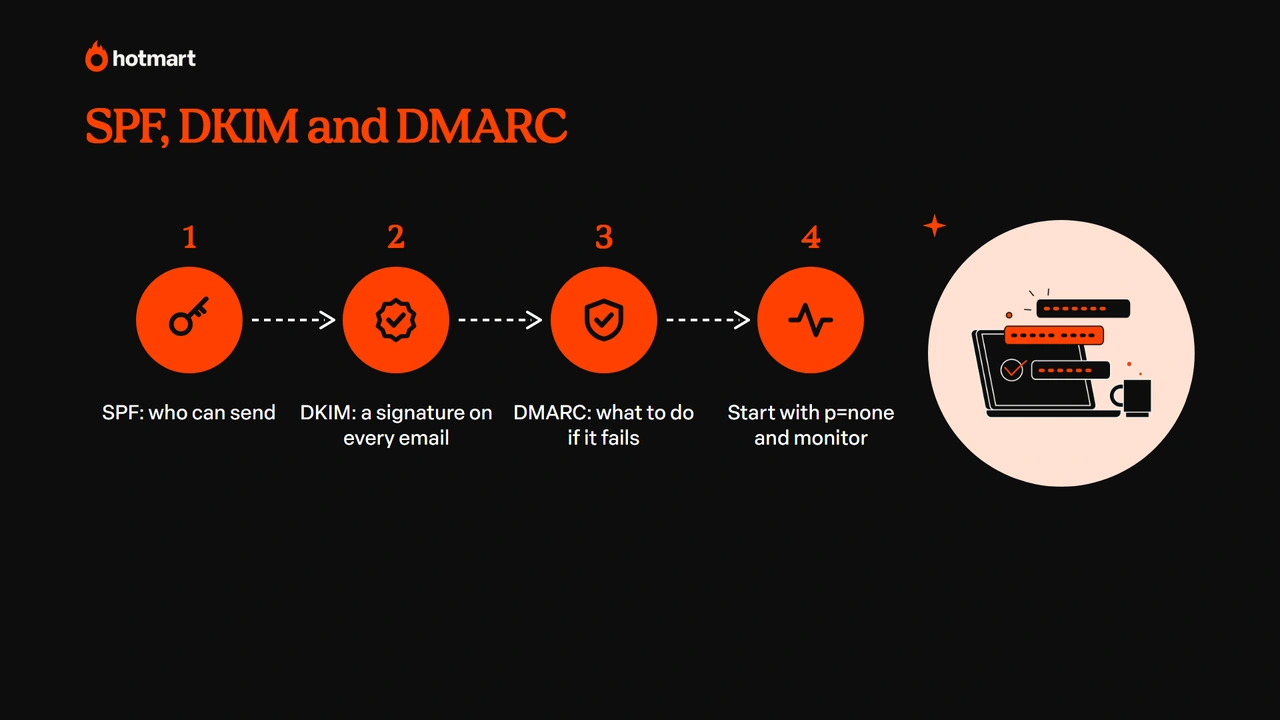
Authenticating your domain with SPF, DKIM and DMARC proves to email providers that the messages sent on behalf of your website really come from you. You do this with three records that you create in your domain’s DNS (in the dashboard of the company where you registered your domain), usually by copying the values your email marketing tool gives you:
| Record | What it does | Sample value (for illustration) |
|---|---|---|
| SPF | Lists which servers are allowed to send email using your domain | v=spf1 include:_spf.yourtool.com ~all |
| DKIM | Signs each email with a cryptographic key, proving it wasn’t altered | Public key provided by your tool, published in a record such as selector._domainkey.yourdomain.com |
| DMARC | Tells the provider what to do when SPF or DKIM fail and sends you reports | v=DMARC1; p=none; rua=mailto:dmarc@yourdomain.com |
Start DMARC with “p=none” (monitoring only), check the reports and, once everything passes, move to “quarantine” or “reject.” And here’s another golden tip: send from an address on your own domain, like hello@yourbusiness.com, not from an @gmail.com address. A professional email address builds more trust with recipients and is the only kind you can authenticate.
Gmail, Yahoo and Outlook anti-spam rules for bulk senders
The anti-spam rules from Gmail, Yahoo and Outlook apply to anyone who sends lots of emails to personal accounts on those providers, but almost all of them are good practice for any list. Here’s the summary, checked against the official sources:
| Provider | Since | Who’s affected | What it requires |
|---|---|---|---|
| Gmail | February 2024, with stricter enforcement starting in November 2025 | All senders; extra rules for anyone sending around 5,000 emails a day or more | SPF or DKIM for everyone; aligned SPF, DKIM and DMARC for bulk senders; spam rate below 0.3%; one-click unsubscribe and a visible link in the body |
| Yahoo | February 2024 | All senders; extra rules for bulk senders | SPF, DKIM and DMARC (at least p=none) for bulk senders; spam rate below 0.3%; one-click unsubscribe, honored within 2 days |
| Outlook (Hotmail, Live, Outlook.com) | May 5, 2025 | Domains sending more than 5,000 emails a day | SPF, DKIM and DMARC (at least p=none, aligned); senders who don’t comply go to Junk and may later be rejected |
The sources are Google’s email sender guidelines and Google’s FAQ (which confirms stricter enforcement in November 2025), the Yahoo Sender Hub best practices and Microsoft’s announcement from April 2025. Even if you still send a small volume, set everything up now: it’s much easier to start right than to repair your reputation later.
Keep your spam complaint rate below 0.3%
Your spam complaint rate is the percentage of people who clicked “report spam” on your emails. Gmail and Yahoo require it to stay below 0.3%, and Google recommends aiming for less than 0.1%. In practice, 0.3% means 3 complaints for every thousand emails delivered, which is a tight limit. For Gmail, track this number in Google Postmaster Tools, which is free, after verifying your domain.
One-click unsubscribe: fewer spam complaints
One-click unsubscribe lets people leave your list without logging in, filling out a form or confirming anything. Gmail and Yahoo require this feature in the header of marketing emails (the RFC 8058 standard, which good email marketing tools already set up) and a visible unsubscribe link in the body of the message. Yahoo asks for requests to be honored within 2 days, and CAN-SPAM gives you no more than 10 business days.
Making it easy to leave protects you: people who can’t find “unsubscribe” click “report spam,” and every complaint counts against your reputation.
Opt-in list: buying a list is the road to spam
An opt-in list is made up only of people who gave you their email on purpose, through a form, a landing page or in exchange for a lead magnet. That’s the whole idea behind permission marketing. To go further, use double opt-in: the person confirms their sign-up through a link sent by email, which guarantees valid addresses and real interest.
Buying a list is the fastest road to spam. The contacts don’t know your brand, many addresses are abandoned or are traps set by providers (spam traps), and complaints start pouring in from the very first send. Besides, emailing strangers in bulk goes against the spirit of the Gmail and Yahoo rules and, if you have subscribers in Europe, against the GDPR.
Domain warm-up and sending frequency to avoid spam
Domain warm-up means increasing your sending volume gradually, so providers get to know your pattern. If your domain or tool is new, start with your most engaged contacts (people who recently opened and clicked) and increase the volume week by week.
After that, keep a predictable frequency. Going months without sending and then firing off five emails a day during launch week looks like spammer behavior. Agree with your audience on how many emails they’ll get (for example, a weekly newsletter) and stick to it.
Subject lines, sender names and content that don’t look like spam
Subject lines, sender names and content that don’t look like spam help people recognize your email and engage with it, and that engagement is what convinces providers the message is wanted. The precautions that make the biggest difference are:
- recognizable sender name: your name, your brand or both (“Ana | Baking School”);
- honest subject line: no all caps, no excessive exclamation points and no promises the email doesn’t keep;
- balance between text and images: no emails that are just one big image; fill in the alt text of your images;
- responsive design: most people read on their phones, so use templates that adapt to the screen;
- few links and no link shorteners: use links on your own domain;
- an invitation to reply: ask people to reply, add your address to their contacts or move the email to their main inbox.
Notice that none of these items is a list of “banned words.” Terms like “free” or “sale” don’t send an email to spam on their own; what counts is the whole picture: a sender with no reputation, a bad list and content that looks like a scam.
Clean your list and track your spam metrics
Cleaning your list means removing the contacts that only hurt deliverability: addresses with permanent errors (hard bounces), contacts with repeated temporary errors (soft bounces), people who reported spam and people who haven’t opened anything in months. Before removing inactive contacts, run a re-engagement campaign asking if they want to keep hearing from you.
Track your delivery, open, click, bounce, unsubscribe and spam complaint rates (this guide to email marketing metrics explains each one). A sudden drop in opens at a specific provider, only at Gmail, for example, is a sign that your emails are going to spam there.
How to build relationships with leads and students without spamming
Building relationships with leads and students without spamming means sending the right message, to people who asked for it, on the channel they chose. For anyone who makes a living from digital products, email marketing is still one of the most important channels, because the list belongs to you and doesn’t depend on any social network’s algorithm.
The same goes for WhatsApp. A WhatsApp broadcast list only delivers messages to people who saved your number, which already works as an opt-in. Bulk offers to people who never talked to you, on the other hand, lead to reports and can end with your account being banned.
At Hotmart, Hotmart Send is the email marketing tool built for creators: with it, you organize your contacts, create sign-up forms, segment your leads and set up campaigns and automations, like a lead nurturing welcome sequence for people who downloaded your free material, according to the Hotmart Help Center. For people who have already bought from you, the conversation can happen in the members area, with community and content in one place.
The golden rule applies to every channel: segment. People who bought your course don’t need the offer for that same course, and someone who downloaded a vegan recipe ebook doesn’t want the email about barbecue. A relevant message is the opposite of spam.
So, ready to keep spam away from your inbox (and your customers’)?
Now you know what spam is: an unsolicited message sent in bulk, with a name borrowed from canned meat and a Monty Python sketch. It takes up almost half of the world’s email, opens the door to scams like phishing and is fought with a working filter, reporting and care with your personal data.
If you sell online, the takeaway is different: authenticate your domain with SPF, DKIM and DMARC, only email people who asked, make unsubscribing easy and watch your complaints. Do that, and your emails will land in the inbox and build relationships, instead of ending up as junk. 😉
Frequently asked questions about what is spam
Still have questions? Below, we answer some of the most frequently asked questions about spam.
What does spam mean?
Spam originally was the name of an American canned meat and, because of a Monty Python sketch, came to mean an unsolicited message sent in bulk. For email, people also call it "junk mail" or "junk email."
What is spamming?
Spamming is sending repeated, excessive or bulk messages to people who didn't ask for them, whether by email, WhatsApp, text message or comments. The person who does it is called a spammer.
Where is the spam folder?
In Gmail, the spam folder is in the left menu, under "More" > "Spam." In Outlook and Hotmail, it's called "Junk Email." In Yahoo, the folder is called "Spam." Check these folders whenever an email you're expecting doesn't arrive.
Why are my emails going to spam?
The most common reasons are an unauthenticated domain (SPF, DKIM and DMARC), lots of spam complaints, a purchased list or one with invalid addresses, no easy way to unsubscribe and sending volumes far above normal. Fix authentication first and then work on the quality of your list.
Is spam illegal in the US?
Sending commercial email isn't illegal in the US, but breaking the CAN-SPAM Act rules (misleading headers or subject lines, no postal address, no working opt-out) can lead to heavy fines, and marketing texts without consent can violate the TCPA. When spam is used to run scams, as in phishing, it can also be prosecuted as fraud.