How to Create a Website with AI: the Best AI Website Builders and a Step-by-Step Guide
Learn how to create a website with AI: compare the best AI website builders, follow a step-by-step guide with a ready prompt and see what AI still can’t do alone.


Imagine describing the website you want and getting a first version in a few minutes, without writing a single line of code. With AI tools, that’s already possible, even if you’ve never coded.
In this article, we show you how to create a website with AI: the best AI website builders for each type of site, a step-by-step guide to publish yours and what the technology still can’t handle on its own. First, here’s a quick summary:
| Question | Answer |
|---|---|
| Can you create a website with AI? | Yes. You can create a website with AI by describing your project in a tool that generates the structure, copy, images and layout for you to tweak and publish. |
| What are the best AI website builders? | Wix, Hostinger, Webnode, Framer, Figma Make, Lovable and Hotmart Launchpad, each one stronger for a different type of site. |
| Is there a free AI website builder? | Yes. Wix, Webnode, Framer, Lovable, Figma Make and Hotmart Launchpad have free versions (November 2026), with limits on credits or domains. |
| Do you need to know how to code? | No. These tools work with plain-language descriptions and visual editors; technical skills only help with advanced integrations. |
| What can’t AI do on its own? | SEO, your own domain, privacy compliance and maintenance are still the responsibility of whoever publishes the site. |
How do you create a website with AI?
To create a website with AI, you describe what you need in an AI website builder, which generates the structure, copy, images and layout; then you tweak it and publish it on a domain. In short: pick the tool, describe the site, adjust it and publish.
You can create a business website, a portfolio, an online store, a blog or a landing page to capture leads.
There are two types of AI tools that build websites:
- AI website builders: Wix, Hostinger and Webnode deliver a ready-made site you edit in a visual dashboard.
- Chat-based generators: Lovable, Figma Make and Hotmart Launchpad build the site and its code from a conversation with AI, with more freedom to customize.
This second way of building sites and apps by describing what you want in plain language is known as vibe coding.
The best AI website builders
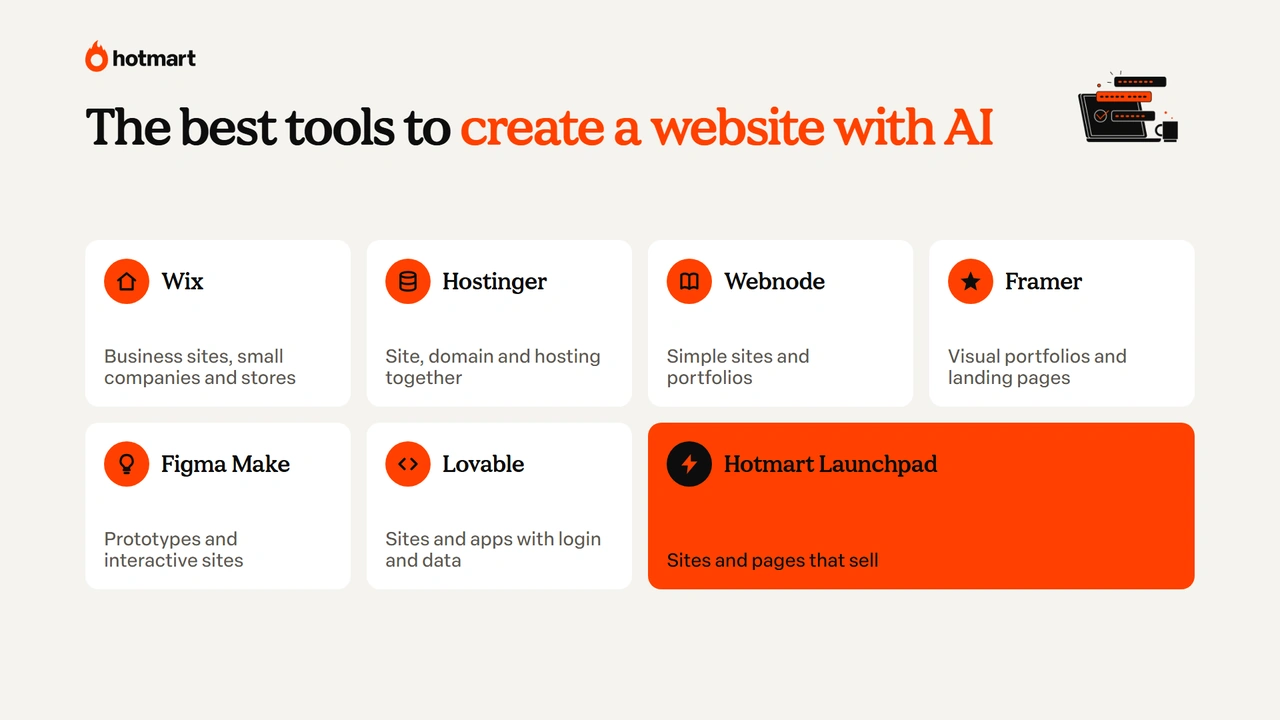
The best AI website builders are Wix, Hostinger, Webnode, Framer, Figma Make, Lovable and Hotmart Launchpad, and each one stands out for a different type of site. Here’s what each tool is best for:
- Wix: business sites, small companies and online stores.
- Hostinger: building, domain and hosting in one place.
- Webnode: simple sites and basic portfolios.
- Framer: visual portfolios and landing pages.
- Figma Make: prototypes and interactive sites.
- Lovable: sites and apps with custom features.
- Hotmart Launchpad: sites and pages built to sell digital products.
Below, we break down what each one does, its free plan and one limitation worth knowing before you choose.
Wix
Wix is an AI website builder that creates a complete site from a conversation about your business. You share your business type, audience and the features you need, and it suggests pages, copy, images and layout, with tools like bookings and online store.
It’s a good option for small businesses, freelancers and online stores. In a testimonial published by OpenAI in May 2025, Wix’s CEO said hundreds of thousands of sites had been created with its AI Website Builder since its 2024 launch.
Free plan: as of November 2026, Wix lets you build and publish for free on a Wix address. A custom domain and selling features require a paid plan.
Limitation: some business and customization features depend on a subscription.
Hostinger
Hostinger offers an AI website builder bundled with hosting and a domain, plus Hostinger Horizons, which builds sites and web apps through a chat with AI.
You describe the project, get a first version and tweak the copy, images and visual elements. It’s a good fit if you want building, hosting and your domain in one place, without juggling separate services.
Free plan: as of November 2026, Hostinger doesn’t offer a permanent free plan: publishing your site requires a paid plan.
Limitation: check renewal prices and what’s included before you buy, since first-year prices are usually promotional.
Webnode
Webnode is a free, simple AI website builder that creates a site from a description of your business. It suggests pages, copy and visual elements, and you customize everything in an easy editor.
It works well for freelancers, small businesses and anyone who needs a basic portfolio or a simple business page.
Free plan: as of November 2026, Webnode lets you build and publish sites for free on a Webnode address. A custom domain and advanced features require a premium plan.
Limitation: it offers less design freedom than tools built for complex projects.
Framer
Framer is a design-focused tool to create a website with AI, with animations and polished visuals. AI generates the page structure and speeds up the layout, which you refine in a visual editor.
It’s especially interesting for designers, startups and professionals who want a portfolio or landing page with a more sophisticated look.
Free plan: as of November 2026, Framer lets you publish projects for free on a Framer subdomain, with limits. A custom domain requires a paid plan.
Limitation: the learning curve is steeper, since the tool expects more familiarity with design concepts.
Figma Make
Figma Make turns plain-language descriptions into working prototypes, responsive sites and interactive interfaces.
It’s useful for designers and teams who want to test an idea fast, explore layouts or turn a visual design into a clickable experience, with code access depending on the plan.
Free plan: as of November 2026, Figma’s free plan lets you try Make with limited credits.
Limitation: besides the credits, Figma Make has fewer SEO options than traditional website builders.
Lovable
Lovable generates full websites and web apps, with code, from a conversation with AI. You describe what you want to build, and it creates the structure and code, including features like forms, user login and data storage.
It’s a good option to test an app idea, build an interactive tool or create a project that goes beyond a simple business site.
Free plan: as of November 2026, Lovable offers a free plan with limited daily credits.
Limitation: external integrations and projects that store user data require technical knowledge and extra care with security and maintenance.
Hotmart Launchpad
Hotmart Launchpad is Hotmart’s AI creation tool for when the goal of your site is to sell. From a plain-language description, it builds sites, sales pages, members areas, ebook pages with PDF delivery and stores.
What sets it apart is that everything comes with a domain, hosting and the Hotmart checkout built in, supporting 40+ payment methods and 22 currencies. So if you sell an online course, an ebook or another digital product, you build the storefront and the sale in one place.
Free plan: as of November 2026, Hotmart Launchpad has a free plan with 15 credits a month to create and publish your first project.
Limitation: AI usage depends on your plan’s credits, and a sales page needs attention to the offer and the messaging.
AI website builders compared
The best AI website builder depends on the type of site, your budget and how comfortable you are with design and tech. Here’s the comparison:
| Tool | Best for | Free plan (Nov 2026) | Difficulty |
|---|---|---|---|
| Wix | Business sites, small companies and stores | Yes, with a platform subdomain | Low |
| Hostinger | Site, hosting and domain in one place | No, publishing requires a paid plan | Low |
| Webnode | Simple sites and basic portfolios | Yes, with a platform subdomain | Low |
| Framer | Visual portfolios and landing pages | Yes, with a subdomain and limits | Medium |
| Figma Make | Prototypes and interactive sites | Yes, with limited credits | Medium |
| Lovable | Sites and apps with login and databases | Yes, with limited daily credits | Medium to high |
| Hotmart Launchpad | Sites, sales pages and members areas that sell | Yes, with 15 credits a month | Low |
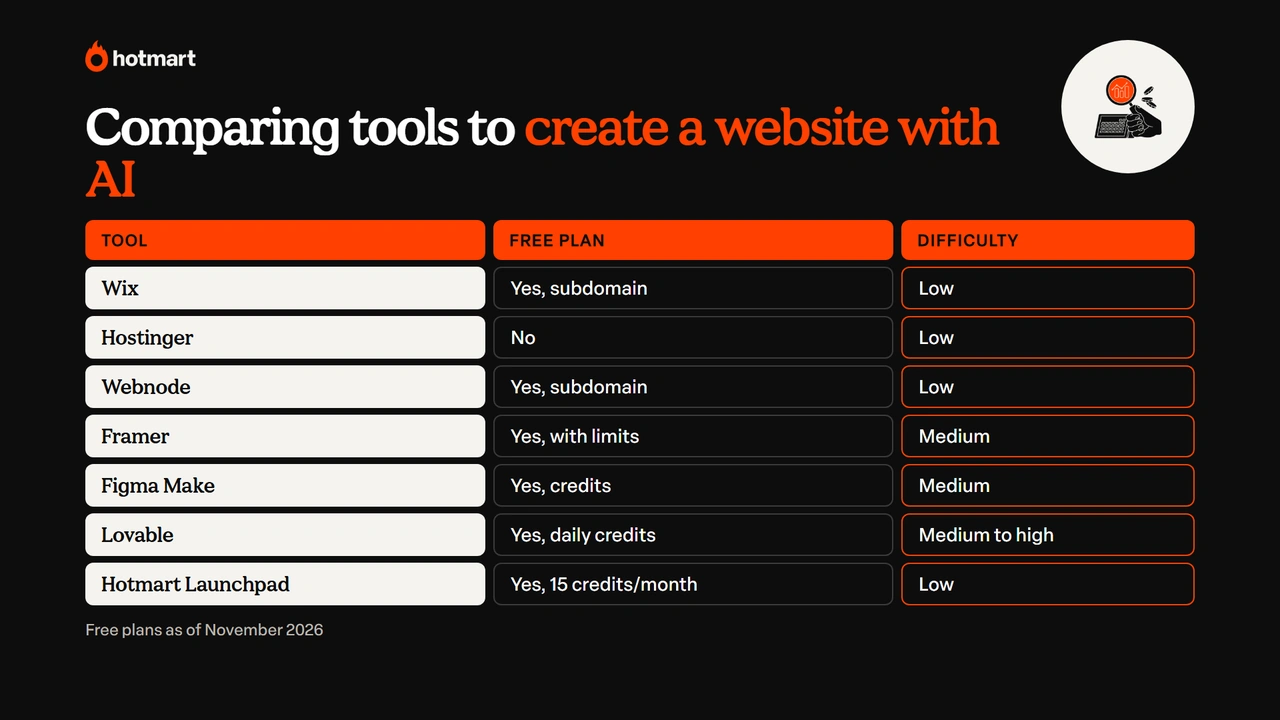
If you just need to present your business, a visual builder like Wix or Webnode is enough; for custom features, Lovable; to sell, Hotmart Launchpad.
How to create a website with AI step by step
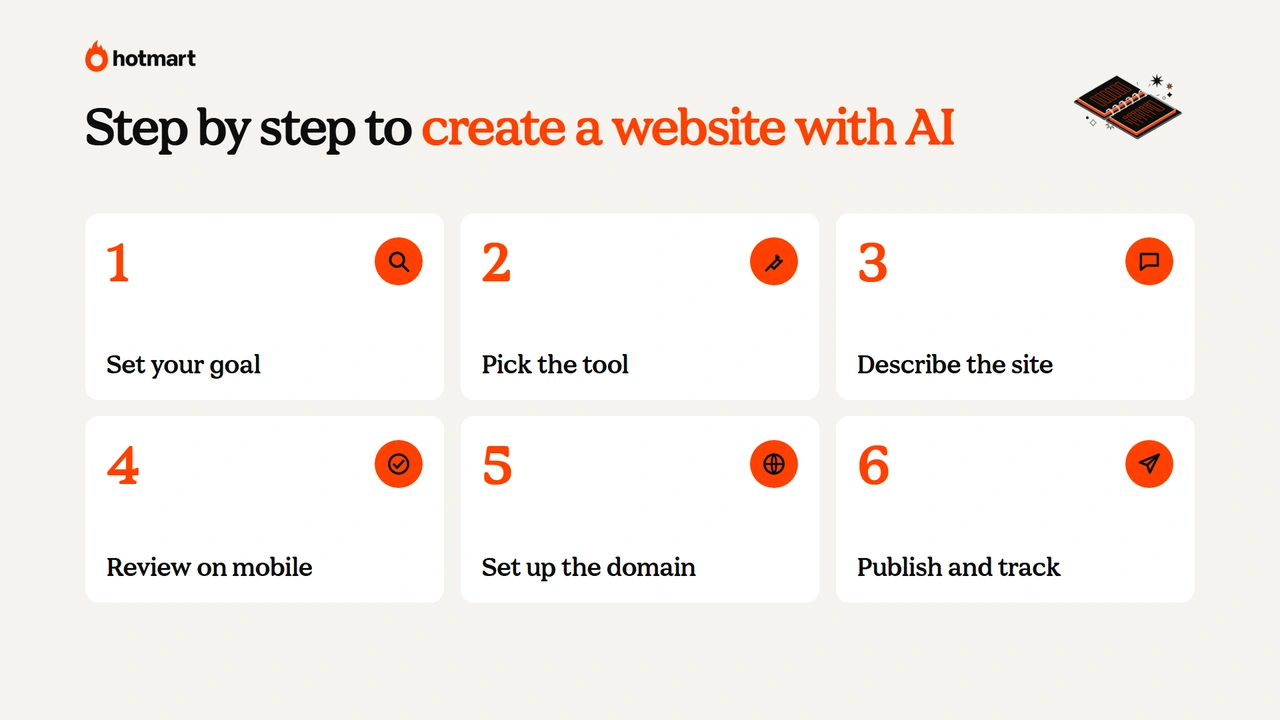
To create a website with AI, set your goal, pick the tool, describe the project, review the content, set up the domain and publish. The process is similar for every tool on the list:
- Set the goal and the type of site.
- Pick the tool based on the type of site and your budget.
- Describe the site to the AI.
- Review the copy, images and mobile version.
- Set up the domain and site information.
- Publish and track results.
To make it easier, we’ll use the example of a bakery that wants a site to show its cakes and take orders on WhatsApp.
1. Set the goal and the type of site
The first step to create a website with AI is to decide what visitors should do. For the bakery, the goal is to show the products and get customers to place an order.
So the site needs a home page, a cake menu, information about the business and a WhatsApp button.
2. Pick the tool based on the type of site and your budget
Once your goal is clear, pick the AI website builder that best fits the project. For a bakery that only needs to show products and receive messages, a visual builder like Wix or Webnode is enough; for custom features, consider Lovable.
Also factor in the cost of the domain, hosting and maintenance, especially if the site is for business use.
3. Describe the site to the AI
The quality of the generated site depends on the description you give the AI. Include the business name, audience, pages, tone of voice, colors and the main action visitors should take.
Here’s a sample prompt you can copy and adapt:
“Create a responsive website for Sweet Spot Bakery, which makes custom cakes to order. The audience is people looking for birthday and celebration cakes. The site should have a home page, product menu, about section and contact. Use a warm tone, soft pink and beige colors, photos of handmade cakes and simple navigation. Add ‘Order on WhatsApp’ buttons to the main sections and prioritize mobile browsing.”
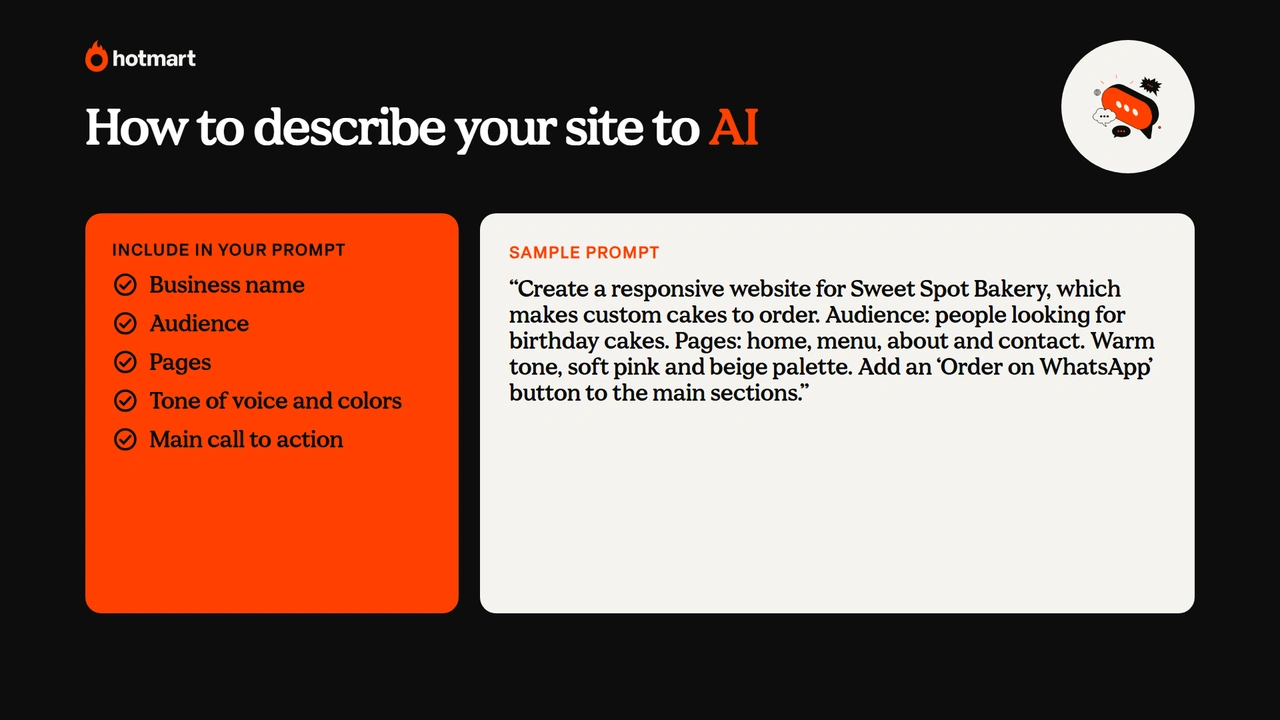
From that description, the AI builds the initial structure, and then you ask for specific changes.
4. Review the copy, images and mobile version
Even if the AI-generated site looks finished, review every element before publishing. Check that the copy represents your business, that prices and contact details are up to date and that you have the rights to the images.
For the bakery, it’s worth swapping generic images for real photos of the cakes and testing the site on a phone to make sure the buttons work.
5. Set up the domain and site information
Your domain is your site’s address, and a custom domain looks more credible than a free subdomain. You can register one through the tool itself or with a domain registrar.
Also fill in each page’s title and description with terms your audience searches for, like “Custom Birthday Cakes | Sweet Spot Bakery.” If the site has forms, publish a privacy policy, as privacy laws like the GDPR and the CCPA require.
6. Publish and track results
After reviewing everything, publish your site and add it to Google Search Console to track how your pages show up on Google and spot indexing issues.
Google Analytics helps you understand visitor behavior. For the bakery, tracking clicks on the WhatsApp button shows which pages bring in the most orders.
What AI still can’t do on its own when you build a website
AI speeds up website creation, but four things still need a human touch: SEO, domain and ownership, privacy and maintenance. Publishing the site is only the first step, and these tasks make it work for your business.
Here’s what to do for each one:
| What to watch | Why it matters | What to do |
|---|---|---|
| SEO | Generic AI copy doesn’t stand out on Google | Write original content, fill in each page’s title and description and keep the site fast |
| Domain and ownership | A free address has limits, and not every platform lets you move your site | Check domain, hosting, export and portability before you pay |
| Privacy | Forms, analytics tools and cookies collect personal data | Explain how you use data, publish a privacy policy and protect the information |
| Maintenance | Outdated info, broken links and price changes hurt the experience | Review the site regularly, test forms and keep an eye on plan costs |
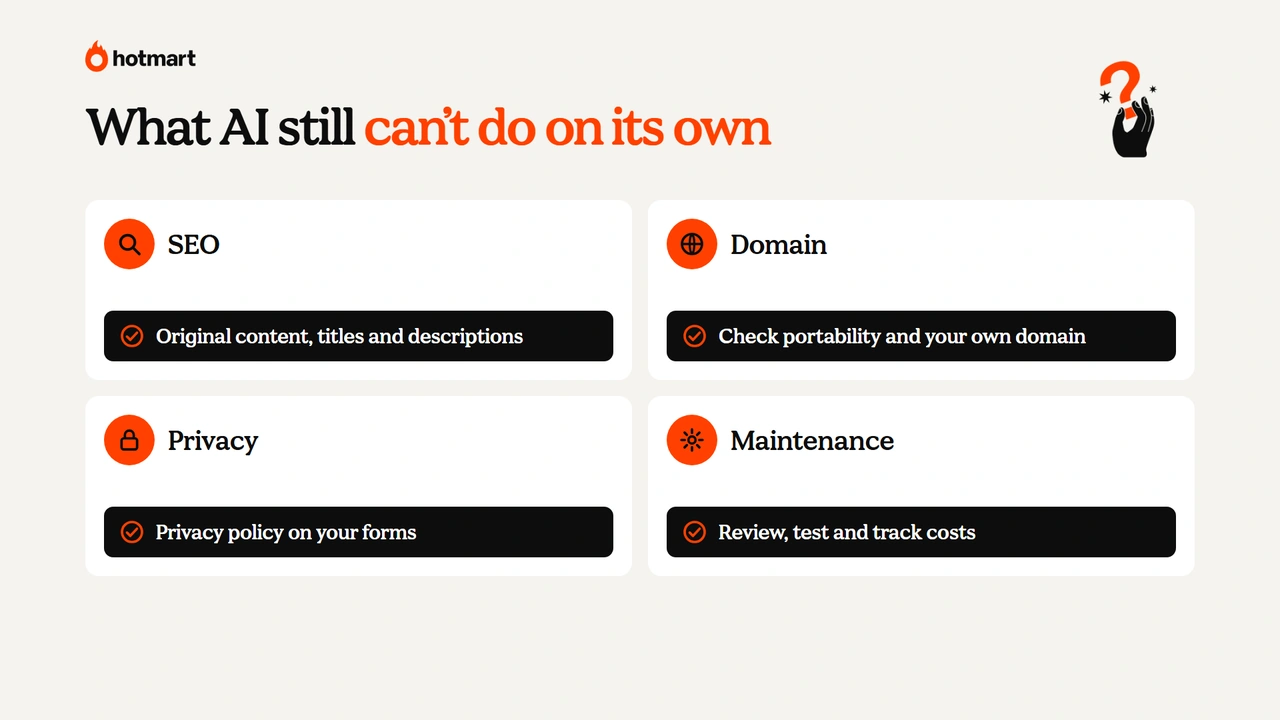
For SEO, building a site with AI doesn’t mean ranking at the top of Google: relevant content, technical quality and a good experience still make the difference. For privacy, laws like the GDPR in Europe and the CCPA in California require you to explain how you use personal data.
Ready to create your website with AI?
Now that you know how to create a website with AI, it’s clear you don’t need to code to get started: you just describe what you need.
As we’ve seen, the best tool depends on the type of site, a good description makes all the difference, and SEO, your domain, privacy and maintenance are still on whoever publishes the site.
And if you want to use your site to sell a digital product, Hotmart Launchpad delivers the page with checkout ready to go. To turn this skill into income, see how to make money with AI. Let’s make it happen!
Frequently asked questions about creating a website with AI
Still have questions? Below, we answer the most common questions about creating a website with artificial intelligence.
Can you create a website with AI for free?
Yes. You can create a website with AI for free on Wix, Webnode, Framer, Figma Make, Lovable and Hotmart Launchpad, with limits on credits, customization or domains that vary by platform. A custom domain almost always requires a paid plan.
Can ChatGPT create a website?
Yes. ChatGPT can help you plan the structure, write the copy and generate the code for a website. To publish it and keep it online, though, you need a website builder or a hosting service.
Do AI-built websites show up on Google?
Yes. An AI-built website shows up on Google when it’s accessible to search engines and meets indexing requirements. Publishing doesn’t guarantee good rankings: relevant content, SEO and technical quality still make the difference.
Do I need to know how to code to create a website with AI?
No. To create a website with AI, you just describe the project in plain language and adjust it in visual editors. Technical skills help with integrations and advanced features, but they’re not required.
What is the best AI website builder?
The best AI website builder depends on your goal: Wix and Webnode for simple business sites, Framer for visual portfolios, Lovable for apps with login and Hotmart Launchpad for sites that sell digital products.