What Is MCP? How the Model Context Protocol Works, Examples and How to Use It in Your Business
Learn what MCP is, the open protocol that connects AI assistants like Claude and ChatGPT to data and tools, and how Hotmart MCP brings it into your business.

What will we see in this post

ChatGPT and Claude can write, summarize and analyze information, but they can’t see your business numbers without an authorized connection. That’s the gap the Model Context Protocol (MCP) fills.
In this article, we explain what MCP is, how it works, which tools already use the protocol and how Hotmart MCP lets you ask AI, in plain English, how much you sold this week. First, here’s a quick summary:
| Question | Answer |
|---|---|
| What is MCP? | MCP (Model Context Protocol) is an open standard that connects AI assistants to external data and tools. |
| Who created MCP? | Anthropic launched MCP in November 2024, and it is now maintained by the Agentic AI Foundation, part of the Linux Foundation. |
| How does MCP work? | MCP works with a host (the AI app), an MCP client and MCP servers that deliver data and actions from other systems. |
| What is the difference between MCP and an API? | An API connects systems to each other; MCP standardizes how AI discovers and uses those connections. |
| How can a business use MCP? | With Hotmart MCP, creators connect their account to Claude or ChatGPT and ask in plain English how much they sold. |
What is MCP?
MCP stands for Model Context Protocol: an open standard that connects AI assistants to external data sources and tools. Anthropic, the company behind Claude, launched the protocol on November 25, 2024. If you’re new to the topic, it helps to know the AI tools that already support it.
In practice, the MCP protocol lets an AI look up information and take actions in other systems, as long as a compatible integration exists and you’ve granted the right permissions.
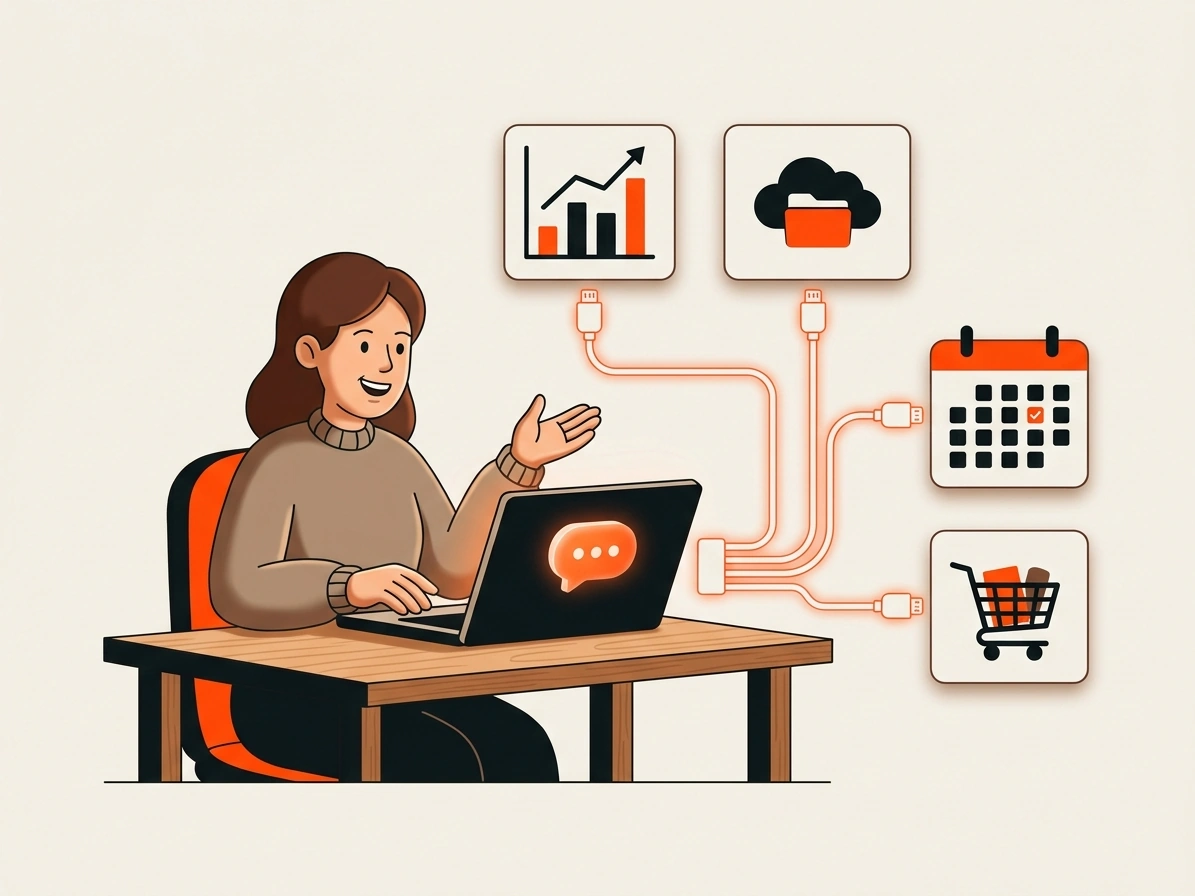
To make it simple, think of MCP as the USB-C port for artificial intelligence. Just as USB-C created a single plug for many different devices, MCP offers a standard way to connect AI apps to tools and services.
Before MCP, every combination of assistant and system needed a custom integration. With MCP, developers use a shared protocol, and the same connection works across many compatible apps. That lets you ask the AI to summarize a Google Drive document, check tasks in Notion or pull a business’s sales, for example.
According to Google Cloud, MCP expands what language models can do by giving them access to up-to-date information and tools that were not part of the AI’s original training.
In December 2025, Anthropic donated MCP to the Agentic AI Foundation, a foundation under the Linux Foundation cofounded with OpenAI and Block. Since then, MCP has been developed as an open standard that doesn’t depend on a single company.
How MCP works
MCP works through a client-server architecture, in which the AI app connects to servers that expose external information and tools. When it receives a request, the assistant figures out which resources it can use and queries the connected system.
To do that, MCP relies on three main components:
| Component | What it does | Example |
|---|---|---|
| Host | The AI app the person uses | Claude Desktop, ChatGPT, Cursor or VS Code |
| MCP client | Handles communication between the app and the connected server | The MCP connection layer inside the assistant |
| MCP server | Exposes data and features from an external system | Hotmart MCP, GitHub or Figma |
Think of a restaurant: you place an order, the server takes it to the kitchen and comes back with your meal. In MCP, the host is where you place the order, the client handles the communication and the server delivers the resources you need.
Here’s the path of a question like “How much did I sell yesterday?”:
- The AI assistant receives the question and realizes it needs to check the sales data.
- The MCP client forwards the request to the connected server.
- The MCP server queries the authorized information in the system.
- The data goes back to the assistant, which turns it into a plain-language answer.
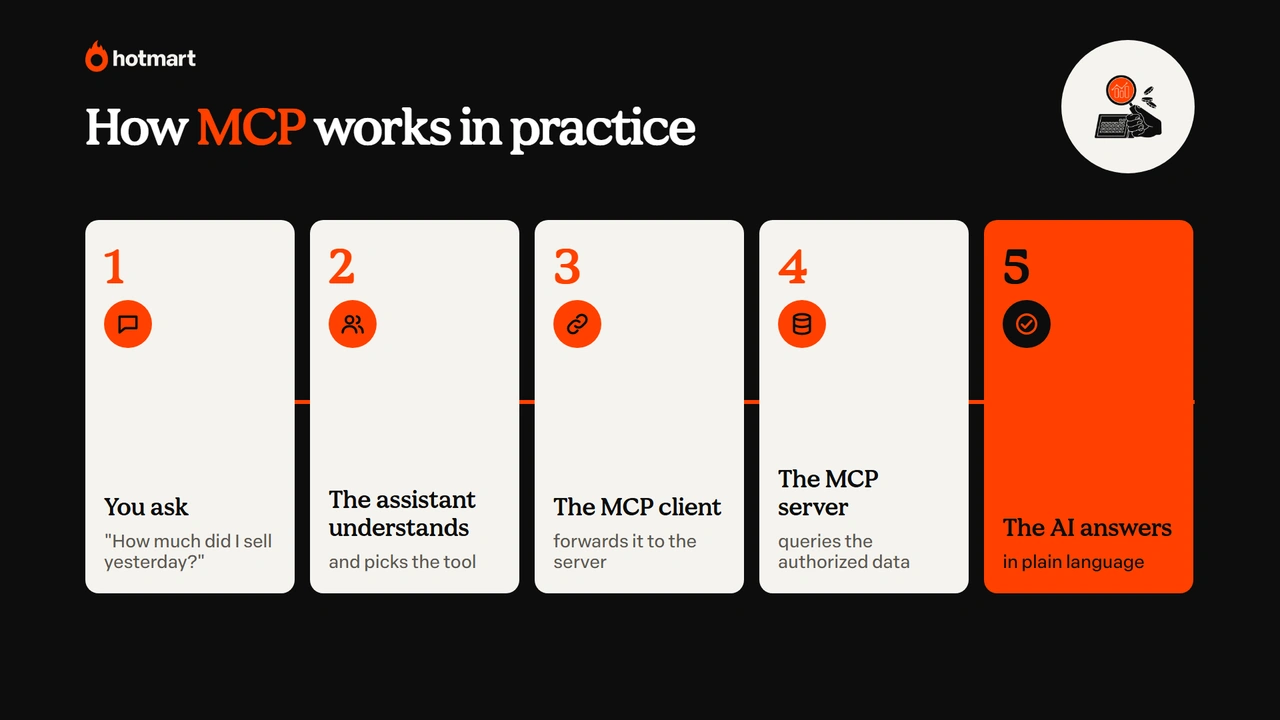
The advantage is that you don’t need to know the technical commands behind the search. You just ask, and the AI uses the tools available. IBM and Red Hat point out that this architecture reduces the need to build a separate integration for every application.
What is an MCP server?
An MCP server is a program that exposes a system’s information and features to artificial intelligence apps. It works as a bridge between the assistant and the tool that holds the data.
An MCP server can offer three types of capabilities:
- Tools: let the AI perform operations, such as checking sales, creating tasks or generating coupons.
- Resources: provide information to read, such as documents and records.
- Prompts: offer instruction templates to guide specific tasks (here’s a refresher on what a prompt is).
Picture a server connected to a project management tool. It could let the AI check pending tasks, create a new one and use a ready-made instruction to put together a weekly summary.
MCP servers can also run in two ways:
- Local server: runs on your own computer and can, for example, let the assistant read files in an authorized folder.
- Remote server: runs on the internet and usually asks for authentication to connect the AI app to an account or service.
These details matter to people who build integrations, but they don’t need to be part of your routine if you use servers that are already set up.
What is the difference between MCP and an API?
The difference between MCP and an API is that an API lets systems communicate, while MCP standardizes how artificial intelligence apps discover and use external tools. An API (Application Programming Interface) is a set of rules that lets programs exchange information; MCP organizes that exchange for AI.
Here are the main differences:
| Criteria | API | MCP |
|---|---|---|
| Purpose | Lets systems and applications communicate | Standardizes how AI apps connect to data and tools |
| Main users | Developers and systems that exchange information | AI assistants and the people who build integrations for them |
| Feature discovery | Depends on each API’s documentation | The server announces which tools and resources it offers |
| Standardization | Each API has its own rules and structure | Every server follows the same protocol |
| Integration effort | May require a separate build for each service | One connection works across many compatible apps |
| Example | A system pulls orders through a platform’s API | An assistant pulls those orders through an MCP server |
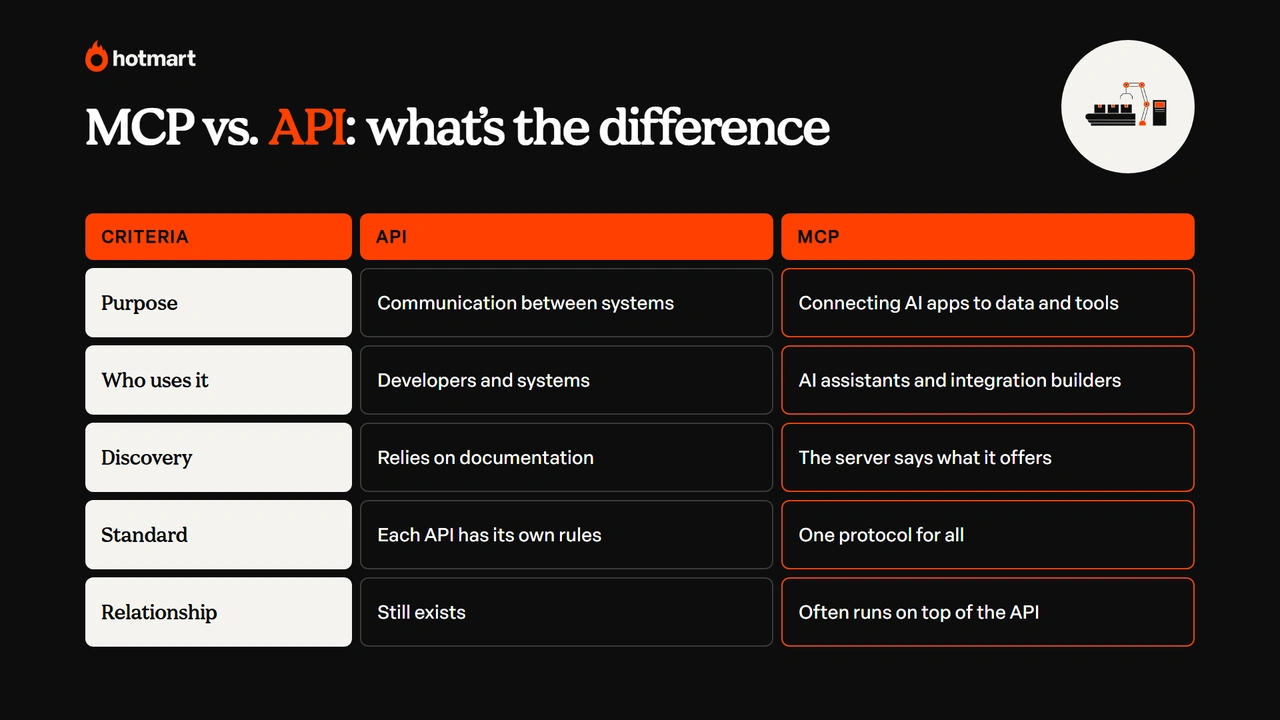
In other words, MCP and APIs aren’t competing technologies. In fact, many MCP servers use a system’s own API to look up information and take actions.
MCP examples: the most popular servers
There are already MCP servers for productivity, design, development and business tools. They let assistants look up information and complete tasks in connected services, and you can find them in the official MCP server registry and in the connector directories of Claude and ChatGPT.
Here are a few examples:
| MCP server | What it does |
|---|---|
| Google Drive | Uses documents as context to answer questions |
| Slack | Searches and summarizes messages from authorized channels |
| Notion | Searches pages and organizes workspace information |
| GitHub | Reads repositories, issues and pull requests |
| Figma | Brings design information into code |
| Playwright | Lets the AI browse and test websites |
| Hotmart MCP | Looks up sales, students and subscriptions in a Hotmart account |
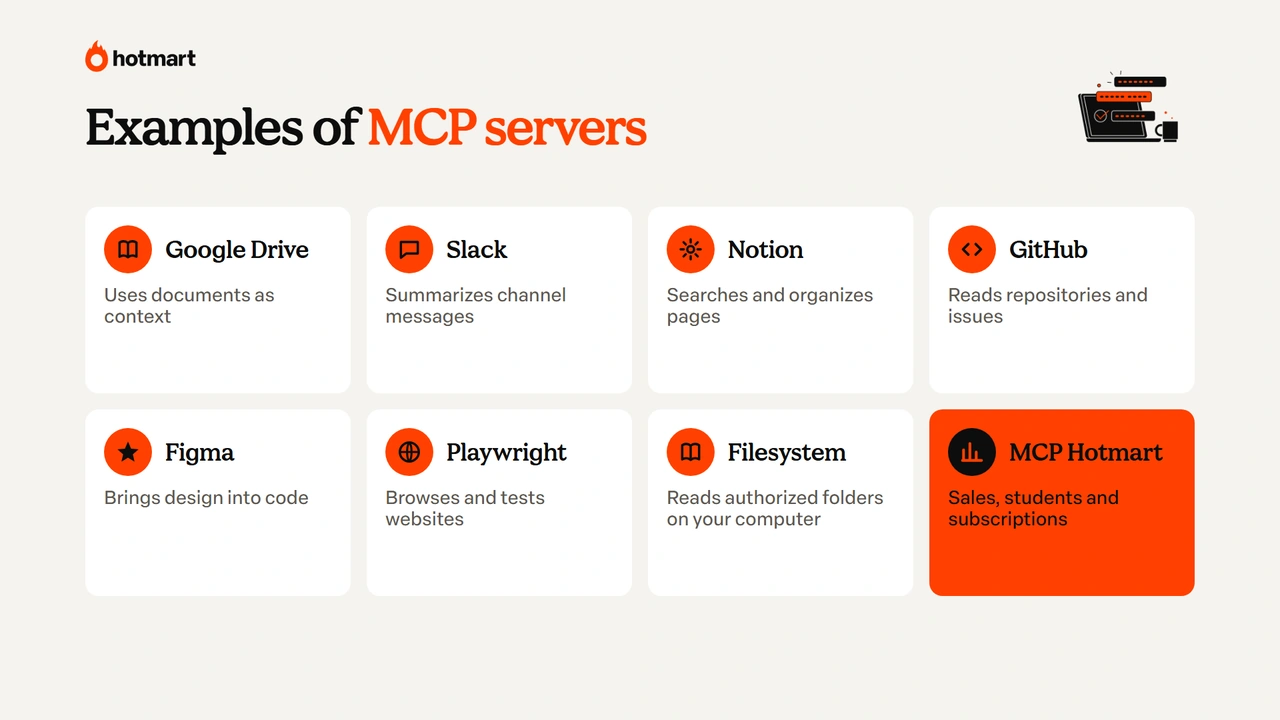
Availability depends on the app, your account permissions and the server’s features. Before you authorize access to your data, check whether the integration is official or built by a third party.
Which AI tools support MCP and how to get started
MCP works with the leading artificial intelligence apps and developer tools, including Claude, ChatGPT, Gemini, Microsoft Copilot, Cursor and Visual Studio Code, depending on each product’s features. The protocol was born at Anthropic, but other companies, competitors included, have adopted it. If you’re still choosing an assistant, check out our comparison of Claude vs ChatGPT.
If you’ve never coded, the easiest way to start is to use an integration that’s already available in the app. In Claude and ChatGPT, these connections show up as connectors, extensions or integrations: just pick the service, authorize access and choose which information can be used.
Developers can set up MCP servers in Claude Desktop, Claude Code and Cursor, or build their own integrations with the official software development kits (SDKs).
The protocol’s popularity helps explain why it shows up in so many tools. According to Anthropic, by December 2025 the ecosystem had more than 10,000 active public MCP servers and more than 97 million monthly SDK downloads in Python and TypeScript. These numbers refer to that month and are likely to change quickly.
Is MCP safe?
MCP is safe when you connect trusted servers and grant only the permissions you need. Because the technology lets AI read data and, in some cases, take actions in other systems, security depends on the protocol, the server implementation, the app you use and the permissions you grant.
Here are the main risks and how to avoid them:
| Risk | How to protect yourself |
|---|---|
| Unofficial servers | Use integrations offered or recommended by the company behind the service |
| Excessive permissions | Authorize only the data and actions the task needs |
| Prompt injection | Watch for malicious instructions hidden in documents or pages the AI reads |
| Unreviewed actions | Choose tools that ask for confirmation before changing or deleting information |
| Exposed credentials | Never share tokens or keys, and revoke credentials you no longer use |
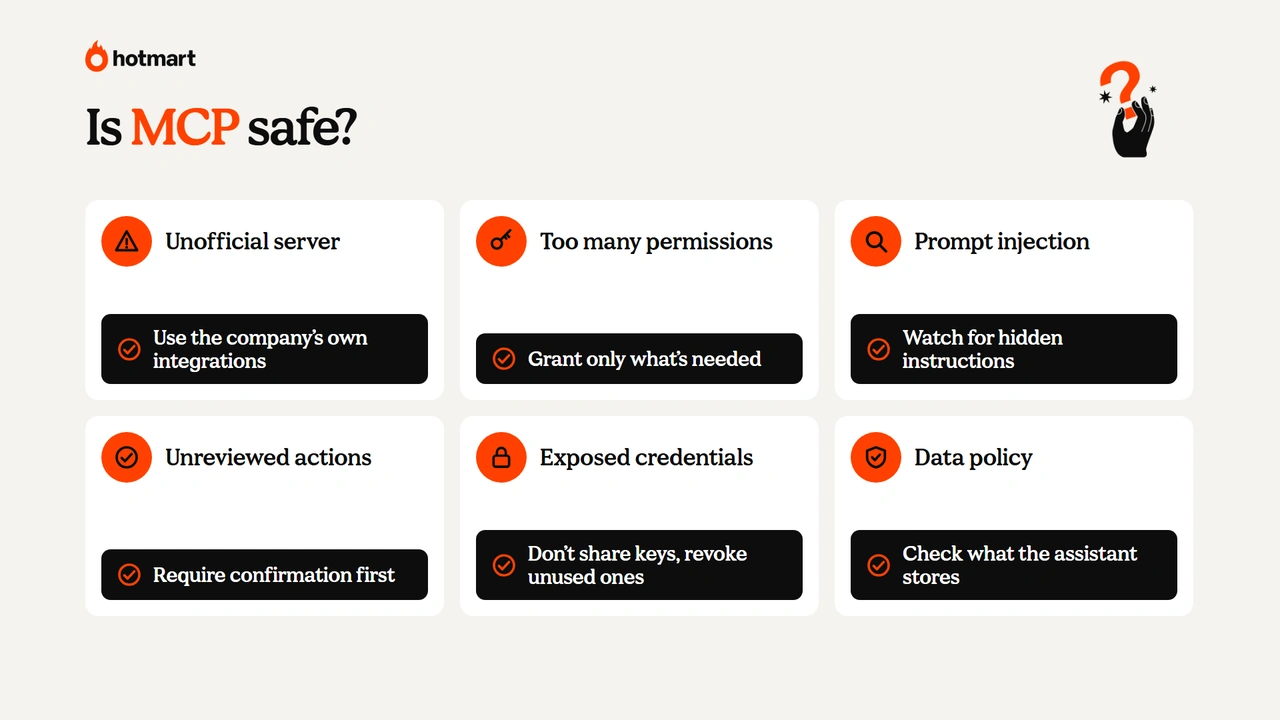
Red Hat stresses how important these controls are in MCP integrations, especially in business environments.
How to use MCP in your online business: the Hotmart MCP example
Hotmart MCP connects your Hotmart account to compatible AI assistants, such as Claude Desktop and ChatGPT Desktop, so you can look up real-time data and take actions in your business. If you sell online courses, ebooks, coaching or memberships, that means asking about sales and students without digging through different reports.
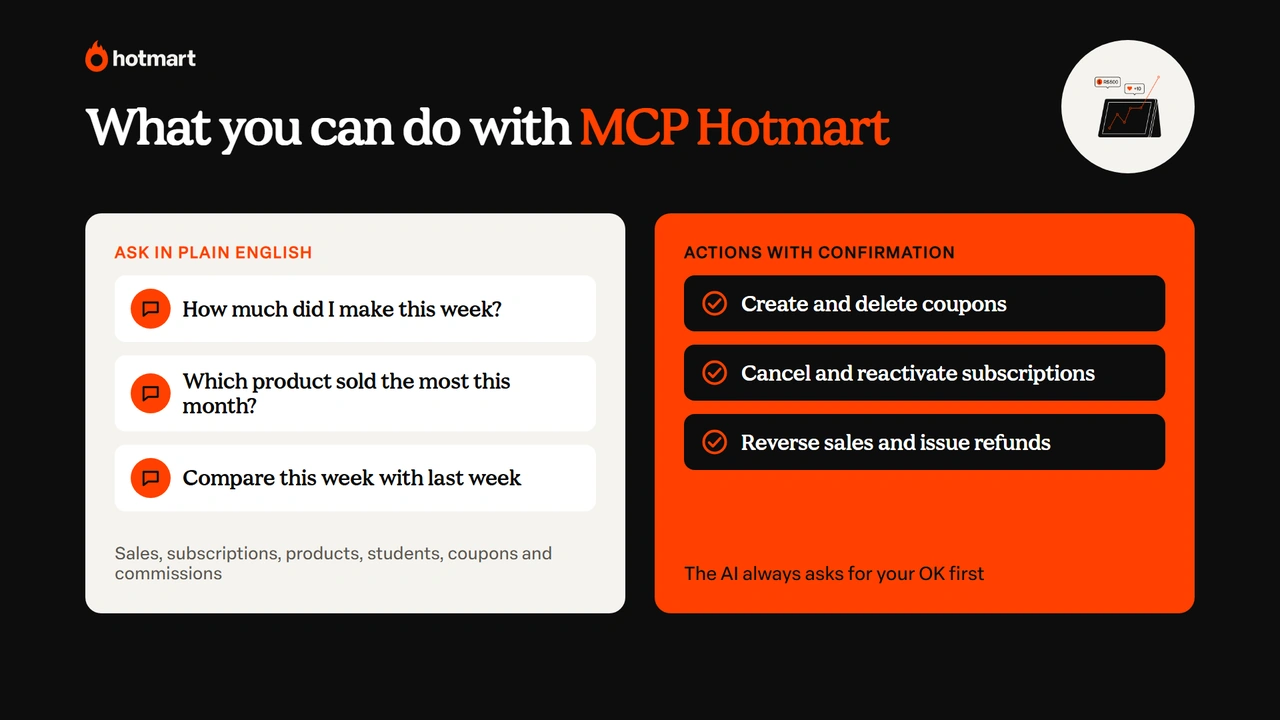
With Hotmart MCP, you can:
- Look up data: sales, subscriptions, products, students, coupons and commissions.
- Take actions with confirmation: create and delete coupons, cancel and reactivate subscriptions, change due dates and issue reversals and refunds.
- Stay in control: the connection uses a personal, revocable credential and respects your profile’s permissions.
Hotmart MCP is free for creators with a Hotmart account. Here’s how it works in practice.
What you can ask AI about your business
With Hotmart MCP, you ask questions in plain language about the connected account, and the assistant checks the authorized data to build the answer. Instead of opening the dashboard, picking dates and organizing numbers, you just ask.
Sample questions to copy and try:
- How much did I make this week?
- Which of my products had the most sales this month?
- Compare this week’s revenue with last week’s.
Some features related to co-production and affiliates aren’t available yet, according to the Hotmart Help Center.
Actions with confirmation: coupons, subscriptions and refunds
Besides looking up information, Hotmart MCP takes actions in your account, always with your confirmation. The assistant shows what it’s about to do and waits for your approval before creating a coupon, canceling a subscription or issuing a refund.
Say you’re preparing a campaign for a course. Instead of opening the coupons area, you can ask: “Create a 20% off coupon for the photography course, valid until Sunday.” The assistant picks the right tool and prepares the action for you to approve.
How to connect Hotmart MCP securely
To use Hotmart MCP, create a credential in your Hotmart account and add the integration to your AI assistant. It only takes a few minutes:
- Create the credential: in Hotmart, go to Tools, open Hotmart Credentials, click Create credential, then choose Hotmart MCP and the assistant you’ll use.
- Connect the assistant: in Claude Desktop, install the Hotmart extension and paste the key under Connectors; in ChatGPT Desktop, add the MCP server in the integrations settings.
- Start asking: once access is confirmed, ask about sales, subscriptions or students.
Claude Desktop works with free accounts, while ChatGPT Desktop requires a paid plan with access to Work mode. The credential is personal: revoking it takes effect immediately, each team member creates their own key and the integration never expands your account’s access.
According to Hotmart, data isn’t replicated or stored in an external database and isn’t used to train third-party models. Even so, it’s worth checking the data policy of the assistant you use. The full walkthrough is in the Hotmart Help Center.
Launchpad and Hotmart’s other AI tools
Hotmart MCP is part of a set of artificial intelligence tools that Hotmart offers to create, sell and manage online businesses. The highlight is Launchpad, which builds sales pages, members areas and apps from a conversation with AI, with the Hotmart checkout built in, supporting 40+ payment methods and 22 currencies.
While MCP brings Hotmart data into Claude and ChatGPT, Launchpad uses AI inside Hotmart itself to build what you’re going to sell, an approach known as vibe coding. Here are Hotmart’s main AI tools (see all the Hotmart features):
| Hotmart AI tool | What it does | Official data |
|---|---|---|
| Hotmart MCP | Connects your account to Claude and ChatGPT to look up data and take actions | Free for creators |
| Launchpad | Builds sales pages, members areas and apps from a conversation with AI, with Hotmart checkout built in | Open beta since Hotmart FIRE 2026, free plan with 15 credits a month |
| My AI Agent | Turns a creator’s method into an AI agent sold as a product | More than 3,100 creators selling agents |
| Sales Agent | Chats with leads, answers questions and recovers sales 24/7 | More than 5,000 creators and 8,400 conversations a day |
| Tutor | Answers students’ questions based on the course lessons | Can cut student questions by up to 50% |
Together, these tools show how AI is already part of the routine for anyone who wants to sell digital products: from building the page to analyzing results.
Ready to connect AI to your business data?
Now that you know what MCP is, it’s easier to see why the protocol shows up everywhere people talk about artificial intelligence.
As we’ve seen, the Model Context Protocol creates a standard way to connect AI apps to other systems, with hosts, clients and MCP servers. The key is choosing trusted integrations and granting only the access you need.
For anyone selling digital products, Hotmart MCP shows MCP in action: you ask in plain English, and the AI answers with your business’s real numbers. Let’s make it happen!
MCP FAQ
Still have questions? Below, we answer some of the most common questions about MCP.
Is MCP free?
Yes. MCP is an open protocol and is free to use. Some integrations, services or compatible apps may require paid plans, but that cost comes from the tool, not the protocol.
Who created MCP?
MCP was created by Anthropic, the company behind Claude, and launched on November 25, 2024. In December 2025, the protocol was donated to the Agentic AI Foundation, part of the Linux Foundation and cofounded with OpenAI and Block.
What is the difference between MCP and an AI agent?
The difference between MCP and an AI agent is that MCP is a connection protocol, while an agent is a system that carries out tasks with some autonomy. An agent can use MCP to access services, but it doesn’t depend on MCP to work.
What is the difference between MCP and RAG?
The difference between MCP and RAG is that MCP connects AI apps to external systems, while RAG (Retrieval-Augmented Generation) is a technique that retrieves information to ground the answers. The two can work together.
Is Hotmart MCP free?
Yes. Hotmart MCP is free for creators with a Hotmart account. Claude Desktop works with free accounts, while ChatGPT Desktop requires a paid plan with access to Work mode.
Can I use MCP on my phone?
Yes, as long as the app offers the integration in its mobile version. Not every desktop feature is available in the app; Hotmart MCP, for example, was built for Claude Desktop and ChatGPT Desktop.