Instagram Stories: what they are, how to use them and ideas to boost engagement (and sales)
Everything about Instagram Stories: how to post, interactive stickers, Highlights, creative ideas, how to get more views and how to use Stories to sell.

What will we see in this post

Instagram Stories are the part of your profile where the real conversation with your audience happens: behind the scenes, polls, question boxes, a link to your product. 💬 Since they only stay up for 24 hours, they call for consistency, but they also give you the freedom to experiment without fear.
In this guide, you’ll learn what Instagram Stories are, how to post them, which features to use, how to organize your profile Highlights, and you’ll get creative Stories ideas to engage and sell. Let’s go!
| Question | Quick answer |
|---|---|
| What are Instagram Stories? | Vertical photos and videos that stay up for 24 hours at the top of the app |
| Where do they appear? | In the row of circles at the top of the feed and on your profile picture, with a colorful ring |
| Can you keep them pinned? | Yes: by saving the story to your profile Highlights |
| Which features help with engagement? | Poll, Questions, Quiz, Countdown and Link stickers |
| Can they help you sell? | Yes: with story sequences and a Link sticker pointing to your product page |
What are Instagram Stories?
Instagram Stories are a format of vertical photos and videos that stay visible for 24 hours and then disappear from your profile. Stories show up in the row of circles at the top of the app and on your profile picture, which gets a colorful ring whenever there’s new content.
What makes Instagram Stories so popular is their conversational tone. They’re more spontaneous than the feed and Reels, they welcome simple content (a photo of your day, a video of you talking to the camera) and they come with interactive stickers that get people to reply, vote and tap.
Instagram Stories vs. feed vs. Reels: what’s the difference?
The difference between Instagram Stories, the feed and Reels comes down to the lifespan and the goal of each format:
| Format | How long it stays up | What it works best for |
|---|---|---|
| Stories | 24 hours (or pinned in Highlights) | Relationships, behind the scenes and calls to action |
| Feed | Stays on your profile | Evergreen content and your profile’s showcase |
| Reels | Stays on your profile and reaches non-followers | Reach and new followers |
In practice, the three formats complement each other: Instagram Reels bring in new people (and trial Reels let you test formats without affecting your profile), the feed shows who you are, and Stories turn followers into a community (and into customers).
How to post on Instagram Stories
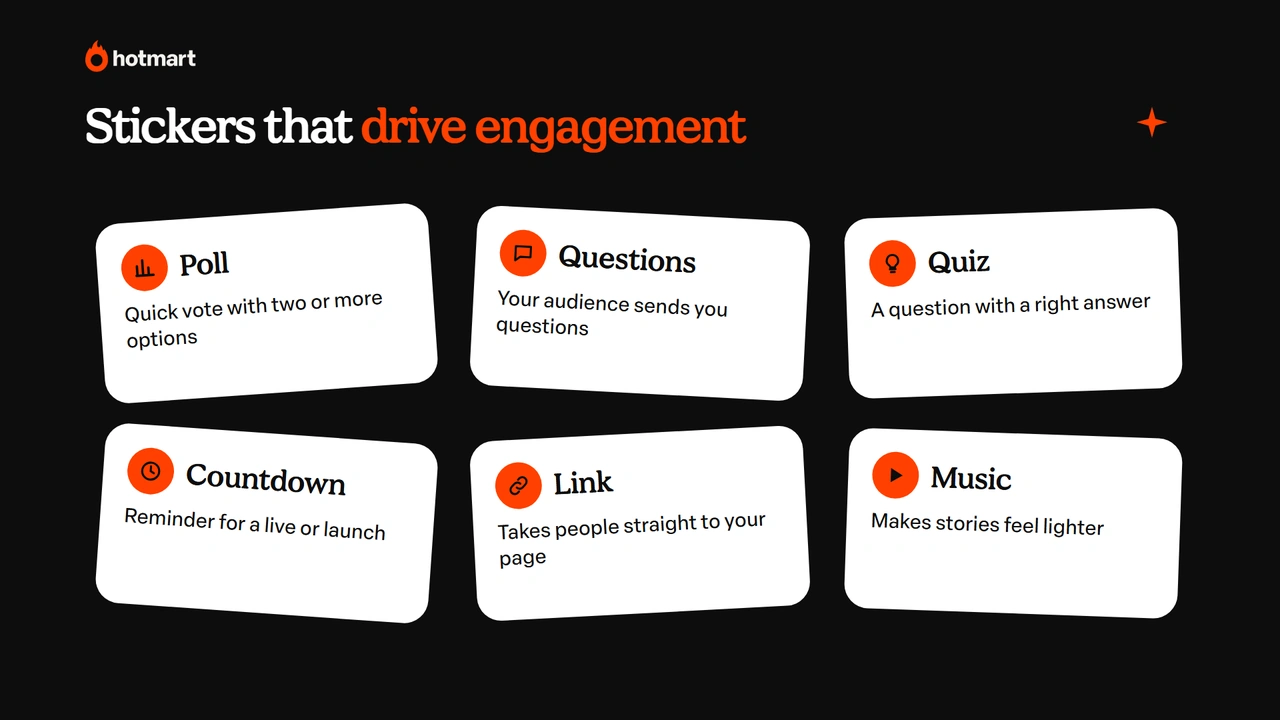
Posting on Instagram Stories takes just a few seconds. Here’s the step by step:
- open Instagram and tap your profile picture (Your story) in the top-left corner of the home screen, or swipe right from the feed;
- record a video, take a photo or pick a file from your camera roll;
- add text, stickers, music or drawings;
- choose whether the story goes to all your followers or only to Close Friends;
- tap Share.
Once it’s live, your story stays at the top of the app for 24 hours. To see who viewed it and how many people interacted, open the story and swipe up.
Instagram Stories features that boost engagement
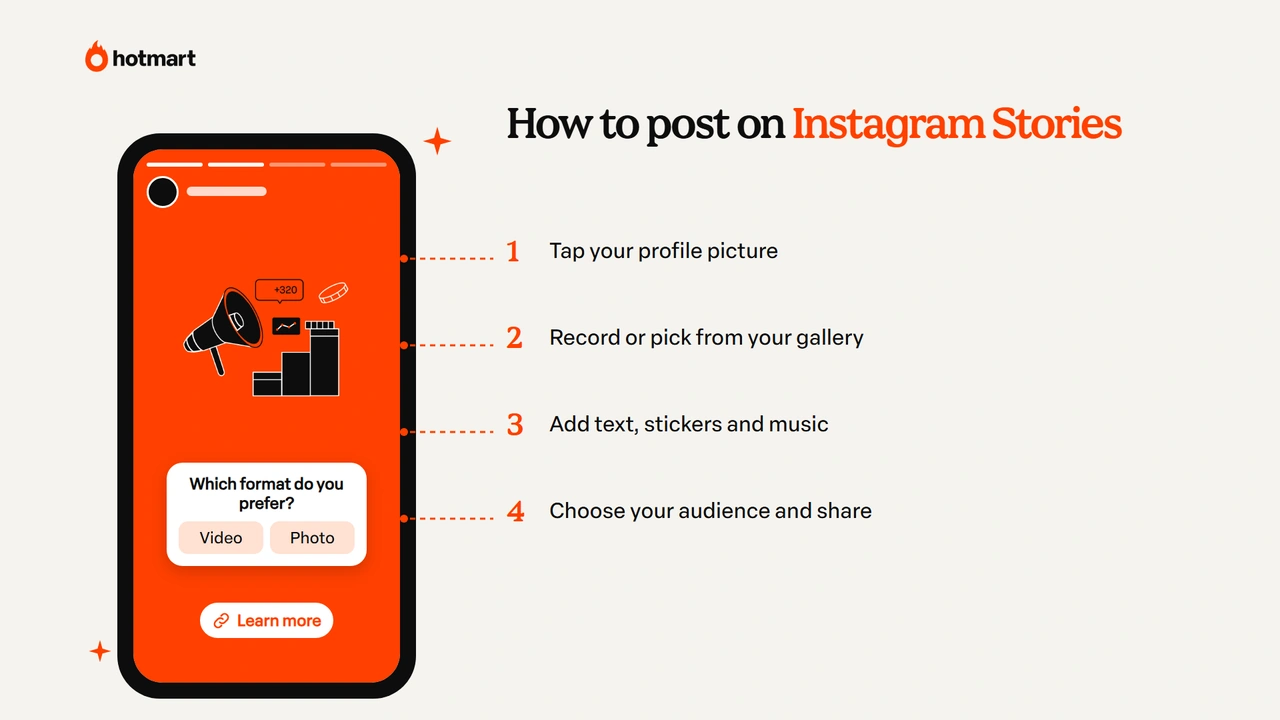
The Instagram Stories features that boost engagement the most are the interactive stickers, because they invite your audience to do something. The main ones are:
- Poll: two or more options to vote on, great for quick surveys;
- Questions: your audience sends questions, and you answer them in new stories;
- Quiz: a question with a right answer, fun for educational content;
- Emoji slider: your audience shows how much they agree with or like something;
- Countdown: announces a launch, live stream or event, with a reminder;
- Link: takes your audience straight to a website, page or product;
- Music and automatic captions: make your story lighter and more accessible.
Use one sticker per sequence and reply to the people who interact. That back-and-forth improves your Instagram engagement and helps the algorithm understand that your content is worth showing.
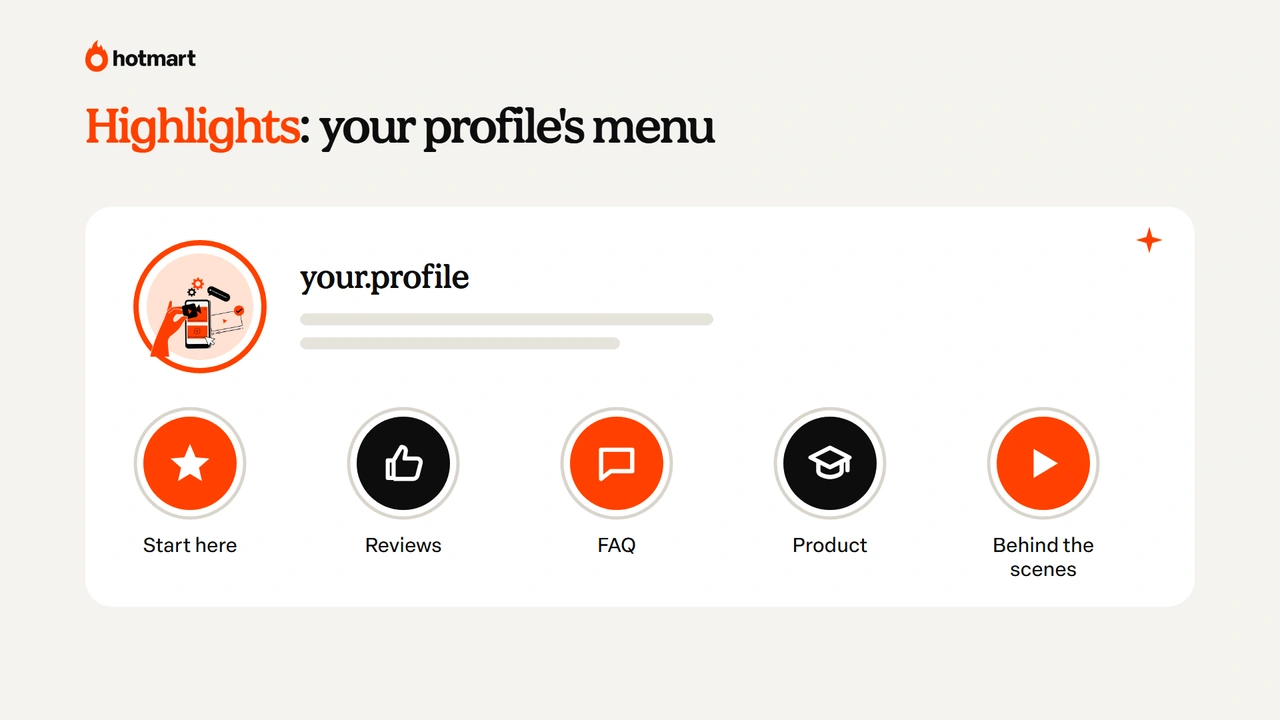
Instagram Stories Highlights: how to keep your Stories on your profile
Instagram Stories Highlights are the circles below your bio that keep stories on your profile for good. They work like a menu: anyone who lands on your profile quickly understands what you do and finds the key answers.
To create a Highlight, tap “New” below your bio (or the Highlight heart inside a story), select the stories, give it a short name and choose a cover. Some Highlight ideas that work well:
- start here: who you are and what your profile offers;
- testimonials: screenshots and videos from clients and students;
- FAQ: answers to the most common questions;
- product: what’s included, who it’s for and how to buy;
- behind the scenes: the routine and processes behind your content.
Keep your Highlights up to date and with covers in the same visual style. They’re the permanent showcase of your Instagram Stories.
Creative Instagram Stories ideas for your profile
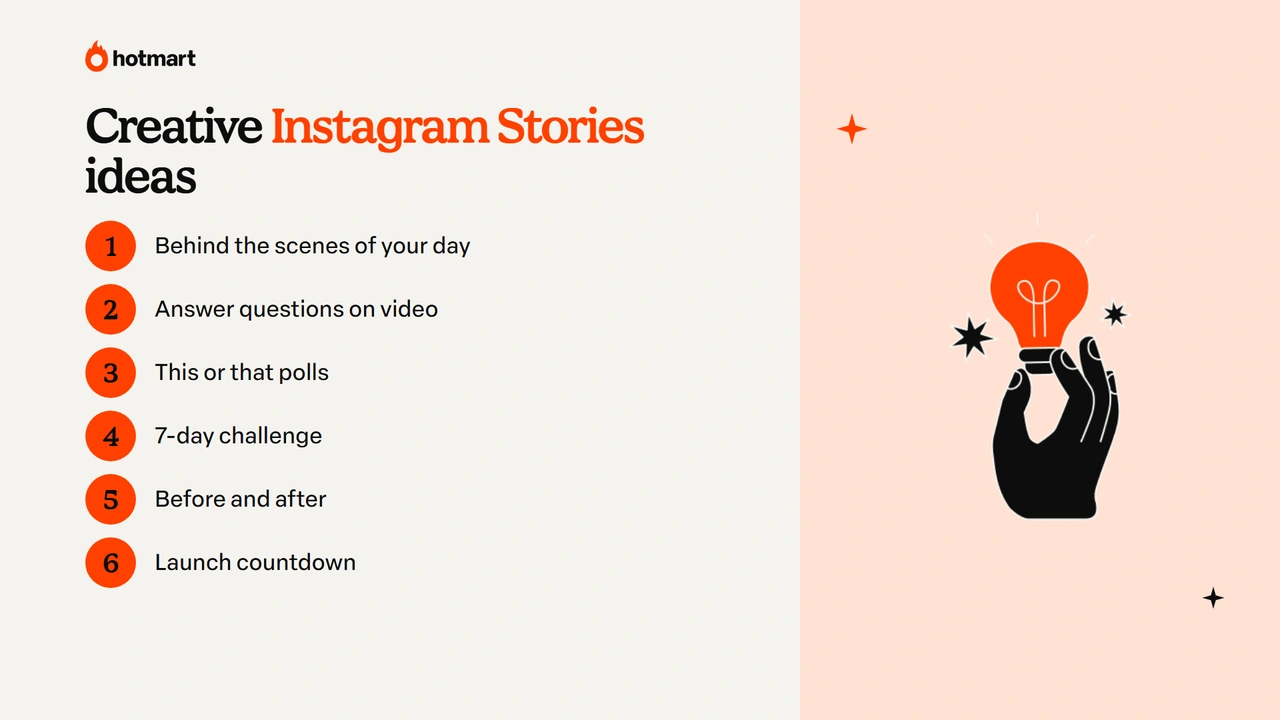
The creative Instagram Stories ideas that work best mix conversation and interaction. Use this table for inspiration:
| Idea | How to do it |
|---|---|
| Behind the scenes of your day | Show your work routine in 3 or 4 short stories |
| Answer the question box | Open questions in the morning and answer them on video in the afternoon |
| This or that | A sequence of quick polls about your niche |
| 7-day challenge | Suggest one task a day and repost the people who join in |
| Before and after | Show the transformation of a project, client or student |
| Myth or fact | Use the Quiz sticker to correct common beliefs in your field |
| 3-screen tutorial | Teach something practical in three steps |
| Launch countdown | Use the Countdown sticker and show your preparations |
Pick two or three ideas and turn them into weekly recurring segments. For tutorials, it helps to know how to screen record on your phone, and if you want to dig into timing, check out the best time to post on Instagram.
How to get more views on Instagram Stories
To get more views on Instagram Stories, the key is consistency and interaction. A few habits go a long way:
- post every day, in short sequences, instead of lots of stories all at once;
- open with a hook: the first story decides whether people keep watching;
- use interactive stickers to spark replies;
- talk to the camera: stories with your face and voice build connection;
- add captions, because many people watch without sound;
- track your metrics for reach, replies, forward taps and exits.
Understanding the Instagram algorithm also helps: the more your audience interacts with your stories, the more the app tends to show them first. Over time, this consistency also helps you get more followers on Instagram.
How to use Instagram Stories to sell
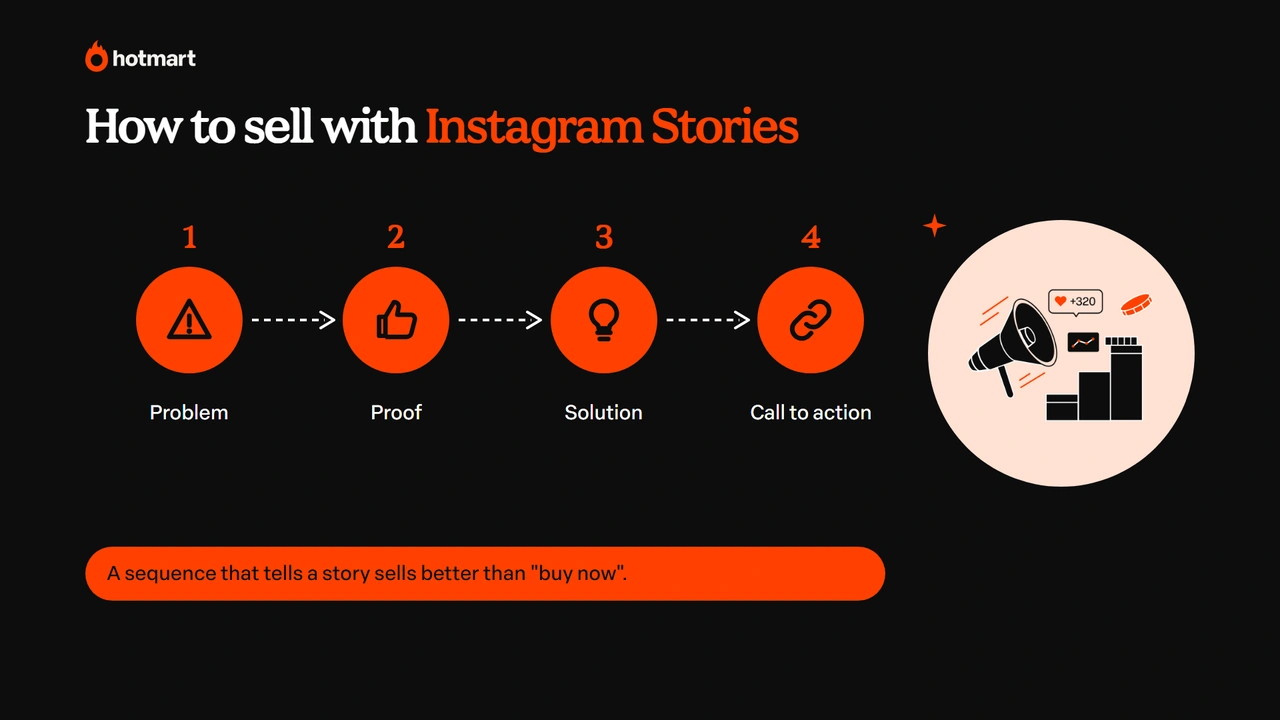
Using Instagram Stories to sell means telling a story in sequence, not just posting “buy now”. A simple structure works well:
- problem: show the pain point your product solves;
- proof: a testimonial, a result or a behind-the-scenes moment;
- solution: introduce the product and who it’s for;
- call to action: use the Link sticker and tell people what to do next.
Psychological triggers, like social proof and genuine scarcity, make this sequence more persuasive. And the Link sticker takes people straight to the product’s sales page.
For anyone selling digital products, Stories are also a great channel to promote other people’s products: with the Hotmart Affiliate program, your affiliate link can go in the Link sticker, along with a sequence showing why you recommend that course or ebook. This guide shares more strategies on how to sell on Instagram.
Ready to get your Instagram Stories moving?
Instagram Stories are the place on your profile to chat, show what happens behind the scenes and invite your audience to the next step. With consistency, interactive stickers and well-organized Highlights, they strengthen your relationship with followers and open the door to selling without feeling pushy.
Pick two ideas from the list, set up weekly segments and keep an eye on what your audience responds to most. Your stories will tell you the rest. ✨
Frequently asked questions about Instagram Stories
Still have questions? Below, we answer some of the most common questions about Instagram Stories.
How long do Instagram Stories stay up?
A story stays visible for 24 hours and then disappears from your profile. To keep it, save it to your Highlights, which sit below your bio, or find it in your Stories archive, which only you can see.
How do I see who viewed my story?
Open your story and swipe up: you'll see the list of viewers, plus replies to polls, questions and other stickers. The list is available while the story is live.
What's the difference between a story and a Highlight?
A story disappears after 24 hours, while a Highlight is a collection of stories pinned to your profile, below your bio, that stays until you delete it.
How do I add a link to my Instagram story?
When creating your story, tap the sticker icon, choose the Link sticker, paste the URL and customize the button text. Then place the sticker wherever you like and share.
How many Instagram Stories should I post per day?
There's no official number. What matters most is consistency: short sequences every day tend to work better than lots of stories on one day and none on the others.