
Telegram for business: what it is, how it works and how to use Telegram to grow your business
A complete guide to Telegram for business: what Telegram is, how it works, Telegram vs. WhatsApp, how to create a Telegram channel and strategies to sell and build relationships with your audience.

What will we see in this post

Telegram is much more than a messaging app. 📲 It has channels with unlimited subscribers, massive groups, bots that handle conversations on their own and even dedicated tools for businesses. That’s why it has become both a showcase and a meeting point for creators, brands and communities.
In this guide, you’ll learn what Telegram is, how it works, which features make a difference for entrepreneurs and how to use Telegram for business: from setting up your Telegram channel to strategies for selling and building relationships with your audience, plus the precautions and metrics that matter.
| Question | Quick answer |
|---|---|
| What is Telegram? | A cloud-based messaging app launched in 2013 by brothers Pavel and Nikolai Durov |
| How many people use it? | More than 1 billion monthly active users, according to Telegram itself (2025) |
| Is it free? | Yes: the app is free, with an optional Telegram Premium subscription |
| Is Telegram good for business? | Yes: channels, groups, bots and Telegram Business help you promote, sell and support customers |
| Channel or group? | A channel to broadcast at scale; a group for conversation and community |
What is Telegram?
Telegram is a free, cloud-based instant messaging app that works on your phone, your computer and your web browser. It was launched in August 2013 by Russian brothers Pavel and Nikolai Durov: Pavel is the founder, owner and CEO, and Nikolai developed the app’s encryption protocol, MTProto. Today, the company is based in Dubai, in the United Arab Emirates.
According to Telegram’s official press page, the app passed 1 billion monthly active users in 2025, which puts it among the most used messaging apps in the world. Beyond private chats, Telegram brings together broadcast channels, groups, bots and in-app applications, and that’s what makes Telegram for business such an interesting option.
How Telegram works
Telegram works from the cloud: your conversations are stored on the app’s servers and sync across all your devices. You can start a chat on your phone, pick it up on your computer and find old files without relying on a backup.
To use Telegram, just download the app, sign up with your phone number and create a username (your @), which lets people find you without seeing your number. From there, Telegram offers two types of chats:
- cloud chats: the app’s default, with client-server encryption and sync across devices;
- secret chats: started manually from a contact’s profile, with end-to-end encryption, no cloud storage and an option for messages to self-destruct.
This difference matters if you use Telegram for business: regular chats, channels and groups live in the cloud, and only secret chats are end-to-end encrypted, according to Telegram’s official FAQ.
Key Telegram features for business
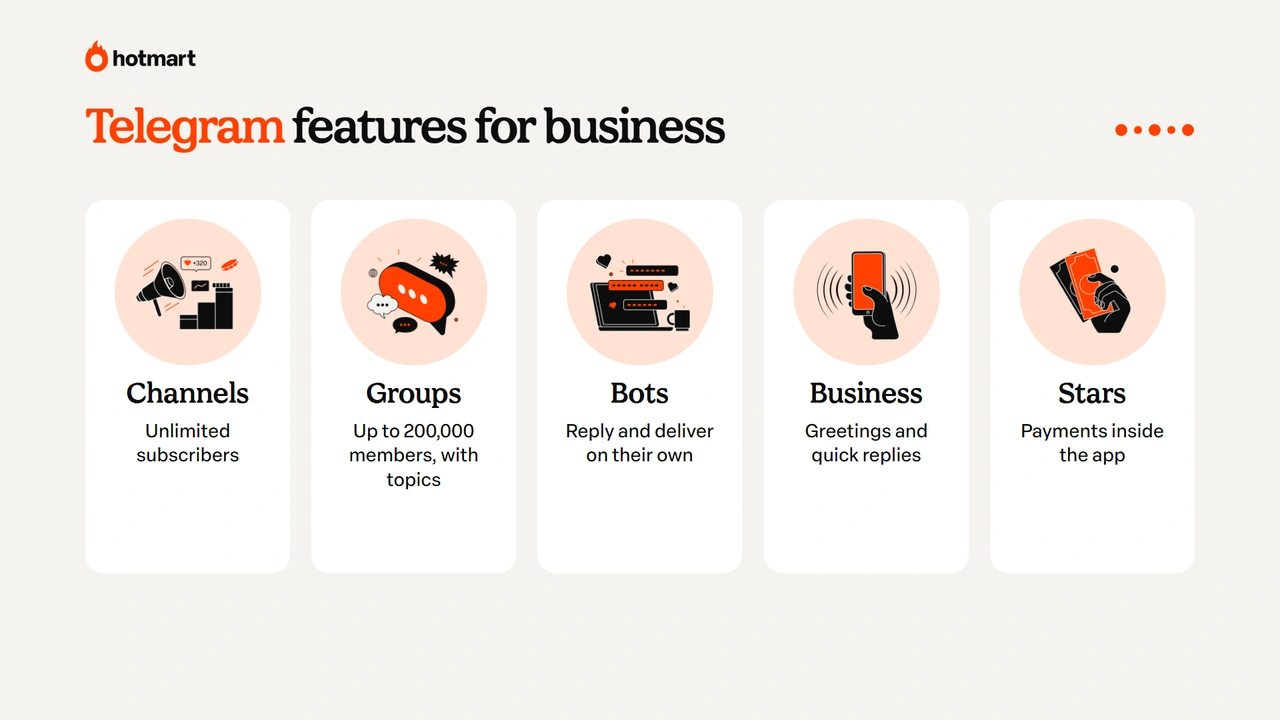
The key Telegram features for business are the ones that help you reach many people at once, automate customer support and organize your community. The ones that make the biggest difference are:
- channels;
- groups, supergroups and topics;
- bots and Mini Apps;
- Telegram Business;
- Telegram Premium and Stars.
Below, we explain each one and how it can help your business.
Telegram channels
Telegram channels are broadcast profiles where only admins can post, and subscribers receive messages as notifications. Telegram’s FAQ states that a Telegram channel can have an unlimited number of subscribers. You can post text, photos, videos, audio, files up to 2 GB (4 GB with Premium), polls and links, and turn on reactions and comments.
Telegram groups, supergroups and topics
Telegram groups are conversation spaces where every member can interact, with up to 200,000 members per group, according to the official FAQ. Large groups (called supergroups) come with admins, permission settings, slow mode and topics, which split the conversation by subject, like a forum: “questions”, “announcements”, “networking”.
Managing a community that size takes some know-how: set clear rules from day one, share moderation with several trusted people and use topics so every conversation has its own place.
Telegram bots and Mini Apps
Telegram bots are automated accounts that reply to messages, send content, collect sign-ups and even charge for services. You can create them for free with @BotFather, Telegram’s official bot for this, and they run on the Bot API. Mini Apps, on the other hand, are small applications that open inside Telegram, like stores, booking calendars and games, so people never have to leave the chat. To understand the potential of this kind of automation, see what a chatbot is and how it works in customer service.
Telegram Business
Telegram Business is a set of features that turns a personal account into a business account, launched in March 2024. According to Telegram’s official announcement, it includes business hours and location on your profile, quick replies, greeting and away messages, a custom start page, chat labels, links that open a chat with a pre-filled message and chatbot integration, all without coding. Telegram Business features are available to Telegram Premium subscribers.
Telegram Premium and Stars
Telegram Premium is the app’s optional subscription: it unlocks files up to 4 GB, more folders and channels, voice-to-text, chat translation, no ads and Telegram Business. Telegram Stars, launched in 2024, are the in-app currency used to pay for digital goods and services inside Telegram, like paid content, gifts and reactions.
For creators, Stars opened a new door: according to the official blog, channel owners can create invite links with a monthly subscription paid in Stars, and sell photos and videos inside the channel. It’s an option for anyone who wants to monetize directly in the app, but it stays limited to the Telegram ecosystem.
Telegram vs. WhatsApp for business
Telegram and WhatsApp serve businesses in different ways: WhatsApp is the go-to app for international contacts and group chats in many countries (in the US, a lot of everyday texting still happens on iMessage or SMS), while Telegram offers more room for large communities, automation and organized content. In practice, many businesses use both, each with its own role.
| Criteria | Telegram | |
|---|---|---|
| Broadcasting | Channels with unlimited subscribers | Channels and broadcast lists |
| Group size | Up to 200,000 members | Up to 1,024 members per group |
| Phone number privacy | Username (@) without showing your number | Chats tied to your phone number |
| Business account | Telegram Business (with Premium) | WhatsApp Business (free app) |
| Automation | Free, open bots and Mini Apps | Chatbots through the official API and partners |
| In-app monetization | Stars, paid channel subscriptions and paid content | Focus on conversations and support |
| Strength | Community, content and automation | Reach and one-on-one support |
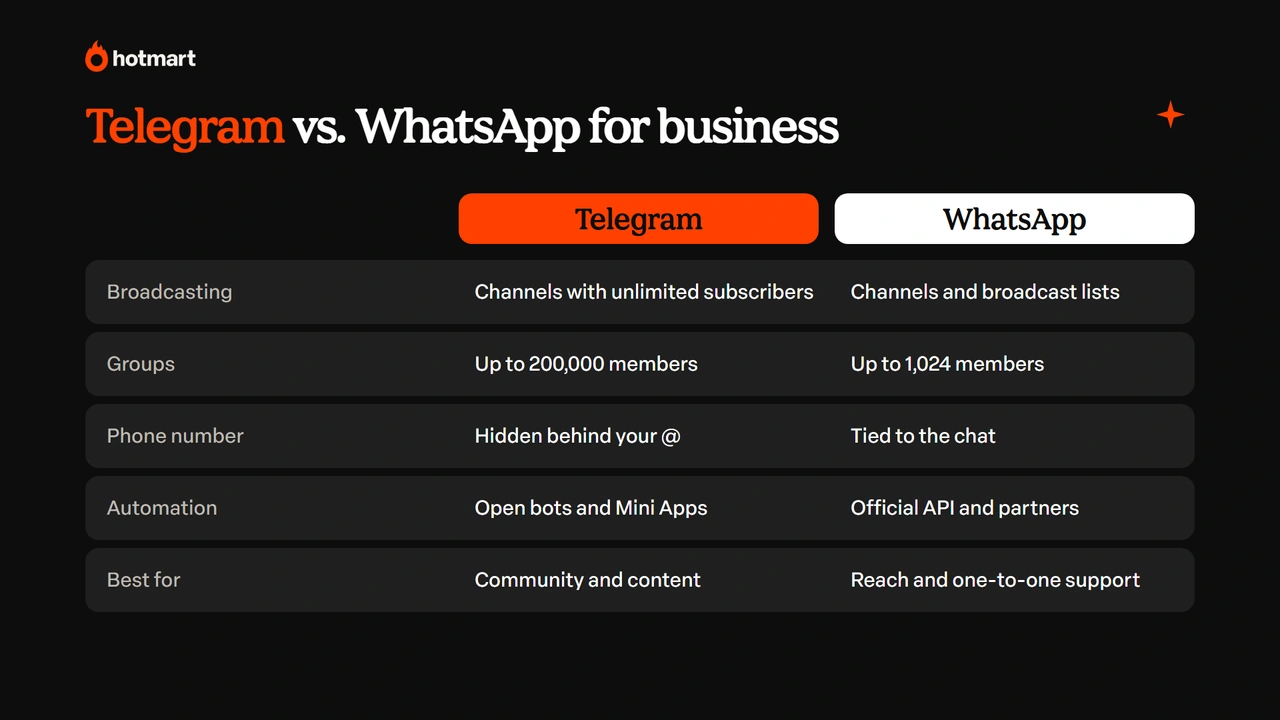
WhatsApp’s limits come from the WhatsApp Help Center. If your audience is mostly on WhatsApp, it’s worth learning how to use a WhatsApp broadcast list and a WhatsApp Community, which play roles similar to a Telegram channel and group.
Telegram channel or group: which one should your business use?
Choosing between a Telegram channel or group depends on your goal: a Telegram channel is for broadcasting, and a group is for conversation. In a channel, only you post and the feed stays clean, with no side conversations. In a group, everyone talks, and the exchange between members is exactly where the value lies.
That’s why a common setup is an open channel to share content and news, plus a group (or a channel with comments turned on) to answer questions and build connections. If your goal is to attract new people, start with a channel. If it’s to take care of people who already bought from you, a group with topics usually works better.
How to create a Telegram channel
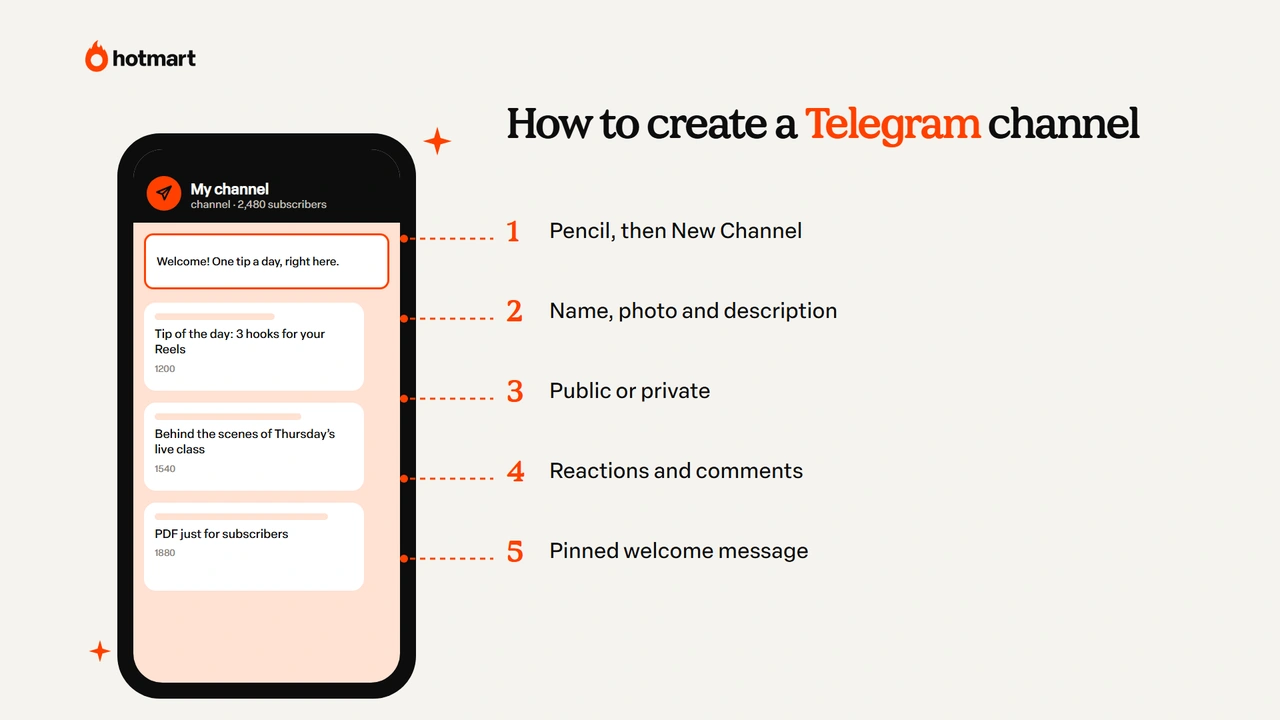
Creating a Telegram channel takes just a few minutes and it’s free. The path is slightly different on Android, iPhone and desktop, but the steps are:
- open Telegram and tap the pencil icon (new message);
- choose New Channel;
- set the name, photo and a clear description of what the channel delivers;
- choose whether the channel will be public (with a link like t.me/yourchannel that shows up in search) or private (only people with the invite link can join);
- add your first subscribers from your contacts or skip this step;
- in the settings, turn on reactions, comments (by linking a discussion group) and admin signatures, if you want;
- pin a welcome message explaining what people will receive and how often.
Once your channel is live, share the link in your Instagram bio, on YouTube, in your email signature and on your sales thank-you page. The clearer the reason to join, the faster the channel grows.
How to use Telegram for business to sell and build relationships
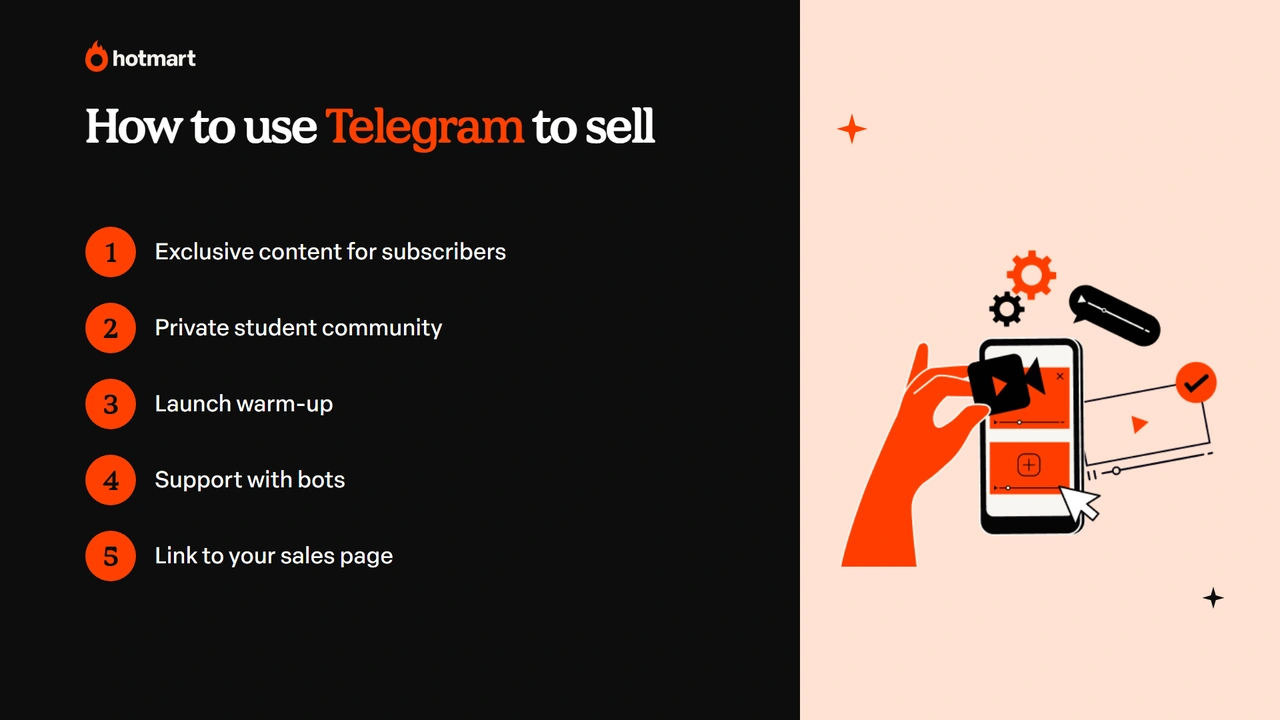
Using Telegram for business to sell and build relationships with your audience works when your channel delivers something people can’t find anywhere else. Sales come as a result of trust. The strategies that work best are:
- exclusive content for subscribers;
- a community for students and members;
- warming up product launches;
- customer support with bots and Telegram Business.
Here’s how to use Telegram for each of these strategies.
Exclusive content on Telegram
Exclusive content is the main reason someone joins and stays in a Telegram channel. It can be a quick daily tip, behind-the-scenes updates, PDF resources, short audio clips or early access to videos that only reach social media later. This kind of content brings your brand closer to your audience and is the foundation of relationship marketing: people who get value for free trust you more when it’s time to buy.
Student and member communities on Telegram
A student community on Telegram is a private group or channel for people who bought a course, coaching program or subscription, where they can ask questions, get announcements and share experiences with other students. A strong digital community boosts engagement, helps students finish your content and opens the door to new offers.
One important point: when a product promises access to a Telegram group or channel, the Hotmart Help Center explains that adding participants to groups and social networks is the creator’s responsibility. In practice, creators who use Telegram usually place the private invite link inside the Hotmart Members Area, visible only to buyers.
If you want to charge a subscription for your community, Hotmart’s community feature does that inside the platform itself: it has recurring billing, posts, videos, audio and live sessions, and access is granted and removed automatically based on payment. That way, Telegram stays your promotion channel, and the paid community runs where the sale happens.
Product launches on Telegram
Product launches on Telegram use your channel or a temporary group to gather interested people before the cart opens. There, you warm up your audience with free content, handle objections, announce live classes and send the checkout link at the right moment, with the notification landing right on their phone. This guide to digital product launches shows how to build the full strategy, and this one on how to sell online courses covers what comes after.
Customer support with bots and Telegram Business
Customer support with Telegram bots answers frequently asked questions, delivers resources and sends people to the right link, 24 hours a day. With Telegram Business, you can also set up an automatic greeting, an away message and quick replies for recurring questions. Ideally, let the bot handle the basics and have a real person for conversations that need care.
Precautions when using Telegram for business
Precautions when using Telegram for business protect your reputation and your account. Before growing your channel, pay attention to these points:
- no spam: only add people with their permission and don’t send mass messages to anyone who didn’t ask for them. Reported accounts can be restricted by Telegram;
- account security: turn on two-step verification and set more than one trusted admin for your channel;
- scams and fake profiles: tell your audience which profiles are officially yours and that you’ll never ask for passwords or payments by private message;
- clear rules: pin the group rules and use moderation and slow mode as the community grows;
- personal data: get consent before messaging people, follow the privacy laws that apply to your audience and never share customer data in groups.
With these precautions, Telegram becomes a safe, trustworthy channel for your audience.
Telegram for business metrics to track
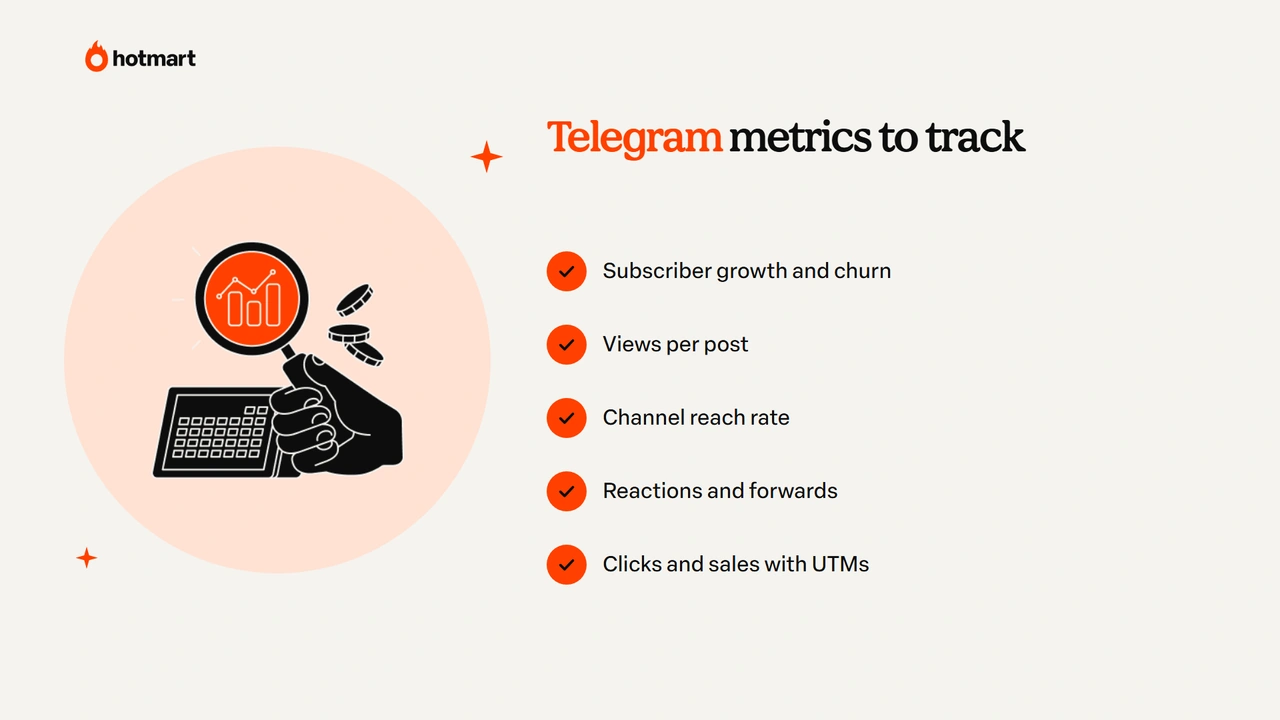
Telegram for business metrics show whether your channel is growing and whether your content drives real results. The app itself offers statistics for larger channels and groups, and UTM links complete the picture. Keep an eye on:
- subscriber growth: joins and leaves over time;
- views per post: how many people saw each message;
- reach rate: views divided by total subscribers;
- reactions, comments and forwards: signs of real engagement;
- clicks and sales: UTM links show how much revenue came from Telegram;
- timing and mutes: when your audience reads and whether people are muting the channel.
Review these metrics every month and compare them with other channels, like email. If many people leave after a certain type of post, adjust the frequency or format. And if you want to guide contacts all the way to a purchase, lead nurturing helps you plan the messages for each stage.
Ready to bring your business to Telegram?
Telegram is a free, complete tool for reaching lots of people without depending on an algorithm: channels with no subscriber cap, groups with topics, bots and business features. Used strategically, Telegram for business brings you closer to your audience, warms up launches and takes care of people who already bought from you.
Start simple: create your channel, define what it delivers and keep a frequency you can sustain. Then connect Telegram to the rest of your business, from your student community to your sales page. 🚀
Frequently asked questions about Telegram for business
Still have questions? Below, we answer some of the most common questions about Telegram for business.
Is Telegram safe?
Telegram is safe for everyday use, with client-server encryption in cloud chats. For end-to-end encryption, you need to start a secret chat. Also turn on two-step verification to protect your account.
What's the difference between a Telegram channel and a group?
In a Telegram channel, only admins post and the number of subscribers is unlimited. In a group, all members can chat, with up to 200,000 participants. A channel is for broadcasting, and a group is for building community.
Does Telegram for business cost money?
No. Telegram is free, and channels, groups and bots cost nothing. Telegram Business features are part of Telegram Premium, the app's optional subscription.
Can you sell on Telegram?
Yes. Telegram is great for promoting offers, warming up launches and supporting customers, and it also lets you charge in Stars for channels and content inside the app. For courses and subscriptions, the most common approach is to send your audience to a sales page with a full checkout.
How do you promote a Telegram channel?
To promote a Telegram channel, add the link to your social media bios, YouTube, emails and the thank-you page of your sales. Make it clear what people will get when they join and offer something exclusive to subscribers.