Kanban: What It Is, How It Works and How to Set Up Your Board (Complete Guide)
Learn what kanban is, how the method works, how to set up your board in 5 steps and how it compares to scrum, with ready-made boards for creators.

What will we see in this post

Tasks scattered across lists, messages and your own head, the feeling of being busy all day long and, even so, seeing very little actually get done. If that sounds familiar, kanban may be the simplest way to bring order to your routine, whether you work alone or with a team.
In this guide, you’ll learn what kanban is, where it comes from, what the rules of the method are, how to set up your first board in 5 steps and how it compares to scrum. At the end, we share three ready-to-use boards for people who create content and sell digital products. Let’s dive in! 📌
| Question | Quick answer |
|---|---|
| What is kanban? | A visual work management method that organizes tasks into cards and columns, based on the stage each one is in |
| Where does it come from? | From the Toyota Production System in Japan, and it was adapted to knowledge work by David J. Anderson |
| What is it for? | To see all the work at once, avoid piles of half-finished tasks and deliver with a smoother flow |
| How do I start? | With a three-column board (to do, doing and done) and a limit on work in progress |
| Kanban or scrum? | Scrum works in fixed cycles (sprints); kanban works in a continuous flow |
What is kanban?
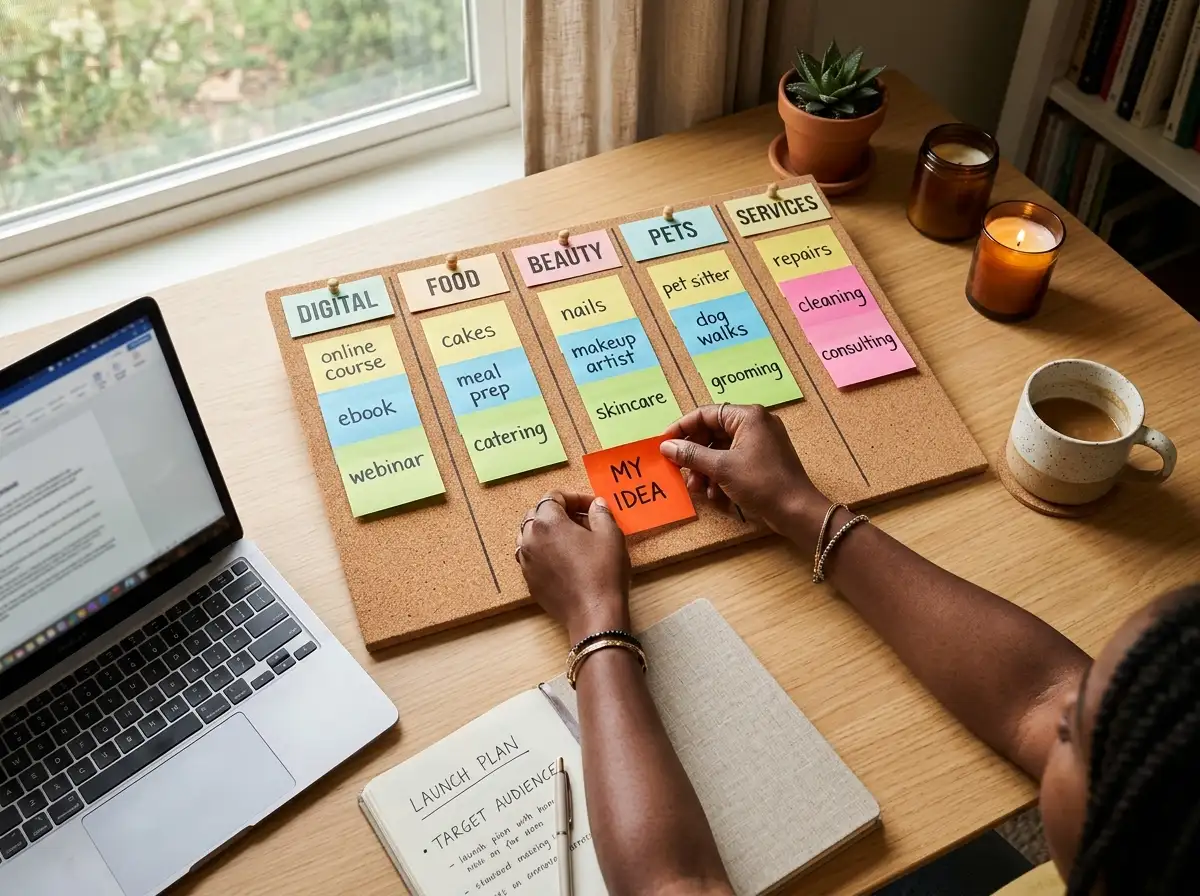
Kanban is a visual work management method that organizes tasks into cards, spread across columns that show which stage each task is in. In the simplest version, the board has three columns: “to do”, “doing” and “done”. Each task becomes a card and moves from left to right until it’s finished.
The word kanban comes from Japanese and means something like “card” or “visual signal”. The method was born in the Toyota Production System, developed by Taiichi Ohno starting in the late 1940s: the cards signaled when a part needed to be produced or restocked, so the factory made only what was needed, right when it was needed. This logic, known as just in time, is one of the foundations of what we now call lean manufacturing.
Decades later, kanban made its way into knowledge work. Consultant David J. Anderson adapted the method for technology teams and described it in the book “Kanban: Successful Evolutionary Change for Your Technology Business”, published in 2010. From there, it spread to marketing, sales, customer support, content production and even to personal organization and personal development, because it works for any kind of work that can be broken down into stages.
What is kanban used for?
Kanban is used to make work visible and help tasks flow all the way to the finish line, without piling up half-done items. With the method, you can:
- see everything that’s in progress in one place;
- avoid overload, by limiting how many tasks are being worked on at the same time;
- spot bottlenecks, the stages where work stalls or piles up;
- prioritize better, because it becomes clear what’s urgent and what can wait;
- keep the team aligned, since everyone is looking at the same board;
- deliver predictably, by measuring how long each task takes.
That’s why kanban is useful both for teams that handle ongoing requests (customer support, content, marketing) and for people who work alone and want to get out of “firefighting” mode and boost their productivity.
How does kanban work?
Kanban works as a pull system: a task only moves to the next column when there’s room for it, instead of you pushing new work in nonstop. This detail is what sets kanban apart from a simple to-do list.
The elements that make the system work are:
- cards: each one represents a task, with a title, an owner and, if you like, a due date and labels;
- columns: they represent the stages of the workflow, from idea to delivery;
- work in progress limit (WIP limit): the maximum number of cards a column can hold at the same time;
- commitment point: the moment the team agrees to take on a task and it leaves the list of ideas;
- delivery point: the moment the task is considered done.
Once the board is up and running, three flow metrics help you improve the process: lead time (how long a task takes from request to delivery), cycle time (how long it takes from the moment work on it begins) and throughput (how many tasks the team delivers per week or per month). Many tools show these metrics in a cumulative flow diagram, a chart that reveals where work is piling up. You don’t need to measure everything from day one, but tracking at least the delivery time already shows where work gets stuck.
Kanban method practices and rules
There are six practices in the kanban method, according to the official Kanban Guide published by Kanban University:
- visualize the work: put every task and stage on the board;
- limit work in progress: decide how many tasks each stage can handle at the same time;
- manage flow: keep track of progress and act when something gets stuck;
- make policies explicit: agree on what it means for a task to be “ready” to move to the next column;
- implement feedback loops: review the board and the process often, in short meetings;
- improve collaboratively, evolve experimentally: adjust the process little by little, based on what the data and the team show.
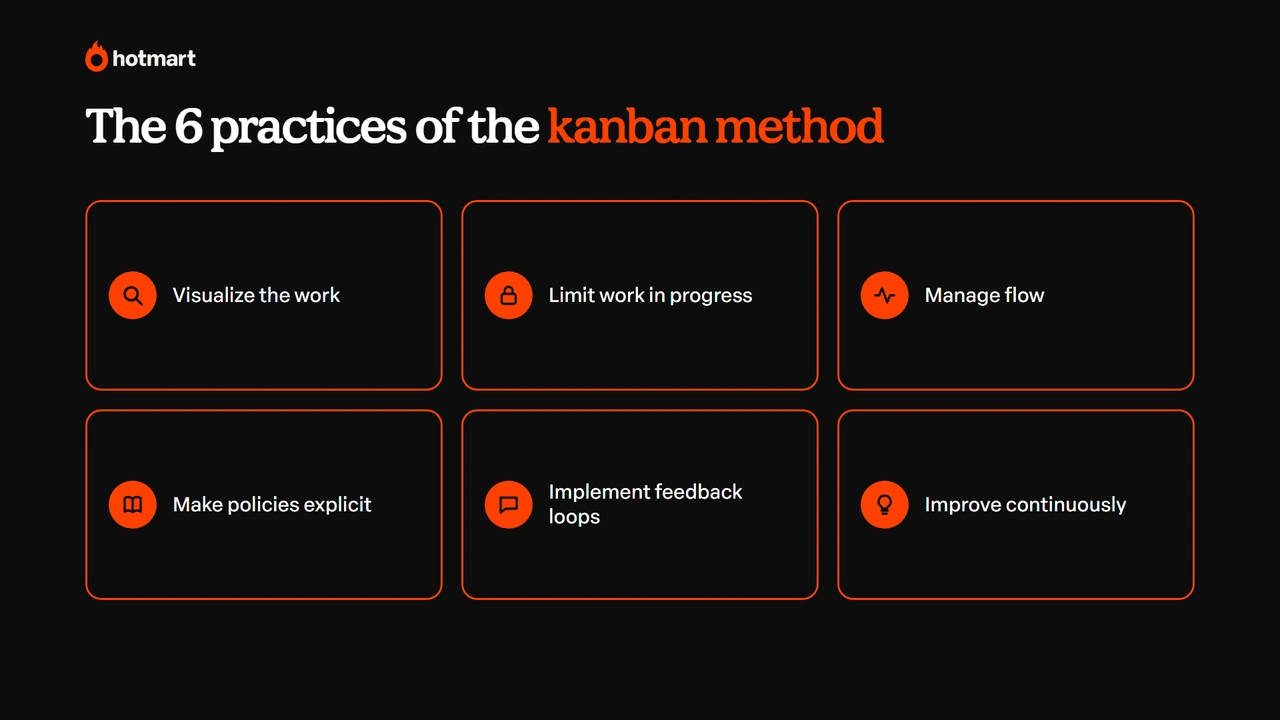
These practices answer a common question about what the rules of kanban are: there are no mandatory roles or ceremonies, but there is a clear agreement on how work moves forward.
Kanban board: what it is and how it’s organized
The kanban board is the tool that brings the method to life: a panel divided into columns, where each card represents a task. It can be physical, on a wall or whiteboard with sticky notes, or digital, in tools like Trello, Asana and Notion.
The most common columns are:
| Column | What goes in it |
|---|---|
| Backlog | Ideas and requests that haven’t been prioritized yet |
| To do | Prioritized tasks that are ready to start |
| Doing | What’s being worked on right now, with a WIP limit |
| In review | Finished tasks that need approval or a final check |
| Done | What has been delivered |
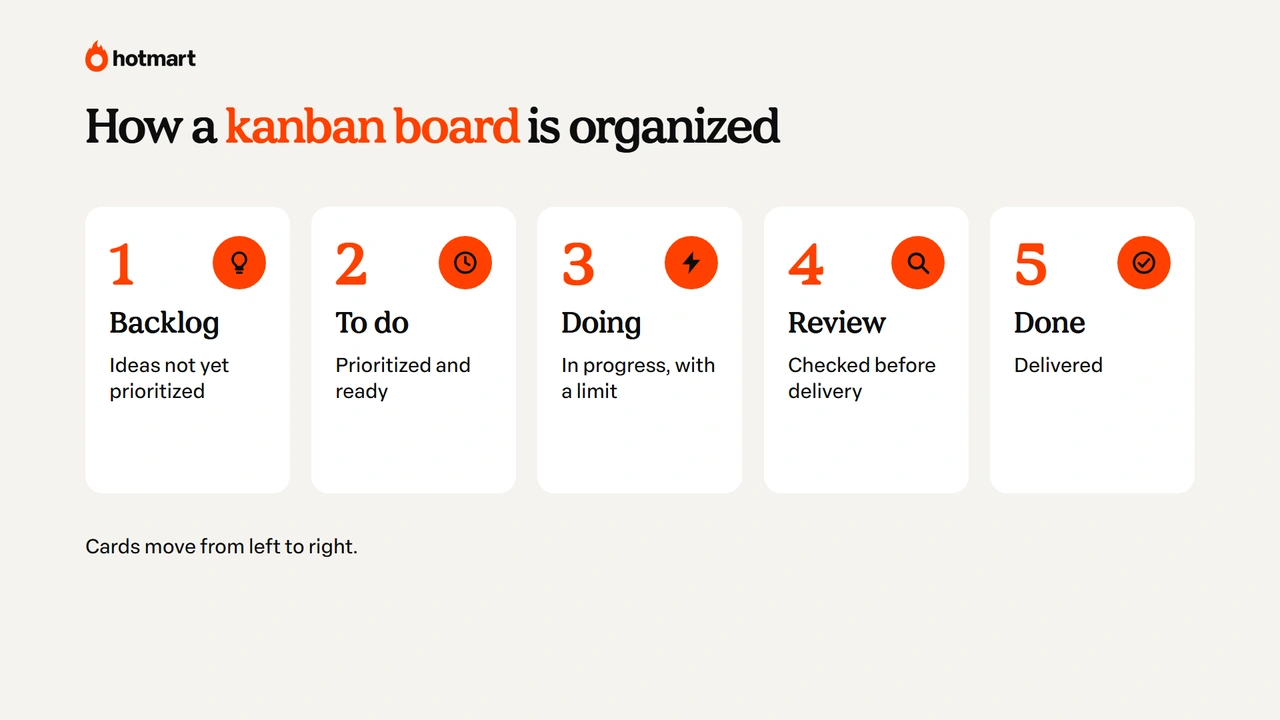
You don’t need every one of these columns. Your board should reflect your real workflow, and it’s better to start simple and add stages when you feel you need them.
How to set up a kanban board in 5 steps
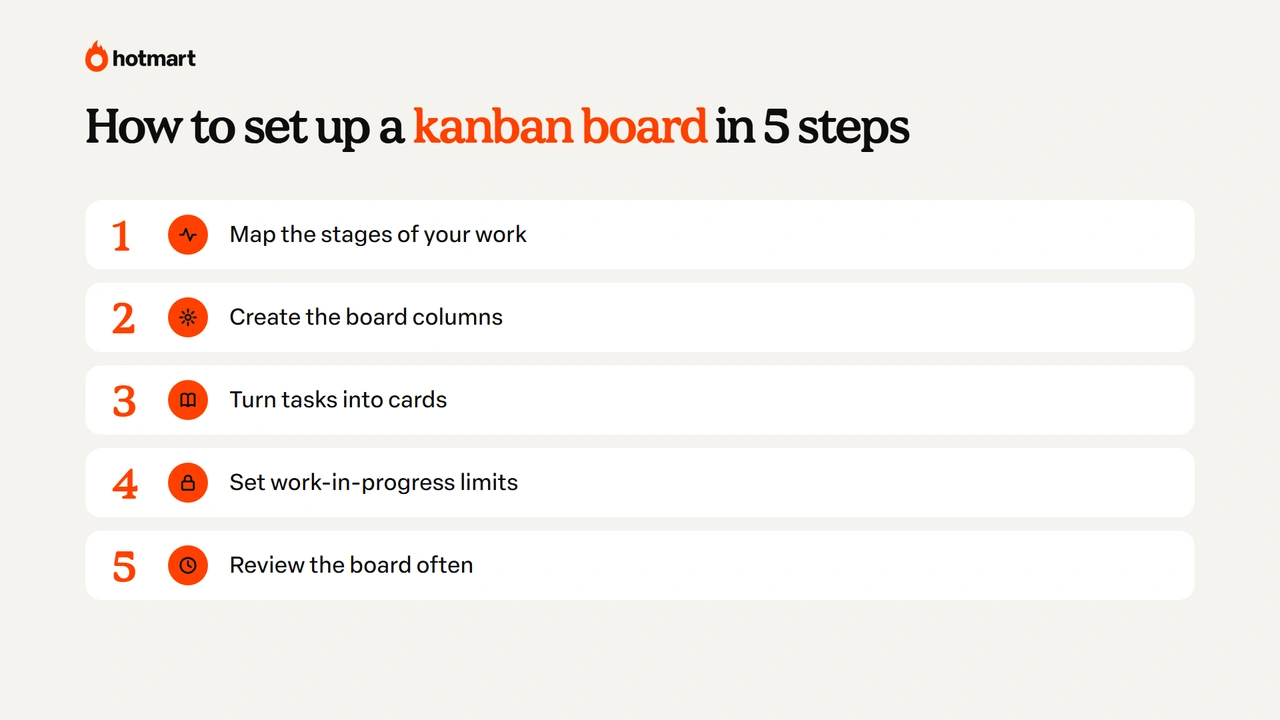
Setting up a kanban board takes just a few minutes, and what really makes a difference is using it every day. Here’s the step by step:
- map out the stages of your work;
- create the board columns;
- turn your tasks into cards;
- set your work in progress limits;
- review the board often.
Below, we explain each step with an example.
1. Map out the stages of your work
List the path a task takes from start to finish. For a content marketing team, it could be: idea, brief, production, review, publishing. For a creator, it could be: idea, video script, recording, editing, publishing.
Common mistake: copying another company’s workflow. The board only works if it shows how your work really happens.
2. Create the kanban board columns
Each stage becomes a column. Start with five or six at most, and add a backlog column on the left to hold ideas that haven’t entered the queue yet.
Common mistake: creating too many columns. A board with 12 stages turns into red tape, and nobody keeps it updated.
3. Turn your tasks into cards
Each task becomes a card with a clear title, ideally starting with a verb (“record lesson 3 of module 2”, not “lesson 3”). If you work with a team, add the owner and, when it makes sense, a due date and a priority label.
Common mistake: cards that are too big. “Create the course” isn’t a task, it’s a project. Break it into pieces that fit into a few days.
4. Set your work in progress limits
Choose how many cards each execution column can hold at the same time. A practical rule to get started: no more than two or three cards in “doing” per person. When the column is full, finish something before pulling in a new card.
Common mistake: ignoring the limit when things get busy. That’s exactly when it shows you where the bottleneck is.
5. Review the kanban board often
Hold a short review, daily or weekly, to update the cards, see what got stuck and reprioritize. Once a month, look at the process itself: is there a column you don’t need, a task that’s been sitting still for weeks, a limit that needs to change?
Common mistake: setting up the board and abandoning it. An outdated board loses the team’s trust within a few days.
Kanban board examples
Kanban board examples show how the columns change depending on the type of work. Here are four templates you can adapt:
| Use | Suggested columns |
|---|---|
| Content production | Ideas · Script · Recording · Editing · Scheduled · Published |
| Sales (CRM as a kanban board) | Lead · Contacted · Proposal sent · Negotiation · Closed |
| Customer support | New · Under review · Waiting on customer · Resolved |
| Personal organization | This week · Today · Doing · Done |
Notice that the principle is always the same: cards moving from left to right, with a limit on what’s in progress. What changes is the name of each stage.
Types of kanban
The best-known types of kanban come from manufacturing, where the method was born:
- production kanban: authorizes an item to be manufactured;
- withdrawal kanban (or move kanban): authorizes parts to be moved from one stage to another;
- e-kanban: the electronic version of the cards, integrated with management systems.
Outside the factory, what people use is kanban for work management, applied to projects and tasks, which is the focus of this guide. The logic is the same (visually signaling what needs to be done and not producing beyond capacity), only applied to tasks instead of parts.
Kanban vs scrum: what’s the difference?
The difference between kanban and scrum is the pace: scrum organizes work into fixed cycles, called sprints, usually one to four weeks long, with defined roles and meetings; kanban organizes a continuous flow, with no mandatory cycles or roles.
Scrum is an agile framework in which the team chooses, at the start of each sprint, what it will deliver by the end of it. It has three roles (Product Owner, Scrum Master and Developers) and fixed events, such as sprint planning, the daily scrum and the retrospective. Kanban, on the other hand, starts from the process you already have and improves it little by little.
| Criteria | Kanban | Scrum |
|---|---|---|
| Pace | Continuous flow | Fixed-length sprints |
| Roles | No new roles required | Product Owner, Scrum Master and Developers |
| Changes mid-work | Can come in at any time | Usually wait for the next sprint |
| Control | Work in progress limit | Scope defined per sprint |
| Main metric | Lead time and throughput | Team velocity |
| When to use | Ongoing, unpredictable requests | Projects with deliveries that can be planned in cycles |
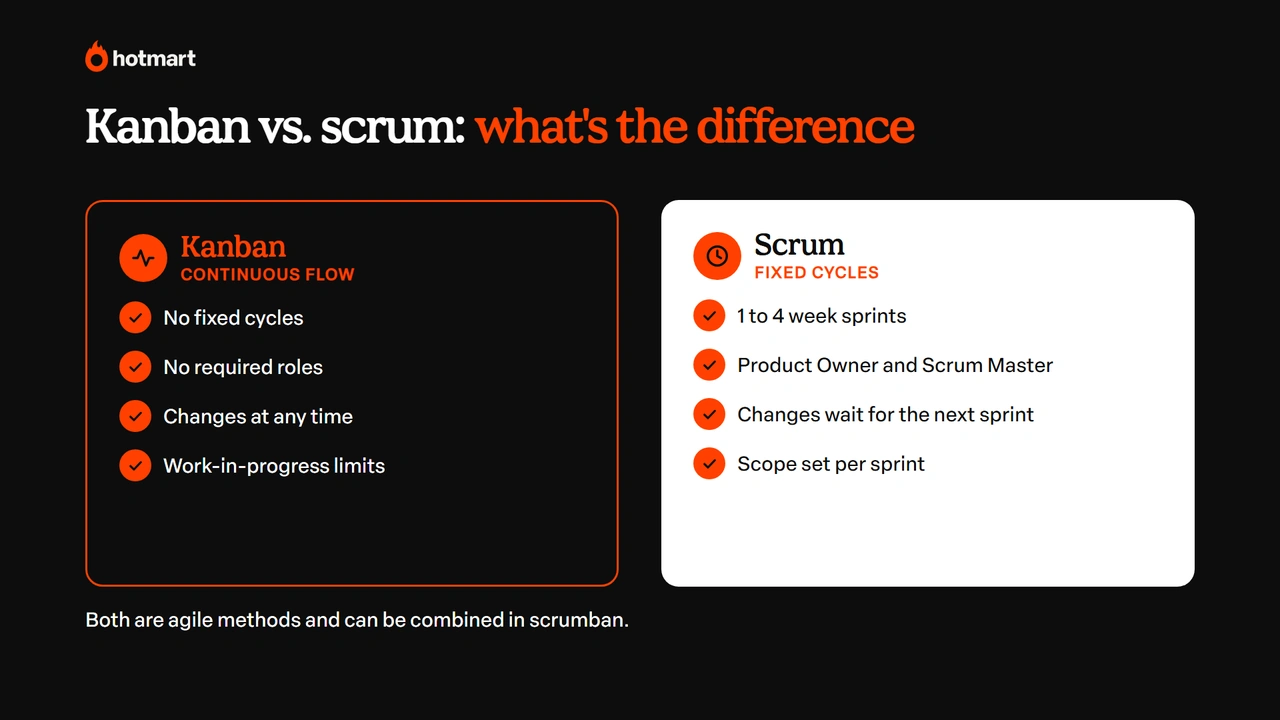
Both are part of agile methodologies, which gained momentum with the Agile Manifesto in 2001 and prioritize frequent delivery, collaboration and adaptation. And they don’t have to compete: many teams use scrumban, which combines scrum sprints with the kanban board and its limits.
Tools for using kanban
Digital kanban tools make life easier for people who work in teams or remotely, and they belong to a bigger group of work management and marketing tools. Some of the most popular are:
- Trello: the simplest one to start with, with boards, cards and basic automations;
- Asana: good for teams that switch between list, board and timeline views;
- Jira: widely used by tech teams, with both kanban and scrum boards;
- Notion: brings documents and tasks together, with a board view in its databases;
- ClickUp: combines board, list, calendar and goals in a single tool;
- Microsoft Planner: built into Microsoft 365, it makes sense for companies that already use the suite;
- Canva: its whiteboards include ready-made kanban templates, great for planning as a group.
To answer a frequent question: kanban itself is free, because it’s a method, not software. You can use it with sticky notes on a wall or in many digital tools. Plans and pricing change often, so check each tool’s pricing page before choosing.
Kanban for creators: how to organize content, courses and launches
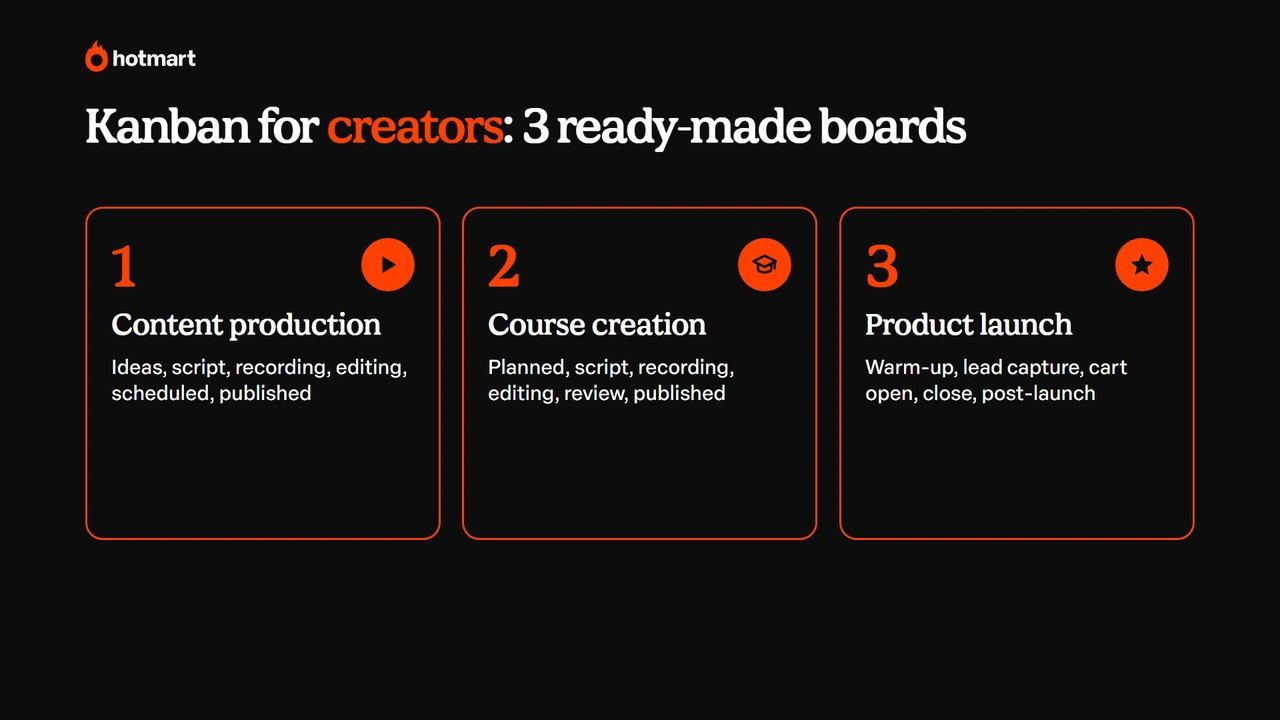
If you make a living as a digital creator and sell digital products, you juggle a lot at once: social media, emails, lessons, customer support and launches. Kanban helps you see everything in one place and finish what you start. Below are three ready-made boards to adapt to your routine:
- content production;
- online course creation;
- product launch.
Content production kanban board
Use the columns Ideas · Script · Recording · Editing · Scheduled · Published. The ideas column works as a content idea bank: jot everything down there, with no commitment. The work in progress limit prevents the classic problem of having ten videos recorded and none edited: for example, no more than three cards between script and editing.
A bonus tip: create labels by format (Reels, YouTube, email, post) to see whether your production is balanced across channels.
Online course creation kanban board
When you’re creating an online course, each lesson becomes a card and each module becomes a label. Suggested columns: Planned · Script · Recording · Editing · Review · Published in the members area.
This way, you know exactly how many lessons are left before the course is ready, and you don’t lose sight of the big picture while you record your video lessons. The review column is important: that’s where you check audio, captions and supporting materials before releasing the lesson to students in the members area.
Launch kanban board
For a digital product launch, the columns can follow the phases: Warm-up · Lead generation content · Cart open · Cart close · Post-launch. Each card is a deliverable (email sequence, sales page, live stream, ads), with an owner when there’s a team.
This board shows, at a glance, what’s still missing before cart open day and saves you from a last-minute rush. After the launch, the post-launch column holds what needs to be done for people who bought and for people who didn’t.
Ready to get your tasks out of your head and onto a board?
Kanban is simple and visual: cards, columns and a flow that moves from left to right. What really makes the method work is the work in progress limit, which forces you to finish things before starting something new.
To get started, you don’t need a tool or a team: a three-column board and a weekly review are already enough to change your routine. After that, just adapt the stages to your work, whether that’s selling, supporting customers or creating content and digital products. ✅
Frequently asked questions about kanban
Still have questions? Below, we answer some of the most frequently asked questions about kanban.
What does the word kanban mean?
Kanban is a Japanese word that means "card" or "visual signal". The name comes from the cards used in Toyota factories to signal when to produce or restock a part, and today it names the visual work management method.
What are the rules of kanban?
Kanban has six practices, according to the official Kanban Guide: visualize the work, limit work in progress, manage flow, make policies explicit, implement feedback loops, and improve collaboratively and evolve experimentally. There are no mandatory roles or meetings.
Is kanban free?
Yes. Kanban is a method, not software, so you can use it at no cost, with sticky notes on a wall or in digital tools like Trello, Asana, Jira, Notion and ClickUp.
Can I use kanban in my personal life?
Yes, and it works really well. A board with the columns "this week", "today", "doing" and "done" helps you organize your studies, household chores and personal goals, with the same rule of not starting too many things at once.
Can kanban and scrum be used together?
Yes. The best-known combination is scrumban, which keeps scrum's sprints and meetings and uses the kanban board and work in progress limits to manage the flow within each sprint.