Hybrid event: what it is, models and how to plan yours step by step
Learn what a hybrid event is, how it differs from in-person, virtual and phygital events, the main models (hub-and-spoke, virtual stage and more) and how to plan yours: team, equipment, platform, tickets and metrics.

What will we see in this post

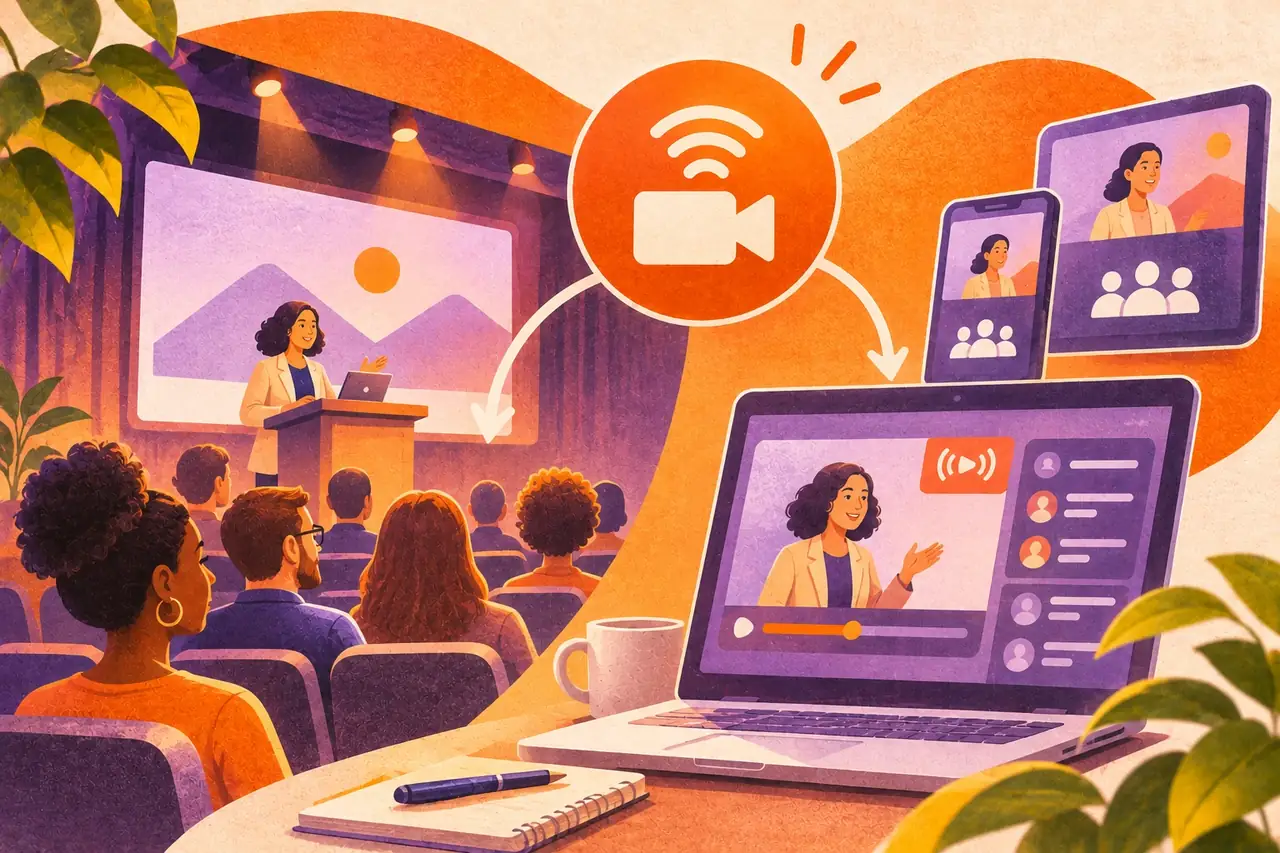
One stage, one audience in the room and another audience watching from home, from their phone or from across the country. 🎤 That’s a hybrid event: a format that combines in-person and online participation in the same event and that, when it’s well planned, makes both audiences feel part of the same experience.
In this guide, you’ll learn what a hybrid event is, how it differs from in-person, virtual and “phygital” events, the most common models, when it’s worth it and how to plan yours from scratch: planning, team, equipment, platform, tickets, metrics and what to do with the recordings afterward. 🚀
| Question | Quick answer |
|---|---|
| What is a hybrid event? | An event with an in-person audience and an online audience at the same time, both with content and interaction |
| Is a livestream already a hybrid event? | Only if the online audience also participates (questions, polls, chat), instead of just watching |
| What are the models? | Livestream of the in-person event, hub-and-spoke, virtual stage with exclusive content, and recorded + live |
| What’s essential? | Dedicated internet with a backup line, good audio, an online moderator and a tech rehearsal |
| Can you charge for online tickets? | Yes, and the most common approach is a different price for each format |
What is a hybrid event?
A hybrid event is an event that takes place at the same time in a physical venue and in an online environment, with two audiences: the people in the room and the people following along on the internet. What defines the format isn’t just the livestream, it’s participation: the remote audience watches live, asks questions, votes in polls and talks with other attendees, instead of just watching a video.
In practice, a hybrid event can be a talk, a conference, a product launch, an internal training session or a multi-day summit. The format gained momentum during the covid-19 pandemic and stayed as a way to keep the energy of meeting in person without limiting your reach to the size of the room.
One important point: releasing the recording of a conference a few days later is not a hybrid event, and pointing a camera at the stage isn’t enough either. A real hybrid event is planned for both audiences from the start.
Hybrid event vs. in-person, virtual and phygital: what’s the difference?
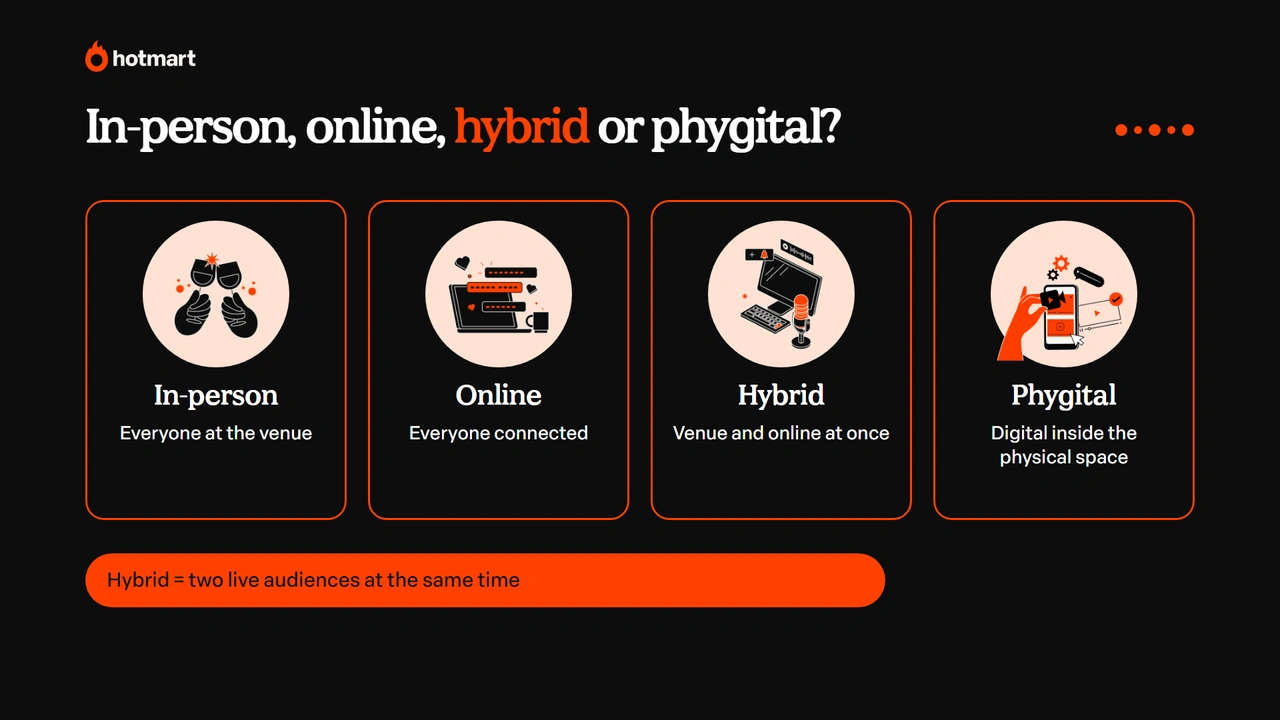
The difference between a hybrid event and in-person, virtual and phygital events comes down to where the audience is and how it participates. At an in-person event, everyone is in the same place; at a virtual event, everyone is online; at a hybrid event, both happen at the same time. “Phygital” (*physical* + *digital*), on the other hand, is a broader term that describes in-person experiences enhanced with digital technology.
| Format | Where the audience is | How it participates | Example |
|---|---|---|---|
| In-person event | Everyone at the venue | Watches, interacts and networks face to face | Trade show, conference, festival like Hotmart FIRE |
| Virtual event | Everyone online | Watches and interacts through chat, polls and video | Webinar, live class, virtual conference |
| Hybrid event | Part at the venue, part online, at the same time | Both audiences interact with the stage (and, ideally, with each other) | Conference with a live audience and an interactive stream |
| Phygital experience | Usually at the venue | Uses digital tools inside the physical space (app, QR code, augmented reality) | Booth with a check-in app and digital activations |
That’s why an event can be phygital without being hybrid: all it takes is using technology at the venue, with no remote audience. If your goal is online only, check out the guide on how to use online events in your strategy. If it’s only about meeting face to face, the classic in-person format is still the way to go.
What are the hybrid event models?
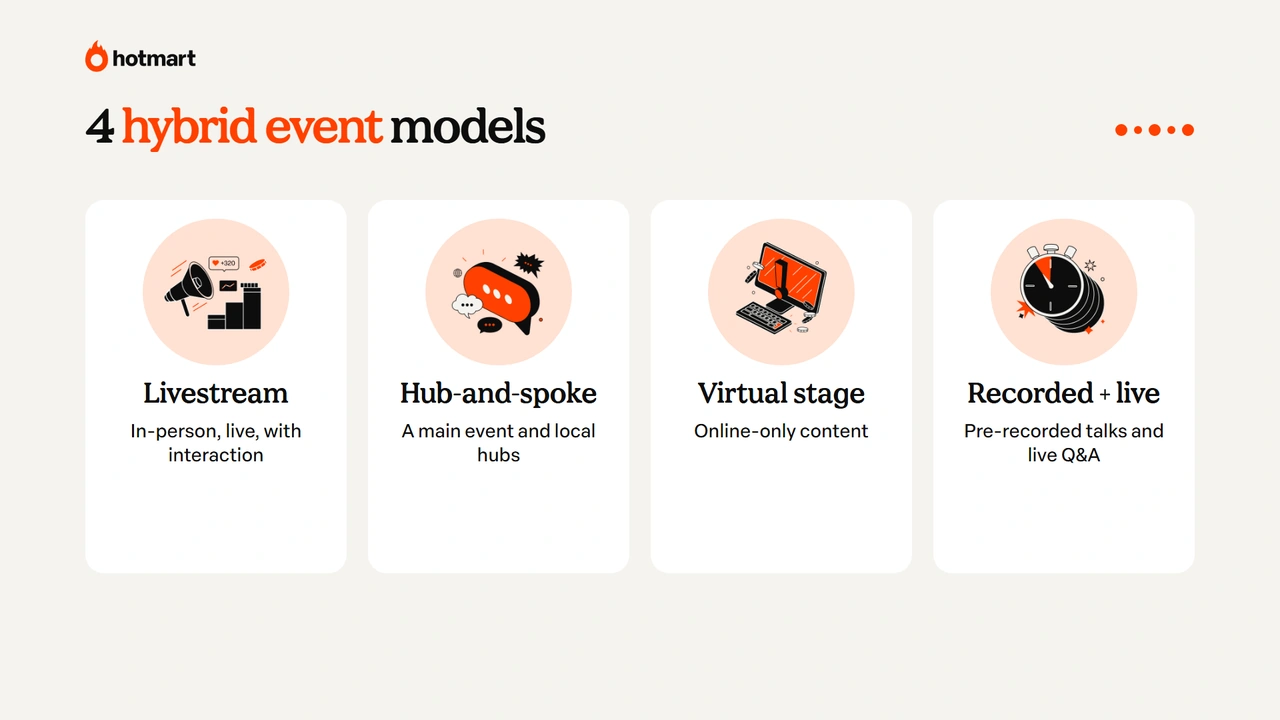
Hybrid event models vary according to how much content is shared between the in-person and the remote audience. The four most common are:
- livestream of the in-person event with interaction;
- hub-and-spoke (one central event and several local hubs);
- virtual stage with exclusive content for online attendees;
- recorded + live.
Nothing stops you from mixing two models in the same event. What matters is choosing on purpose, with your goal and your budget in mind.
Livestream of the in-person event with interaction
The livestream of the in-person event with interaction is the most common hybrid event model: whatever happens on stage goes online in real time, and the remote audience participates through chat, polls and questions sent to the speaker. It’s the simplest model to set up, but it requires an online moderator so that questions from people at home actually reach the stage.
Hub-and-spoke: one central event and local hubs
The hub-and-spoke model is a hybrid event with one main venue (the hub) and several smaller locations (the spokes), such as regional offices, franchises or study groups in other cities. Each spoke watches the central event’s stream together and runs its own in-person activities, like workshops and local networking. It works well for companies with distributed teams and for communities with regional meetups.
Virtual stage with exclusive content
The virtual stage is the hybrid event model in which the online audience gets, on top of the streamed talks, content made just for them: behind-the-scenes interviews, sessions with speakers after their talks, panels during breaks or a dedicated host running the stream. It’s the model that values remote attendees the most, because the online experience stops being “the camera in the back of the room” and gets its own program.
Recorded + live
The recorded + live model is the hybrid event that mixes pre-recorded talks, shown to both audiences, with live moments, like the opening, the Q&A and the closing. It reduces technical risk (the main content is already finished and edited) and makes it easier to feature speakers from other countries, but you need to be careful so it doesn’t feel like a regular video: the live part has to carry real weight.
When is a hybrid event worth it?
A hybrid event is worth it when the audience you want to reach doesn’t fit in (or can’t get to) the venue, but the in-person experience still matters for your goal. In practice, the format usually makes sense in these cases:
- a geographically spread-out audience, like customers in several states or students in an online course;
- a goal focused on reach and content, not only relationships, like a launch or an open class;
- speakers who can’t travel, but can speak live from wherever they are;
- accessibility, to include people who have trouble traveling or can’t afford the trip;
- content with a long shelf life, that can become a product later.
The format is less valuable when almost all of the event’s value lies in face-to-face contact (a small immersion, a retreat, a business matchmaking session) or when there’s no budget to do the online side well. The data confirms that hybrid is a specific choice, not the default: in event data from the Bizzabo platform released in February 2026, 63% of events were in person, 33% virtual and 4% hybrid, and the company itself describes hybrid as a “selective and intentional” format (Bizzabo, 2026).
If you’re torn between a large event and a shorter, hands-on session, the guide to running a workshop helps you compare the formats.
Hybrid event advantages and challenges
The advantages of a hybrid event lie in reach and in getting more out of your content; the challenges lie in serving two audiences well at the same time. It’s worth knowing both sides before you decide.
| Hybrid event advantages | Hybrid event challenges |
|---|---|
| Reach beyond the venue’s capacity | Two audiences with different needs |
| Inclusion of people who can’t travel | Keeping the remote audience engaged (it’s easy to switch tabs) |
| Remote speakers, with no travel costs | Extra cost for audiovisual production and internet |
| More participation data (clicks, watch time, questions) | Technical risk: dropped connections and audio failures |
| High-quality recorded content to use later | Time zones, if the audience is in several countries |
| More revenue streams (online tickets, digital sponsorships) | Bigger team with clearly defined roles |
The most underestimated challenge is remote engagement: people at home have notifications, other tabs and the temptation to “watch it later.” That’s why a good part of the step-by-step below is about giving the online audience reasons to stay.
How to plan a hybrid event: step by step
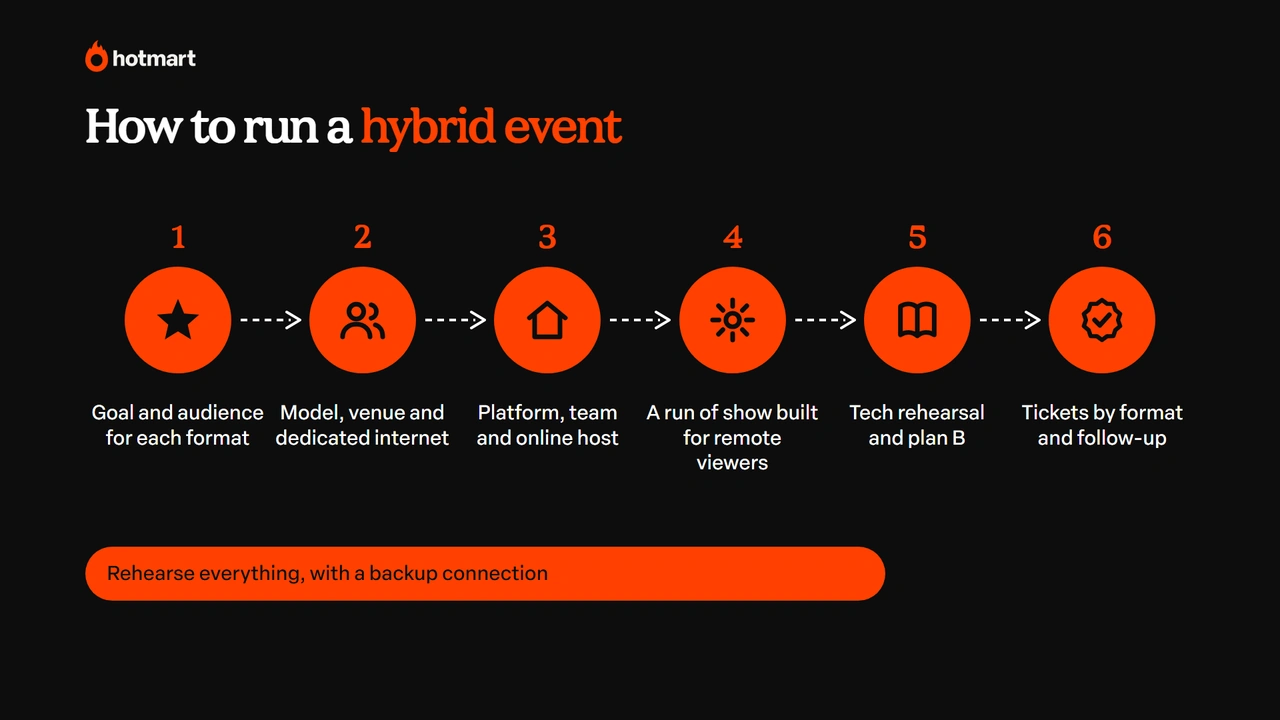
Planning a hybrid event means designing two experiences that happen at the same time and talk to each other. Here’s the path, in 10 steps:
- define the goal of the event;
- get to know the audience for each format;
- choose the hybrid event model;
- choose a venue with dedicated internet;
- choose the streaming platform;
- build the team and assign roles;
- write a run of show designed for online attendees;
- do a tech rehearsal;
- promote the event and sell tickets by format;
- take care of the post-event and the recordings.
The sooner you know the size of each audience, the easier it is to plan the venue, the team and the technology.
1. Define the goal of the hybrid event
The goal of the hybrid event guides every other decision, from the model to the budget: driving sales, launching a product, training a team, strengthening a community or attracting sponsors. Write the goal in one sentence and decide how you’ll measure success (sales, active online attendees, leads).
2. Get to know the audience for each format
The in-person and online audiences of a hybrid event are rarely the same: people who go to the venue want networking and experience; people watching from home want content and convenience. Ask at registration where each person will attend from, which city (or time zone) they’re in and what they expect.
3. Choose the hybrid event model
For a first hybrid event, the livestream of the in-person event with interaction is the safest model. If the remote audience is the largest, it’s worth investing in a virtual stage with its own host.
4. Choose a venue with dedicated internet
The venue for a hybrid event needs a dedicated internet connection for the stream, separate from the attendees’ Wi-Fi, and ideally a second line from another provider as a backup. Also check for network ports near the tech booth, the acoustics, the stage lighting and space for the streaming crew.
5. Choose the streaming platform
The hybrid event platform is where the online audience watches and interacts. Your choice depends on whether you need paid tickets and restricted access, advanced interaction or just reach (see the types further down).
6. Build the team and assign roles
A hybrid event team has roles that don’t exist at an in-person event. The main ones are:
- overall coordination, which makes every decision that involves both audiences;
- technical production, with camera, audio and streaming operators;
- online moderator, who follows the chat, filters questions and brings the best ones to the stage;
- remote host (online emcee), who runs the stream during breaks and welcomes people as they join;
- online attendee support, for people who can’t get in or have no audio.
The online moderator is the role you miss the most when it’s not there. Without one, the chat turns into a side channel that nobody on stage reads.
7. Write a run of show designed for online attendees
The run of show for a hybrid event has to work on both ends. A few rules help: shorter sessions (blocks of 30 to 45 minutes), online questions answered on stage in every block, and content for the in-person breaks (interviews, behind the scenes, a recap of what happened), so the stream doesn’t sit still showing an empty room.
If your audience spans several time zones, schedule the main talks at a good time for most people and release the recording quickly for everyone else.
8. Do a tech rehearsal
A tech rehearsal is mandatory for a hybrid event, ideally at the venue itself and on the same internet connection you’ll use on the day. Test cameras, microphones, audio monitoring, remote speakers joining, captions, scene switching and the plan B: what happens if the main internet goes down? Who lets the online audience know? For the technical details of the stream, see the step-by-step guide on how to create a live stream.
9. Promote the event and sell tickets by format
Promoting a hybrid event means making it clear what each ticket includes. The most common approach is a different price for each format: in-person tickets usually cost more (they include the venue, food and networking) and online tickets cost less or nothing. Microsoft Build 2025, in Seattle, is an example: the in-person ticket cost $1,125 at the early-bird price and the online experience was free (Thurrott, 2025).
Send different emails to each audience: address and check-in details for people coming to the venue, access link and connection test for people watching from home. Get ideas in the guide to email marketing.
10. Take care of the post-event and the recordings
The post-event phase of a hybrid event starts the same day: say thank you, send the satisfaction survey and let people know when the recordings will be available. Recordings edited by talk are worth more than hours of raw footage, and they can serve people who missed the live session, feed your social media content or even become a product, as we’ll show further on.
Hybrid event equipment checklist
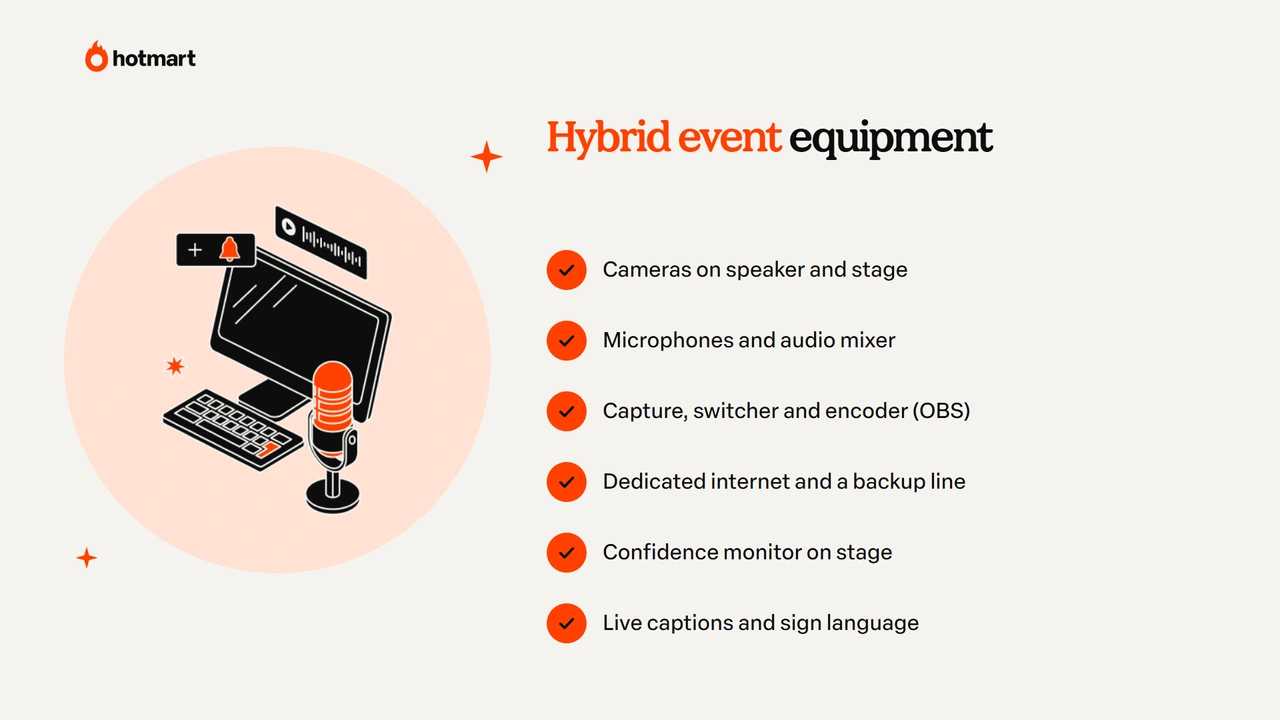
A hybrid event equipment checklist depends on the size of the event, but the basics are always the same: image, sound, capture, streaming, internet and accessibility. Use the list below as a starting point:
- cameras: at least one on the speaker and a wide shot (stage or audience); at bigger events, extra cameras for audience questions;
- audio: lavalier or headset mics for speakers, handheld mics for audience questions and a mixer with a separate output for the stream;
- capture: capture cards or a switcher to combine the cameras and the slide presentations;
- encoder and software: streaming software, like OBS Studio (free and open source, for Windows, macOS and Linux, according to its official website), or a hardware encoder;
- internet with redundancy: a dedicated wired line and a second backup line;
- screens and monitoring: a monitor so the speaker can see remote attendees and their questions;
- accessibility: live captions, a sign language interpreter on stage and on screen, and materials in accessible formats.
When it comes to internet, the math starts with video quality. YouTube recommends a bitrate of 5 to 14 Mbps for streaming at 1080p and 30 frames per second with H.264, and 3 to 8 Mbps at 720p and 30 fps (YouTube Help). Since the venue’s internet also fluctuates, the available upload speed should sit comfortably above the bitrate you choose.
On accessibility, keep in mind that in the US the ADA lists qualified sign language interpreters and real-time captioning (CART) among the aids that businesses and nonprofits serving the public must provide when needed for effective communication (ADA.gov). At a hybrid event, make sure the interpreter also appears in the stream, not just on stage. For more on captions, see why you should subtitle your videos.
Hybrid event platforms: the main types
A hybrid event platform is the environment where the online audience watches, interacts and, in some cases, networks. There are three main types, and the right choice depends on access, interaction and budget.
| Platform type | Examples | When to use it |
|---|---|---|
| Open streaming platforms | YouTube Live, social media livestreams | Free event, focus on reach and public content |
| Video conferencing and webinar tools | Zoom, Microsoft Teams | Smaller audience, interaction through questions and polls, remote speakers |
| Event platforms | Solutions with a registration page, virtual venue, breakout rooms, networking and booths | Paid event, multiple stages, sponsors and a need for detailed data |
Before you sign a contract, check the official documentation for the plan’s attendee limit, ticket-based access control, recording, live captions and reports. Prices and limits change often, so always check the vendor’s page.
On YouTube, for example, you need to verify your channel and have no live streaming restrictions in the last 90 days to start a livestream, according to YouTube Help. Zoom and Microsoft Teams publish their own limits and features in their help centers, so compare them there.
How to engage the online audience at a hybrid event
Engaging the online audience at a hybrid event means giving people at home reasons to participate, not just watch. The tactics that work best are:
- priority for online questions: at least one remote question on stage in every block;
- live polls shown on stage, with votes from both audiences;
- calling out remote attendees by name or by city;
- exclusive content during breaks, like interviews with speakers;
- online networking, with themed rooms or a community.
Showing the moderated chat or the faces of remote attendees on the big screen also shows the in-room audience that there are people on the other side. To keep that connection going after the event, see how to build a digital community and how to approach networking naturally.
Hybrid event metrics: what to measure
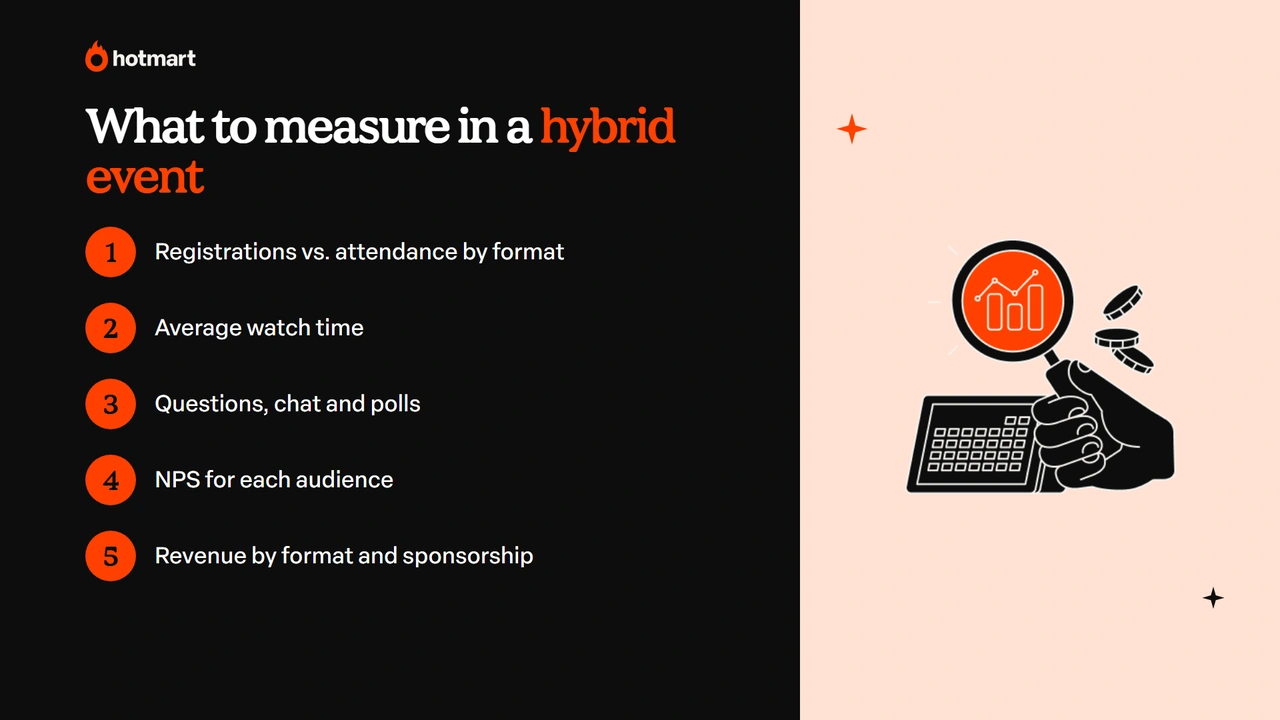
Hybrid event metrics need to be split by format, because in-person and online audiences behave differently. These are the main ones:
| Metric | How to measure it | What it shows |
|---|---|---|
| Registrations vs. attendance (by format) | On-site check-in and unique logins on the platform | Attendance rate for each audience |
| Average watch time | Platform reports | Whether the content held the online audience |
| Peak concurrent viewers | Platform reports | Which sessions drew the most interest |
| Engagement | Questions, chat messages, poll votes | Real participation, not just presence |
| Satisfaction (NPS) | Survey sent right after the event, split by format | Likelihood to recommend and areas to improve |
| Revenue | Tickets by format, sponsorships, sales generated | Financial return of the event |
Always compare against the goal from step one: lots of online registrations with little watch time mean the promotion worked, but the content or the stream didn’t hold the audience. If it’s a sales event, these webinar techniques help you connect the content to the offer.
How much does a hybrid event cost?
The cost of a hybrid event has no standard figure: it depends on the audience, the venue, the city, the number of cameras and the platform. Instead of a price list that goes out of date fast, it’s more useful to know the items that go into the budget:
- venue and internet: space, furniture, dedicated line and backup line;
- audiovisual production: cameras, audio, lighting, switcher and operators;
- platform: license for the streaming or event tool;
- online team: moderator, remote host and support;
- accessibility: live captioning and sign language interpreters;
- post-production and promotion: editing the recordings, ads and emails.
Compared with an in-person-only event, a hybrid event adds streaming and an online team, but it can bring in extra revenue from online tickets and digital sponsorships. Get quotes from more than one vendor and set aside a reserve for technical surprises.
Hybrid event examples
The best-known hybrid event examples come from tech conferences, which combine a live audience at the venue with an open stream for the whole world. Three documented cases:
- Apple WWDC25: Apple’s developer conference was online and free from June 9 to 13, 2025, with the keynote streamed on Apple’s website, the Apple TV app and YouTube, plus an in-person event at Apple Park on June 9 for more than 1,000 developers and students (Apple Newsroom, 2025);
- Google I/O 2025: Google’s conference had an audience at the Shoreline Amphitheatre in Mountain View, California, and a livestream of the May 20, 2025 keynotes for people who weren’t there (TechCrunch, 2025);
- Microsoft Build 2025: from May 19 to 22, 2025, in Seattle, with paid tickets for in-person attendance and a free online experience (Thurrott, 2025).
Notice the pattern: the in-person part is limited (paid or with limited seats), and the online part guarantees reach. On a smaller scale, the same goes for a content creator: an in-person class for 40 students can be streamed to the whole community, with a cheaper online ticket.
How to turn your hybrid event into a digital product
Turning your hybrid event into a digital product means using the recordings and the audience you built to create something that keeps selling afterward. There are three common paths:
- recordings become a course: edited talks, organized into modules, become a course or an “official replay” for people who didn’t attend;
- the audience becomes a community: attendees keep the conversation going in a community with regular meetups and lives;
- the next edition starts selling right away: the page for the next event opens presales with tickets by format.
At Hotmart, these paths rely on tools that already exist. Recordings can go into the Members Area, which is free and has automatic certificates and a Player with content protection. To keep your audience close, Hotmart’s Community works on a recurring subscription and supports posts, videos, audio and lives. And for the event page, Hotmart Launchpad creates, from a description of your idea, an event page with ticket sales, already set up with Hotmart’s checkout (over 40 payment methods and 22 currencies).
Hotmart’s fee is 9.9% + US$1.00 per approved sale, with no monthly fee, and the Members Area and the Player are included. If your event uses Zoom, Hotmart has a standard integration with the tool.
Ready to plan your hybrid event?
A hybrid event works when both audiences feel part of the same event: the in-person audience with the energy of being together, and the online audience with real content, a voice and attention. To get there, start with the goal, choose the model, secure dedicated internet and good audio, add an online moderator to the team and rehearse everything beforehand.
If it’s your first one, start small: a talk or a workshop with an interactive stream already teaches you a lot. Then use the metrics and the recordings to improve the next edition and turn the event into something that lasts much longer than one day. 😉
Frequently asked questions about hybrid events
Still have questions? Below, we answer some of the most frequently asked questions about hybrid events.
What's the difference between a hybrid event and a virtual event?
A virtual event happens only online, with the whole audience connected. A hybrid event has, at the same time, an audience at the venue and an online audience, and both participate in the same live content.
Is streaming a talk on YouTube already a hybrid event?
Not necessarily. To be a hybrid event, the online audience needs to participate, with questions, polls or chat answered on stage. Streaming alone, with no interaction, is a livestream of an in-person event.
What's the best platform for a hybrid event?
It depends on your goal. For free events focused on reach, open platforms like YouTube Live do the job; for smaller audiences and more interaction, tools like Zoom and Microsoft Teams; for paid events with multiple stages and sponsors, event platforms with access control.
Do you need dedicated internet for a hybrid event?
It's strongly recommended. The stream should have its own wired line, separate from the attendees' Wi-Fi, ideally with a second backup line from another provider.
Can you charge a different ticket price for online attendees?
Yes, and it's the most common approach. In-person tickets usually cost more because they include the venue, food and networking, while online tickets are cheaper or free, as with Microsoft Build 2025.