
What is a template: meaning, types, examples and how to use (and sell) your own
Discover what a template is, where the word comes from, the main types with practical examples, where to find ready-made templates and how to create and sell your own as a digital product.

What will we see in this post

You know that slide deck that opens with the title, font and colors already in place? Or that Canva post where you just swap the text and the photo? 🎨 That is a template, and you probably use several every week without noticing: in your emails, your expense spreadsheet, your contracts, your video scripts.
In this guide, you will learn what a template is, where the word comes from, how it differs from a theme and a layout, the main types with practical examples and where to find free and paid templates. At the end, we show you how to customize a template so it does not look generic, how to create your own and how to turn templates into a digital product you can sell. 🚀
| Question | Quick answer |
|---|---|
| What is a template? | A ready-made, reusable model that serves as a starting point so you never begin from scratch |
| What does template mean? | A pattern, mold or guide that sets the shape and structure of something |
| What is it for? | Saving time, keeping a consistent look and avoiding mistakes |
| Where can I find templates? | Canva, Google Docs and Sheets, Microsoft Create, Notion and Figma, among others |
| Can I sell templates? | Yes, as a digital product, as long as the design is yours and the license allows it |
What is a template?
A template is a ready-made, reusable model that serves as the base for creating something new, without starting from a blank page. It already comes with the structure, the formatting and the spaces for you to fill in with your own content: a presentation template has the slides laid out, an email template has a header, body and button, and a contract template has the clauses with fields for name, amount and date.
The word has an interesting history. According to the Merriam-Webster dictionary, “template” is an alteration of “templet”, a pattern or gauge used in workshops to guide the shape of a piece, first recorded in 1549. The idea is still the same: the mold sets the shape, and you add the content. That is the template meaning in a nutshell: a pattern you reuse.
Today, the term shows up in almost every digital tool. In WordPress, a template is the file that defines the layout of a page type. In Canva, it is an editable design. In Notion, it is a page with a ready structure you can duplicate. And in programming, it is a piece of code that repeats with different values.
Template vs. theme vs. layout: what is the difference?
The difference between a template, a theme and a layout is scope: the template is the ready-made, editable base of a single piece, the theme is the set of templates and styles for an entire website, and the layout is simply how the elements are arranged. In everyday language, “template” and “model” are often used interchangeably.
| Term | What it is | Example |
|---|---|---|
| Template | Ready-made, editable base for a piece, with structure and formatting | A Canva carousel post with placeholders for text |
| Model / sample | Often used as a synonym, especially for ready-made documents | A “service agreement sample” in Google Docs |
| Theme | A bundle of templates, colors and fonts for a website or app | A WordPress theme that changes the look of the whole blog |
| Layout | How elements are arranged on the screen or page | Title on top, image on the left, text on the right |
| Mockup | A visual simulation of how something will look, not editable | A photo of a phone showing your app |
In short: every template has a layout, but not every layout is a template. It only becomes a template when it is saved to be reused.
What a template is for: benefits and limits
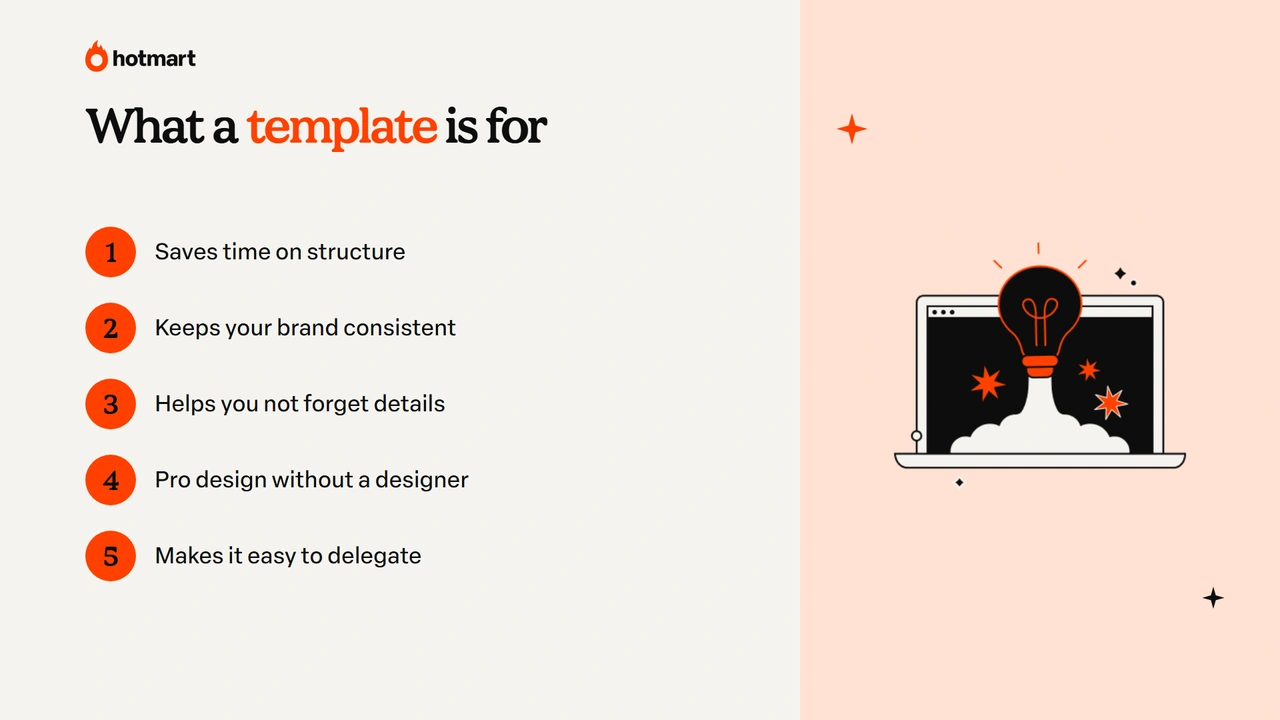
A template is for saving time and staying consistent in everything you create often. Instead of choosing the font, colors, order of information and image sizes every single time, you decide once and reuse it. The main benefits are:
- speed: the tedious part (structure and formatting) is already done;
- visual consistency: posts, emails and pages all look like the same brand, which strengthens your visual identity;
- fewer mistakes: fixed fields remind you of what cannot be left out, like the tax ID on a contract or the link in your bio;
- access to professional design: people who are not designers still get a polished result;
- easier delegation: someone else on the team can produce work to the same standard.
But templates also have limits. The most common one is the generic look: if thousands of people use the same Canva template without changing anything, your post ends up looking like everyone else’s. Another point is the license, because not every template can be used commercially or resold. And on websites, some templates lock features or slow down loading. Further down, we show you how to get around each of these issues.
Types of templates with practical examples
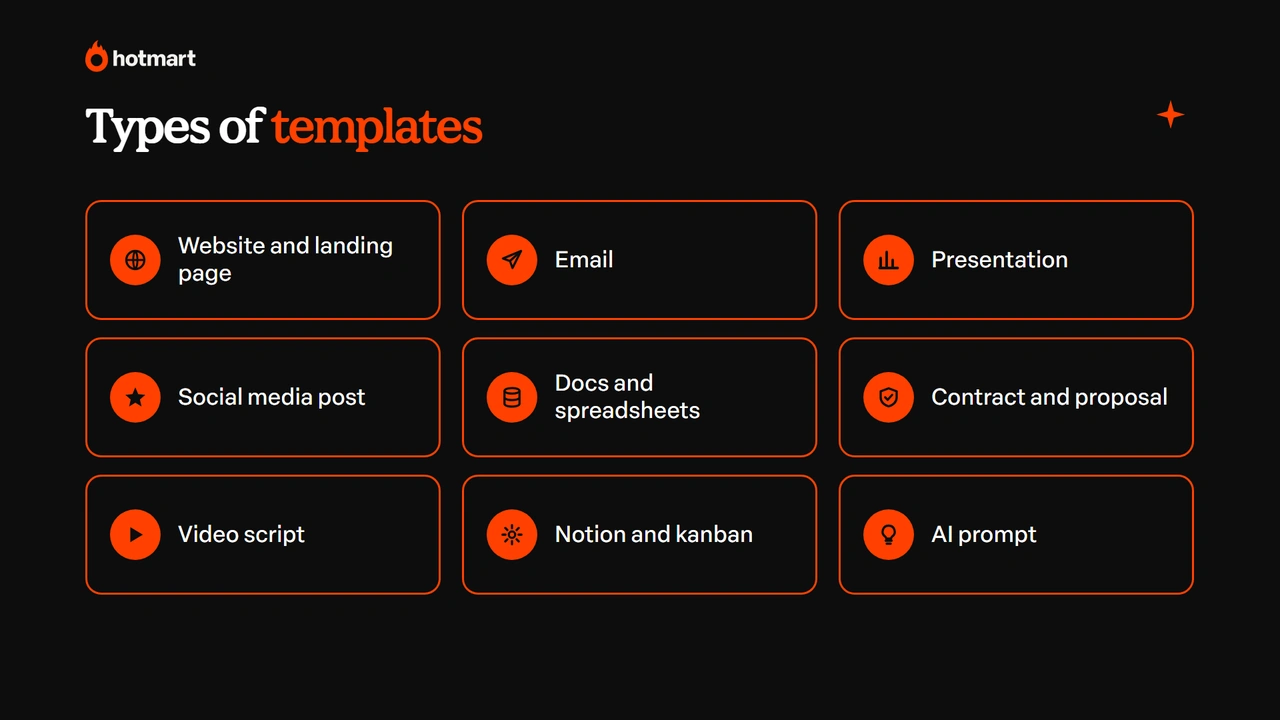
The types of templates change depending on what you want to create, but the logic is always the same: ready-made structure + spaces for your content. The ones most used by people who work in marketing and content are:
- website and landing page templates;
- email templates;
- presentation templates;
- social media post templates;
- document and spreadsheet templates;
- contract and proposal templates;
- video script templates;
- Notion templates and kanban boards;
- AI prompt templates.
Below, we explain each type of template with a concrete example.
Website and landing page templates
A website template is the visual and structural base of a page: header, menu, content sections and footer already in place. Platforms like WordPress, Wix and page builders offer hundreds of options by niche (restaurant, portfolio, store, course).
For a landing page, the template already includes the sections that usually convert: a headline with the promise, benefits, social proof, the offer and a form or buy button. If you want to build yours from scratch, this step-by-step guide on how to create a landing page walks through each section.
Email templates
An email template defines the header with your logo, the text width, the font, the button and the footer with the unsubscribe link. Email marketing tools like Mailchimp and Kit (formerly ConvertKit) have their own template libraries, and it is worth creating one template for each type of send: welcome, newsletter, offer and abandoned cart.
Presentation templates
A presentation template comes with a cover, topic slides, data slides, quote slides and a closing slide already laid out. Google Slides, PowerPoint, Keynote and Canva all have ready-made galleries. The secret is to use the template as a guide for hierarchy (one idea per slide, little text), not just as a “pretty background”.
Social media post templates
The social media post template is the most popular kind: carousels, Reels covers, question stories and quote posts in the right format for each network. In Canva, for example, you filter by “Instagram post” and find thousands of options. This Canva tutorial shows how to edit and save your own.
Document and spreadsheet templates
Document and spreadsheet templates cover the day-to-day of a business: quotes, receipts, cash flow, content calendars, student tracking, meeting minutes. Google Docs and Google Sheets have a template gallery on their home screen, and Microsoft Create gathers free templates for Word, Excel and PowerPoint.
Contract and proposal templates
A contract or business proposal template comes with the standard clauses and sections plus variable fields (name, tax ID, amount, deadline, payment method). It speeds things up a lot, but it does not replace a review: adapt the clauses to your situation and your state’s laws, and for high-value contracts, have a lawyer read it.
Video script templates
A video script template organizes the video before you hit record, so you do not get lost or forget the CTA. It works for YouTube, recorded lessons and, above all, short-form videos. Here is a Reels script template you can copy and adapt:
| Time | Stage | What goes in (example) |
|---|---|---|
| 0 to 3 s | Hook | A line that stops the scroll: “3 mistakes that make your posts look amateur” |
| 3 to 8 s | Problem | Why it matters: “You put work into your content, but nobody stops to read it” |
| 8 to 30 s | Content | 3 short points, one per cut: 1. ___ 2. ___ 3. ___ |
| 30 to 38 s | Proof | An example, before and after or a result: “Look at the difference in this carousel” |
| 38 to 45 s | CTA | One single action: “Save this video and comment TEMPLATE so I can send you mine” |
| Throughout | Support | On-screen text, audio and captions defined before recording |
Notice that the template does not tell you what to say, it tells you in what order and for how long. To go deeper into planning and writing, read this complete guide to content creation.
Notion templates and kanban boards
Notion templates are pages with a ready-made structure to duplicate: weekly planner, content idea bank, simple CRM, project tracker. One of the most popular is the kanban board, with columns like “Ideas”, “In progress”, “Review” and “Published”. Trello and ClickUp also offer ready-made boards.
AI prompt templates
An AI prompt template is an instruction with a fixed structure and variable fields to use in ChatGPT, Claude or Gemini. For example: “You are a [role]. Write a [format] for [audience] about [topic], in a [tone] tone, in up to [length]. Avoid [what you do not want].” Saving the prompts that work as templates saves time and makes the answers more consistent. This guide explains what a prompt is and how to build a good one.
Where to find ready-made templates
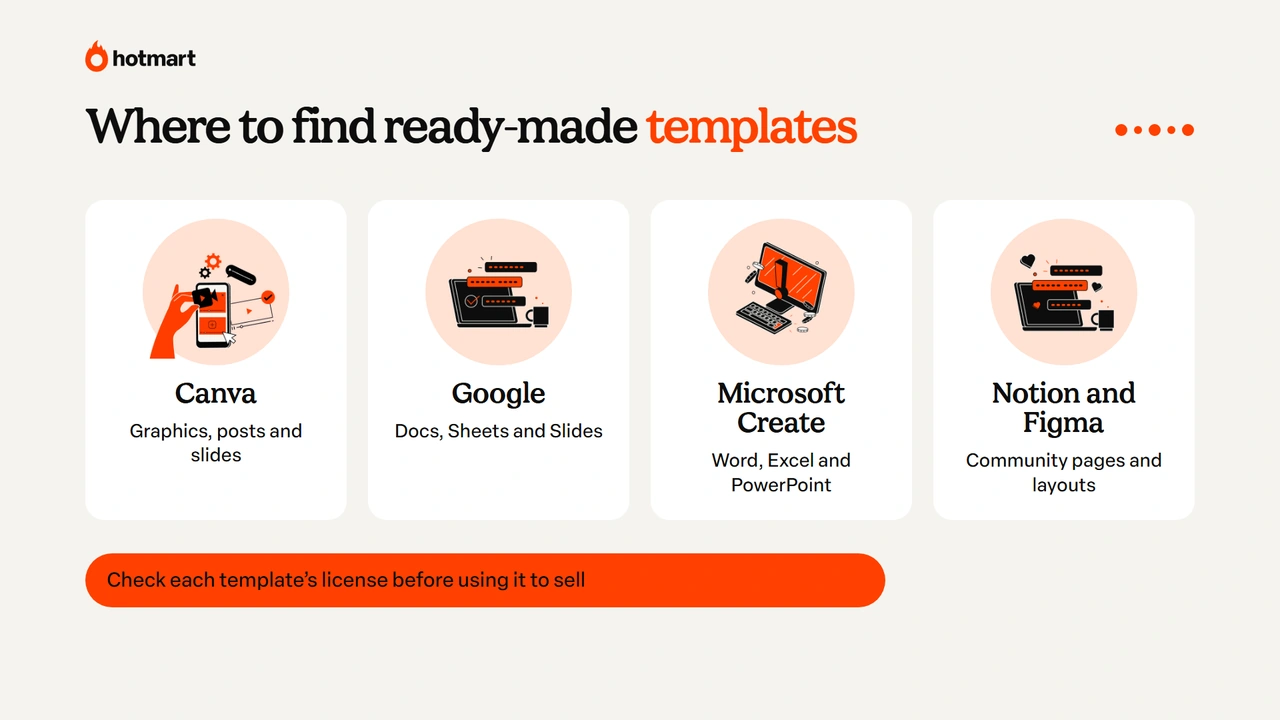
Ready-made templates are mostly inside the tools you already use. The main sources are:
- Canva: the largest library of design templates for social media, presentations, ebooks and documents. In 2025, the platform passed 265 million monthly active users, according to TechCrunch (Feb 2026);
- Google Workspace: a template gallery in Docs, Sheets and Slides, free for anyone with a Google account;
- Microsoft Create: templates for Word, Excel and PowerPoint;
- Notion: an official gallery of free and paid templates, made by the company and by creators;
- Figma Community: design files for websites, apps and posts shared by designers.
Free vs. paid templates
Free templates work well when you are starting out, but they are the most used and, because of that, the ones that look the most generic. Paid templates (in Canva Pro, on marketplaces or sold by creators) tend to be more complete, with variations, instructions and support. A good rule of thumb: start with free and pay when a template saves you hours of work or solves something specific to your niche.
Pay attention to licenses and usage rights
Before using a template in something you are going to sell, check the license. In the United States, original designs and texts are protected by copyright law, as the U.S. Copyright Office explains, and each platform sets what you can do with its templates. Canva, for example, allows you to use its templates in commercial materials, but does not allow you to resell one of its ready-made templates as is, according to the Canva Help Center.
How to choose the right template
Choosing the right template starts with your goal, not with how pretty it looks. Before downloading the first one you see, answer these questions:
- what is the goal of the piece? Selling, informing, capturing leads or organizing;
- does it work in the tool you already use? A Figma template does not help someone who only uses Canva;
- is it easy to edit? Text and images need to be swappable without breaking the layout;
- does it work on mobile? Websites, emails and posts are mostly seen on a small screen;
- does the license allow the use you have in mind? Personal use, commercial use and resale are different things.
If the template passes all five questions, it is a good starting point. Now you just need to make it yours.
How to customize a template so it does not look generic
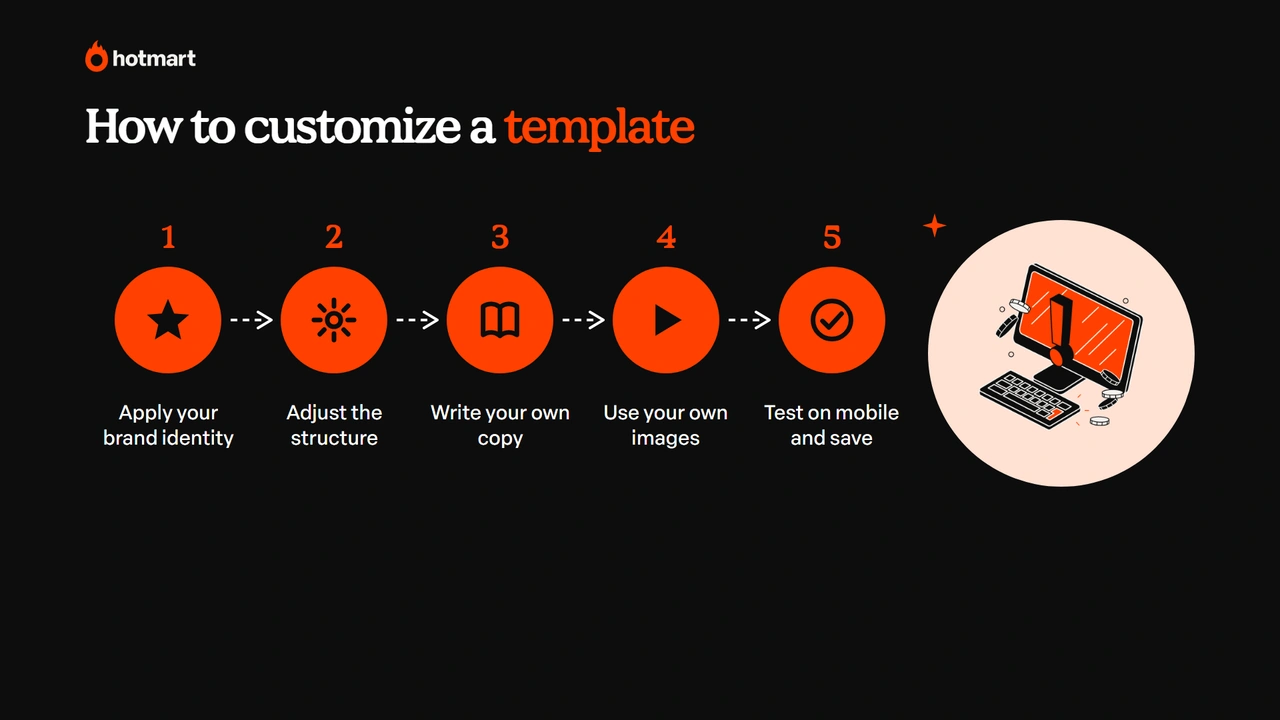
Customizing a template so it does not look generic means replacing everything that is “default” with what is yours, keeping only the structure. Follow these steps:
- apply your visual identity: swap the colors, fonts and logo for your brand’s before anything else (in Canva, the Brand Kit does this in a few clicks, and color psychology helps you pick the palette);
- adjust the structure to your content: delete the blocks you do not need and duplicate the ones you are missing, because the content drives the template, not the other way around;
- write the text from scratch: no “lorem ipsum” or sample text with a few edits, use your own voice and your own examples;
- use your own images: photos of you, your product or behind the scenes make more of a difference than any stock illustration;
- remove the extras: icons with no purpose and too many decorations make the piece cluttered;
- test it on mobile: text that is too small and hidden buttons show up right away;
- save your version as a template: that way, the next piece already starts with your look, not the original’s.
With these seven steps, the template becomes just the skeleton, and anyone who sees the piece recognizes your brand, not the template everyone else uses.
How to create your own template
Creating your own template means turning a piece that already worked into a mold for the next ones. The simplest way is to look at what you repeat every week (a type of post, an email, a quote) and pick the best version you have already made.
From there, separate what is fixed (structure, colors, fonts, logo, footer) from what is variable (headline, image, data, client name). Mark the variable fields clearly, like CLIENT NAME or “write your hook here”, and include short instructions inside the file itself: ideal text length, where to swap the photo, what not to touch.
Finally, test it: ask someone else to fill in the template without your help. If they get stuck anywhere, the instructions need work. A well-made template is one that anyone can use without asking a single question.
How to sell templates as a digital product
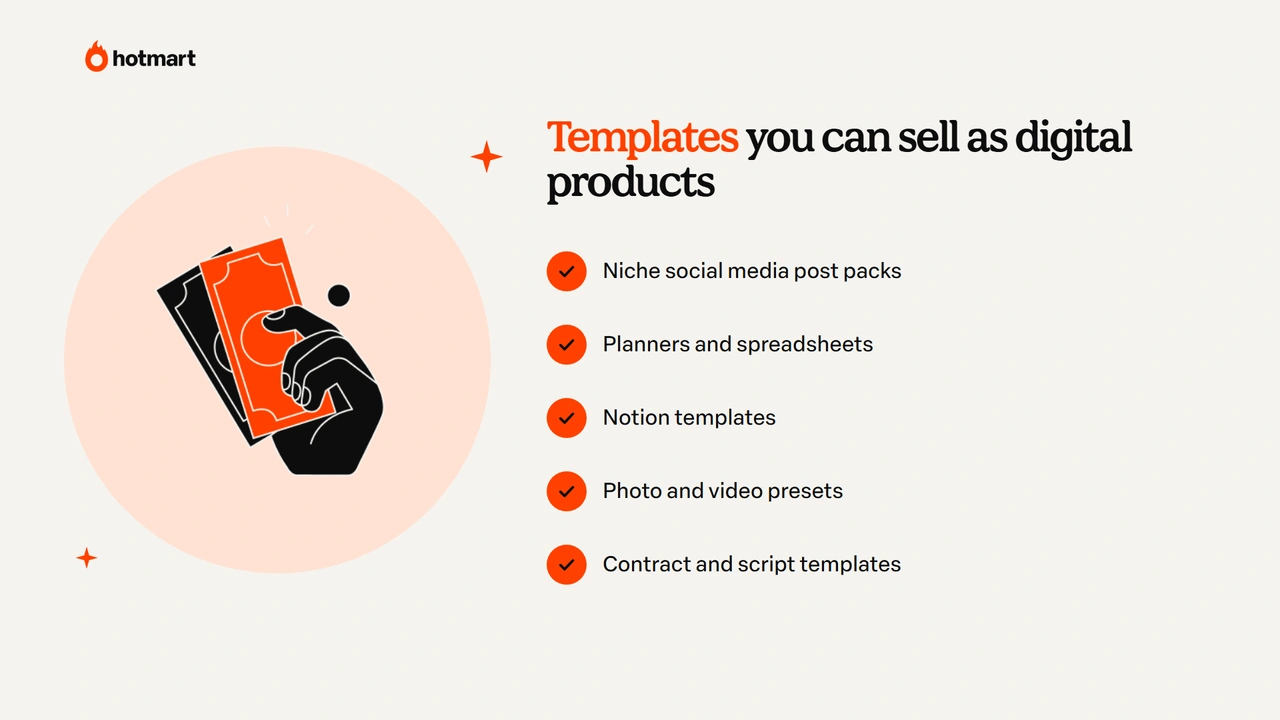
Selling templates as a digital product is a way to turn what you already do well into income, without recording a course. Anyone who masters a tool or a niche can package templates that save other people time. Among the formats that make the most sense are:
- post template packs for a niche (nutritionists, lawyers, language teachers);
- planners and spreadsheets for finances, studying, routines or content;
- Notion templates for personal organization, CRM or project management;
- presets for photo and video editing;
- contract, proposal and script templates for freelancers and creators;
- prompt libraries organized by task.
These formats belong on any list of business ideas for the digital world because they cost little to produce and can be sold over and over. The edge is in the niche: a “pack of 30 posts for therapists” sells better than “30 posts for anyone”.
How to price a template pack
The price of a template pack depends on how much time it saves, the niche and what comes with it (variations, a video showing how to edit, updates). A practical approach is to estimate how much it would cost to hire someone to do the same work and charge a fraction of that.
It is also worth doing the math on what you keep. On Hotmart, the fee is 9.9% + US$1.00 per approved sale, with no monthly subscription. In a hypothetical example of a pack sold for US$47, the fee comes to about US$5.65 and you receive roughly US$41.35 per sale. You can find the details on Hotmart’s pricing page.
Where to sell your templates
To sell templates, you need a sales page, a checkout and a way to deliver the files. On Hotmart, registering your product is free and there are specific formats for this, such as ebooks and downloadable files, according to the Hotmart Help Center. If your pack includes lessons on how to edit, the Hotmart Members Area keeps videos and files in one place.
Just one important caveat: if you create your templates in Canva, they must be your own original design. And, according to the Canva Help Center, templates with Canva Pro elements can only be sold as a Canva template link, not as a PDF. To take your first steps, check out this guide on how to sell digital products online with Hotmart.
Ready to make templates work for you?
Now you know what a template is: a mold that takes care of the structure so you can focus on the content. It saves time, keeps your brand consistent and is everywhere, from Canva to Notion, from email to AI prompts. The secret to avoiding the generic look is to customize everything that is not structure.
Start with what you repeat most during the week and turn it into a template of your own. And if you get good at it, remember that other people would pay to save that time too. 😉
Frequently asked questions about what is a template
Still have questions? Below, we answer some of the most frequently asked questions about templates.
What does template mean?
Template means a pattern, mold or guide. In digital use, it refers to a ready-made, reusable base, with structure and formatting, for creating documents, designs, pages or emails without starting from scratch.
Is a template the same as a model?
In practice, yes: "model" and "sample" are often used as synonyms for template. On websites, it is worth distinguishing it from a "theme", which is the bundle of templates, colors and fonts for the entire site.
Where can I find free templates?
You can find free templates in Canva, in the template galleries of Google Docs, Sheets and Slides, in Microsoft Create, in the Notion gallery and in the Figma Community. Always check the license before using a template in something commercial.
Can I sell templates made in Canva?
Yes, as long as the design is your own original work. According to Canva, templates with Pro elements can only be sold as a Canva template link, and the platform's ready-made templates cannot be resold without changes.
What is the difference between a template and a layout?
A layout is how the elements are arranged on the page. A template is the ready-made, editable base that already includes a layout, styles and spaces to fill in, designed to be reused many times.